Smart Sprinkler Skipping or Watering in the Rain
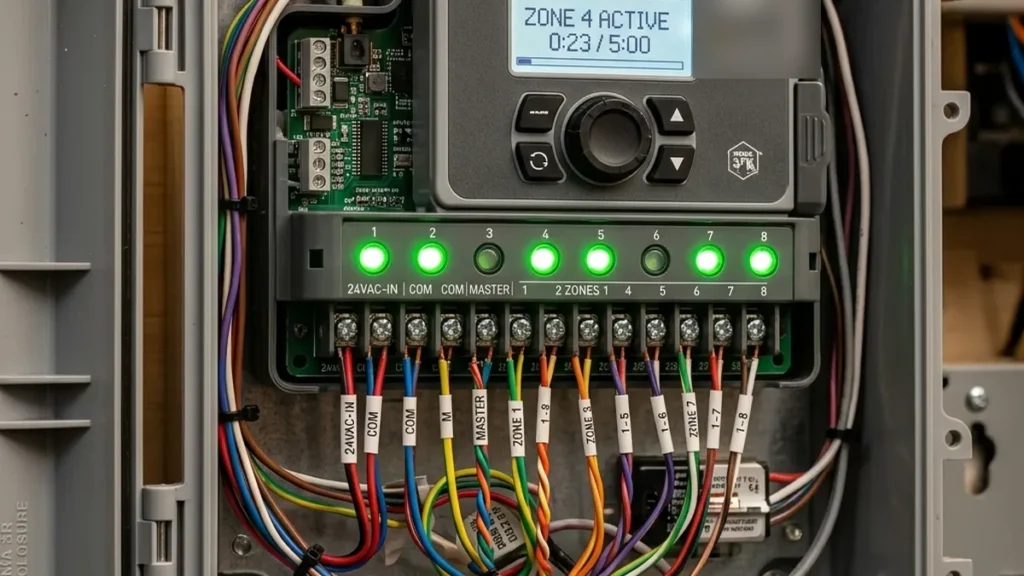
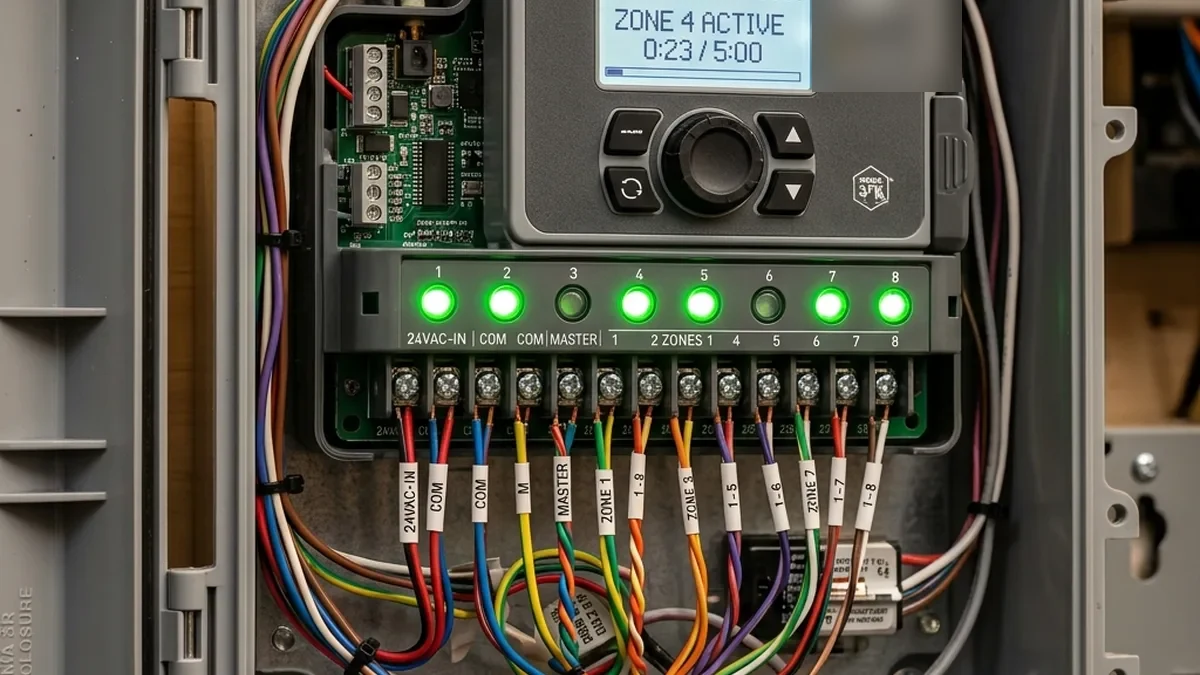
The promise of smart irrigation systems is clear: Automate watering based on actual weather conditions, optimizing plant health and conserving water. However, the reality for many users often involves perplexing scenarios where sprinklers activate during heavy rainfall or remain dormant during dry spells, leading to frustration and wasted resources. These inconsistencies are rarely due to a faulty controller but rather intricate failures within the complex data pipeline responsible for delivering timely and accurate weather information. This guide works through the highly technical underpinnings of these issues, offering a master-level understanding and actionable, detailed solutions.
Controllers running during heavy rain often point to an API reporting delay or a microclimate data gap. Even units like the Rachio 3 or Orbit B-hyve can suffer from a 15-to-45-minute delay in processing newly updated weather conditions. If a “Weather Skip” fails to activate, an API disconnect, incorrect station selection, or underlying network instability is the likely culprit. Understanding the precise points of failure requires a deep dive into the system’s architecture.
Irrigation Data Pipeline: A Technical Overview
The Smart Irrigation Data Pipeline and its potential failure points, from meteorological data acquisition to controller execution.
Deep Dive: Deconstructing the Smart Sprinkler Data Pipeline
To effectively troubleshoot, we must first understand each layer of the data pipeline and its technical vulnerabilities. Each stage introduces potential points of failure, latency, or data corruption.
1. Weather Data Source Layer: From Cloud to Ground Truth
The foundation of any smart irrigation system is accurate, hyper-local weather data. This data originates from two primary sources:
- Government/Commercial Weather Stations: These are often official meteorological stations (e.g., NOAA, airport stations), providing highly reliable but geographically sparse data. Their data is aggregated by major weather service providers (e.g., IBM Weather Company, AccuWeather, Apple Weather, formerly Dark Sky). The primary drawback is the “Airport Data Lag” or “Microclimate Effect”—conditions can vary drastically over even a few miles.
- Personal Weather Stations (PWS): Operated by individuals, these stations provide hyper-local data. Networks like Weather Underground (WU) aggregate data from hundreds of thousands of PWS units globally. While offering superior locality, PWS data quality can vary based on sensor calibration, maintenance, and installation.
Technical Considerations:
- Data Granularity and Update Frequency: Commercial stations typically update hourly or bi-hourly. PWS units often report every 2.5 to 15 minutes. A controller relying on hourly updates will inherently have higher latency in responding to sudden weather changes compared to one polling a PWS every few minutes.
- Data Formats and APIs: Weather data is typically transmitted via RESTful APIs, often in JSON or XML format. Key data points include precipitation (accumulated, rate), temperature, humidity, wind speed, and Evapotranspiration (ET) values. The specific API endpoints and data schemas are proprietary to each weather service provider.
- Geographic Resolution: The accuracy of a weather skip hinges on the geographic proximity of the data source. A default station chosen by IP geolocation might be 10-20 miles away, rendering its data largely irrelevant for a specific microclimate.
2. Cloud API Service Layer: The Orchestrator of Data Flow
Between the weather data source and your home network lies the cloud API service, operated by the smart sprinkler manufacturer (e.g., Orbit, Rain Bird, Rachio) or a third-party weather data aggregator. This service pulls raw weather data, processes it, and then exposes it to your sprinkler controller via its own API.
+---------------------+     HTTPS/REST API     +-----------------------+     HTTPS/REST API     +---------------------+
| Weather Data Source | ---------------------> | Cloud API Service     | ---------------------> | Sprinkler Controller|
| (PWS, NOAA, etc.)   |   (e.g., Weather Co.)  | (Manufacturer's Cloud)|   (e.g., bhyve.com)    | (via Home Network)  |
+---------------------+                      ^ +-----------------------+                        +---------------------+
                                             |
                                             | Data Aggregation,
                                             | Processing, Filtering
Technical Considerations:
- API Endpoints and Authentication: Controllers connect to specific cloud endpoints (e.g.,
api.bhyve.com,rainbird.com/api). These connections are secured via HTTPS/TLS, requiring certificates and often API keys or OAuth tokens for authentication. - Rate Limiting: Cloud APIs impose rate limits (e.g., X requests per minute/hour) to prevent abuse and manage server load. If a controller attempts to poll data too frequently, it can hit these limits, resulting in temporary data unavailability or delayed updates.
- Server-Side Processing and Latency: The manufacturer’s cloud service might perform additional calculations (e.g., calculating ET based on multiple parameters) or data sanitization. This processing introduces server-side latency, adding to the overall delay before data reaches the controller.
- Downtime and Reliability: Cloud services can experience outages, maintenance windows, or degraded performance, leading to “Weather Data Unavailable” errors. Monitoring status pages (if available) can help diagnose these issues.
3. Home Network Layer: The Local Conduit
The home network is the critical link between the internet and your smart sprinkler controller. It’s often the most overlooked and misconfigured component, leading to a myriad of connectivity issues.
+-------------------+     Ethernet/Wi-Fi     +---------------------+     Wi-Fi (2.4GHz)     +---------------------+
| Internet Gateway  | ---------------------> | Home Router/AP      | ---------------------> | Smart Sprinkler     |
| (ISP Modem)       |                        | (DHCP, DNS, Firewall)|                        | Controller          |
+-------------------+                        +---------------------+                        +---------------------+
                                                 ^
                                                 |
                                                 | Interference, Signal Strength,
                                                 | Channel Congestion
Technical Considerations:
- Wi-Fi Connectivity (IEEE 802.11 b/g/n): Most smart sprinklers operate on the 2.4 GHz ISM band (2400-2483.5 MHz) due to its better penetration through walls and wider range, albeit at lower bandwidth.
- RSSI (Received Signal Strength Indicator): A critical metric. For stable IoT operation, an RSSI better than -70 dBm is generally recommended. Lower values (< -75 dBm) indicate a weak signal, leading to packet loss, retransmissions, and increased latency.
- SNR (Signal-to-Noise Ratio): The ratio of desired signal power to background noise power. A high SNR (typically >20 dB) is crucial for reliable communication. Interference from other 2.4 GHz devices (e.g., microwaves, cordless phones, Bluetooth Low Energy (BLE) devices) can significantly degrade SNR. While BLE employs Adaptive Frequency Hopping (AFH) and utilizes three dedicated advertising channels (37, 38, 39) strategically placed in the spectral gaps between primary Wi-Fi channels to minimize direct interference, a high density of BLE devices can still contribute to overall 2.4 GHz congestion.
- Channel Congestion & Coexistence: The 2.4 GHz band is highly crowded. Overlapping Wi-Fi networks from neighbors or multiple devices on the same channel can cause collisions and slowdowns. It’s crucial to understand the coexistence challenges with other protocols:
- Wi-Fi (802.11b/g/n): Uses 20 MHz wide channels. The three non-overlapping channels are 1 (center 2412 MHz, range 2401-2423 MHz), 6 (center 2437 MHz, range 2426-2448 MHz), and 11 (center 2462 MHz, range 2451-2473 MHz).
- Zigbee/Thread (802.15.4): Uses 5 MHz spaced channels, typically 2 MHz wide.
- Wi-Fi Channel 1 significantly overlaps Zigbee/Thread channels 11 (2405 MHz), 12 (2410 MHz), 13 (2415 MHz), and 14 (2420 MHz).
- Wi-Fi Channel 6 significantly overlaps Zigbee/Thread channels 16 (2430 MHz), 17 (2435 MHz), 18 (2440 MHz), and 19 (2445 MHz).
- Wi-Fi Channel 11 significantly overlaps Zigbee/Thread channels 21 (2455 MHz), 22 (2460 MHz), 23 (2465 MHz), and 24 (2470 MHz).
- For optimal coexistence, Zigbee/Thread channels 25 (2475 MHz) and 26 (2480 MHz) are generally recommended as they fall entirely outside the primary Wi-Fi channels 1, 6, and 11, minimizing direct spectral overlap.
- DHCP and DNS Resolution:
- DHCP (Dynamic Host Configuration Protocol): Assigns IP addresses. If a controller fails to renew its lease, it can lose network connectivity. Power cycling forces a new lease request.
- DNS (Domain Name System): Translates human-readable domain names (e.g.,
weather.bhyve.com) into IP addresses. Incorrect or blocked DNS servers (e.g., by security software like Netgear Armor, Pi-hole, or custom firewall rules) will prevent the controller from reaching its cloud API. Verifying DNS resolution is a primary troubleshooting step.
- Firewall and NAT: Home routers perform Network Address Translation (NAT) and incorporate firewalls. Outbound connections to standard HTTPS ports (443) are usually permitted, but misconfigured firewalls or advanced security features (e.g., deep packet inspection, geo-blocking) can inadvertently block traffic to cloud endpoints.
- Quality of Service (QoS): While less common for sprinkler controllers, QoS settings prioritize certain traffic. If misconfigured, low-priority IoT traffic might be deprioritized, leading to delays.
2.4 GHz ISM Band Coexistence Summary
| Protocol | Frequency Band | Channel Characteristics | Coexistence Notes |
|---|---|---|---|
| Wi-Fi (802.11 b/g/n) | 2.4 GHz ISM | 20 MHz wide; Ch 1 (2412 MHz), 6 (2437 MHz), 11 (2462 MHz) | Non-overlapping channels (1, 6, 11) are critical. High power can significantly impact other protocols. |
| Zigbee / Thread (802.15.4) | 2.4 GHz ISM | 2 MHz wide; 5 MHz spacing (Channels 11-26) | Significant overlap with Wi-Fi. Channels 25 (2475 MHz) and 26 (2480 MHz) offer the best coexistence. |
| Bluetooth Low Energy (BLE) | 2.4 GHz ISM | 2 MHz wide; Adaptive Frequency Hopping (AFH) | Utilizes 3 advertising channels strategically placed in Wi-Fi gaps. Generally low interference, but high device density can add to overall congestion. |
4. Sprinkler Controller Layer: The Local Brain
The smart sprinkler controller itself is the final stage, responsible for processing incoming weather data, executing irrigation schedules, and managing connected sensors.
+---------------------+
| Sprinkler Controller|
|                     |
| - Wi-Fi/Radio Module|
| - Microcontroller   |
| - Firmware          |
| - RTC (NTP Sync)    |
| - Sensor Inputs     |
| - Valve Control     |
+---------------------+
Technical Considerations:
- Firmware and OS: Controllers run embedded Linux or RTOS (Real-Time Operating System) with proprietary firmware. Bugs in firmware can lead to data parsing errors, incorrect schedule calculations, or communication failures. Regular firmware updates are critical for security and functionality.
- Real-Time Clock (RTC) Synchronization: Controllers maintain an internal clock. For accurate scheduling and weather data correlation, this clock must be synchronized with network time servers (NTP – Network Time Protocol). Clock drift can cause schedules to run at incorrect times or weather skips to be miscalculated.
- Weather Skip Algorithms: These algorithms use thresholds (e.g., 0.125 inches of rain, temperature limits) to determine if irrigation should be skipped. The algorithm’s parameters (e.g., “smart watering,” “predictive watering”) are often configurable in the app.
- Local Buffer Management: Controllers might buffer incoming weather data. If the buffer overflows due to rapid updates or processing delays, data can be lost or overwritten, leading to outdated information.
- Sensor Integration: Dedicated terminals (SEN, COM) for physical rain/flow sensors provide a direct, local input, bypassing the entire internet-based data pipeline for critical events. These are often “normally closed” or “normally open” circuits that interrupt the common wire to stop irrigation.
Common Failure Modes and Advanced Diagnostics
Understanding the pipeline allows us to pinpoint common failure modes and implement targeted solutions.
1. “Airport Data Lag” & Microclimate Discrepancies
The “Airport Effect” is the most common cause of seemingly illogical irrigation. Default settings often link to the nearest major airport or a large regional weather station. If a property is several miles away, the weather conditions—especially localized rain events or specific temperature inversions—may differ significantly. Selecting a Personal Weather Station (PWS) ID within a 2-mile radius is essential for accurate skipping.
Diagnostic Action:
- Verify Current Station: Check your controller’s app (e.g., Orbit B-hyve: Settings > Devices > B-hyve Device > Smart Settings > Weather Station ID Selection) to see which station is currently selected. Note its ID.
- Cross-Reference Location: Use a mapping service (e.g., Google Maps) to determine the distance between your property and the reported station.
- Search for Local PWS: On Weather Underground or similar services, input your address to find nearby PWS units. Look for stations with a “green” or “gold” quality rating and active reporting within a 2-mile radius.
2. API Disconnects, Rate Limiting, and Cloud Service Outages
If your controller displays “Weather Data Unavailable,” it’s often a communication breakdown with the cloud API.
Diagnostic Actions:
- Check Service Status: Visit the manufacturer’s (Orbit, Rain Bird, Rachio) or weather provider’s (Weather Underground) status pages for known outages.
- Ping Cloud Endpoints: From a computer on the same network, open Command Prompt (Windows) or Terminal (macOS/Linux) and run:
ping weather.bhyve.com(for Orbit B-hyve)ping api.rainbird.com(for Rain Bird)ping app.rach.io(for Rachio)
- Traceroute: For deeper analysis, use
traceroute weather.bhyve.com(ortracerton Windows) to identify where the connection is failing along the internet path. This can pinpoint ISP issues or routing problems.
3. Home Network Instability and DNS Resolution Failures
A weak Wi-Fi signal or incorrect DNS settings are frequent culprits.
Diagnostic Actions:
- Verify DNS: Ensure your router is configured to use reliable DNS servers (e.g., Google DNS 8.8.8.8, Cloudflare 1.1.1.1) rather than potentially problematic ISP defaults. From a computer, use
nslookup weather.bhyve.comto confirm it resolves to an IP address. - Power Cycle Network Gear: Unplug your modem, router, and then the smart sprinkler controller for 60 seconds each. Reconnect in reverse order (modem, router, controller). This forces fresh DHCP leases and clears internal buffers.
- Check Signal Strength (RSSI/SNR): Use the controller’s app (if available) to check Wi-Fi RSSI. If the app doesn’t show it, a Wi-Fi analyzer app on your phone (e.g., “Wi-Fi Analyzer” for Android, “Airport Utility” for iOS) can map signal strength in the controller’s vicinity. If RSSI is lower than -70 dBm, consider relocating the router, using a Wi-Fi extender/mesh node, or ensuring no physical obstructions are blocking the signal.
- Router Logs and Firewall: Access your router’s administration interface (typically
192.168.1.1or192.168.0.1). Check system logs for blocked outbound traffic, DNS errors, or unusual activity. Temporarily disable any aggressive security features (e.g., parental controls, deep packet inspection, Netgear Armor) to rule them out as a cause.
4. Controller Firmware and RTC Drift
Internal software issues or incorrect time synchronization.
Diagnostic Actions:
- Check Firmware Version: Ensure your controller’s firmware is up-to-date via the app. Manufacturers frequently release updates to fix bugs and improve stability.
- Verify Time Synchronization: While not usually user-configurable, controllers rely on NTP. If your network blocks NTP traffic (UDP port 123), it can cause clock drift. Ensure your router allows outbound NTP.
Calibration Paths and Critical Settings
The method for fixing clock-drift and packet synchronization errors depends on the hardware. Use the table below to identify the branding-specific configuration path and critical settings.
| Brand | App Navigation Path | Critical Setting / Action | Technical Rationale |
|---|---|---|---|
| Orbit B-hyve | Settings > Devices > [Your B-hyve Device] > Smart Settings | Weather Station ID Selection | Directly impacts the source of meteorological data. Selecting a local PWS (via Weather Underground integration) mitigates “Airport Data Lag” and microclimate inaccuracies. |
| Orbit B-hyve | Settings > Devices > [Your B-hyve Device] > Smart Settings | Weather Skip Threshold (e.g., 0.125 inches) | Defines the minimum precipitation level required to trigger a skip event, directly affecting water conservation and preventing overwatering. |
| Rain Bird (LNK WiFi Module) | Controller Settings > Weather Settings | Automatic Seasonal Adjust | Enables dynamic adjustment of irrigation durations based on historical and forecasted weather patterns, optimizing water usage throughout the year. |
| Rain Bird (LNK WiFi Module) | Controller Settings > Weather Settings | Weather Source Selection (e.g., local PWS) | Similar to B-hyve, allows overriding default weather sources to use more granular, local data for improved accuracy. |
| Rachio (Rach.io App) | Controllers > [Your Controller] > Weather | Weather Intelligence™ Plus (PWS Selection) | Rachio’s proprietary system for selecting weather stations, often automatically prioritizing PWS units. Manual selection is crucial if the auto-select is inaccurate. |
| Rachio (Rach.io App) | Controllers > [Your Controller] > Weather > Weather Intelligence™ Plus | Rain Skip Threshold | Configures the minimum amount of rain (observed or forecasted) to trigger a skip, preventing unnecessary watering. |
Matter 1.3 and Local-First Irrigation: The Future of Reliability
The advent of Matter 1.3 represents a significant paradigm shift for IoT, particularly for devices like smart sprinklers and environmental sensors. Matter’s core principles—local-first operation, interoperability across ecosystems, and robust security—directly address many of the current challenges with cloud-dependent smart irrigation.
Technical Advantages of Matter 1.3 for Weather Data:
- Local-First Data Handling: Matter 1.3 introduces specific device types and data models for environmental sensors, including rain gauges, wind sensors, and temperature probes. Crucially, these Matter-enabled sensors can communicate directly with a Matter-enabled smart sprinkler controller over a local Thread network or Wi-Fi, bypassing the internet entirely.
- Reduced Latency: By eliminating the round-trip to the cloud API, the latency for critical weather data (e.g., “it’s raining now”) can drop from minutes to milliseconds. This near real-time response capability ensures immediate “Rain Skip” activation, preventing wasteful irrigation during active precipitation.
- Enhanced Reliability: Local communication means the system is no longer vulnerable to internet outages, cloud service downtime, or DNS resolution failures for critical weather events. If your internet goes down, your Matter-enabled rain sensor can still tell your Matter-enabled controller to stop watering.
- Interoperability: A Matter-enabled rain gauge from one manufacturer could theoretically feed data directly to a Matter-enabled sprinkler controller from another, fostering a more open and resilient smart home ecosystem.
- Thread Networking: Matter devices often leverage Thread, a low-power, self-healing mesh networking protocol. A Thread-enabled rain gauge can extend the network’s range and reliability, ensuring data reaches the controller even if the sensor is far from the central Matter controller (e.g., a HomePod Mini or SmartThings hub).
Early testing of Matter-enabled units shows that pulling data from local Thread-enabled rain gauges reduces latency from minutes to milliseconds by bypassing the internet entirely. This is a game-changer for critical, time-sensitive events like rainfall detection.
Implementing a Robust Local-First Weather Strategy
For maximum reliability, a multi-pronged approach combining internet-based PWS data with physical, local sensors is recommended.
Step-by-Step: Integrating a Physical Rain Sensor
A physical rain sensor provides a mechanical fail-safe when APIs fail. These sensors are typically wired directly to dedicated terminals on your smart sprinkler controller, overriding any internet-based schedules when activated.
- Choose Your Sensor Type:
- Hygroscopic Disk Sensors (e.g., Hunter Rain-Clik, Rain Bird RSD-BEx): These use absorbent disks that swell when wet, activating a switch. They are simple, reliable, and inexpensive.
- Tipping Bucket Sensors (more common in PWS, but some standalone): Measure rainfall by collecting water in a small bucket that tips when a certain volume is reached, triggering a pulse. More accurate for rainfall accumulation.
- Installation Location: Install the sensor in an open area, away from eaves, trees, or overhangs that might block rainfall. Ensure it’s easily accessible for cleaning.
- Wiring to Controller Terminals:
- Identify Terminals: Most smart controllers (e.g., Orbit B-hyve XR, Rain Bird ST8) have dedicated “SEN” (Sensor) and “COM” (Common) terminals. Some may have two “SEN” terminals. Consult your controller’s manual.
- Series Wiring (Normally Closed – NC): Most rain sensors operate as a “normally closed” switch. When dry, the circuit is closed, allowing irrigation. When wet, the circuit opens, interrupting the common wire path to the zone valves, thus stopping irrigation.
+---------------------+ +-----------------+ +-----------------+ | Controller |------| Rain Sensor (NC)|------| Valve Common | | SEN Terminal | | (Dry = Closed) | | Wire | +---------------------+ +-----------------+ +-----------------+ - Parallel Wiring (Normally Open – NO): Less common for rain-skip, but some flow sensors or specialized sensors might use this. When activated, the circuit closes, signaling an event.
- Bypass Wire: Ensure the bypass wire (often a small jumper on the controller) is removed if you are wiring a physical sensor. This enables the sensor input.
- Configuration in App: After wiring, enable the physical sensor in your controller’s app (e.g., for B-hyve, go to “Smart Settings” and enable “Wired Rain Sensor”).
Step-by-Step: Configuring a Personal Weather Station (PWS)
Utilizing a PWS provides highly accurate, real-time local data, significantly improving “Weather Skip” performance.
- Acquire a PWS: Brands like Ambient Weather, AcuRite, and Davis Instruments offer reliable PWS units that can connect to Weather Underground.
- Install and Calibrate Your PWS: Follow the manufacturer’s instructions for installation. Ensure it’s in an open area, correctly leveled, and configured to report to Weather Underground.
- Find PWS ID: Once your PWS is reporting to Weather Underground, note its unique Station ID (e.g., KCAANYTOWN123).
- Select PWS in Controller App:
- Orbit B-hyve: Navigate to Settings > Devices > [Your B-hyve Device] > Smart Settings > Weather Station ID Selection. Enter your PWS ID.
- Rain Bird: In the LNK WiFi module app, go to Controller Settings > Weather Settings > Weather Source. Select “Custom” or “PWS” and enter the ID.
- Rachio: Rachio’s “Weather Intelligence™ Plus” often auto-selects PWS units. If not, go to Controllers > [Your Controller] > Weather > Weather Intelligence™ Plus and manually select your PWS from the map or by ID.
- Set Skip Thresholds: Manually adjust the “Weather Skip” or “Rain Skip” threshold (e.g., 0.125 inches for Orbit B-hyve) to a value appropriate for your region and soil type.
System Optimization and Proactive Maintenance
To ensure a system is properly calibrated and maintains peak performance:
- Firmware Updates: Regularly check for and apply firmware updates for your smart sprinkler controller and any associated Wi-Fi modules. These often contain critical bug fixes and performance enhancements.
- Router/AP Optimization:
- Channel Selection: Use a Wi-Fi analyzer to identify the least congested 2.4 GHz channels (1, 6, or 11) and manually set your router to one of them.
- Dedicated SSID (Optional): For advanced users, consider creating a separate 2.4 GHz SSID for IoT devices to isolate them from high-bandwidth traffic.
- QoS Configuration: If your router has QoS, ensure that traffic to/from your sprinkler controller is not being unduly throttled or deprioritized.
- PWS Maintenance: If you own a PWS, regularly clean the rain collector, anemometer, and solar panels. Calibrate sensors as recommended by the manufacturer.
- Physical Rain Sensor Check: Periodically test your physical rain sensor by wetting it manually (e.g., with a hose) and observing if the controller skips scheduled runs. Clean any debris from the sensor mechanism.
- Battery Checks: For wireless sensors or PWS units, ensure batteries are replaced proactively according to manufacturer recommendations.
- Monitor Router Logs: Periodically review your router’s system logs for any recurring errors related to DNS resolution, connection failures, or blocked traffic to your controller’s cloud endpoints.
Frequently Asked Questions (FAQ)
Q1: Why does my smart sprinkler run when it’s raining, even with “Weather Skip” enabled?
A1: This is almost always due to “Airport Data Lag” or API latency. The controller’s chosen weather station (often a distant airport) is not reporting rain, or the data has not yet propagated through the cloud API to your controller. The local microclimate at your property might be experiencing rain that the remote station isn’t detecting, or there’s a significant delay in data synchronization.
Solution: Manually select a local Personal Weather Station (PWS) within a 1-2 mile radius of your property in the controller’s app. For immediate, fail-safe protection, install and wire a physical rain sensor directly to your controller.
Q2: How often does my smart sprinkler update its weather data?
A2: The update frequency varies by controller brand, model, and the weather data source.
- Cloud-based systems: Typically poll their cloud API every 15-60 minutes. The cloud API itself aggregates data from weather stations, which might update hourly or more frequently for PWS.
- PWS integration: If your controller is linked to a PWS via Weather Underground, it might receive updates every 2.5 to 15 minutes, depending on the PWS’s reporting interval and the controller’s polling frequency.
- Matter 1.3 (Future): With Matter 1.3 and local Thread-enabled sensors, data updates can be near-instantaneous (milliseconds) as they bypass the internet.
Q3: Can I use a local weather station without an internet connection?
A3: A traditional Personal Weather Station (PWS) that reports to Weather Underground does require an internet connection to send its data to the cloud, which then your smart sprinkler controller accesses. However, a physical wired rain sensor Operates entirely locally. It directly interrupts the power to the sprinkler valves when wet, providing a mechanical fail-safe that works regardless of internet connectivity. In the future, Matter 1.3-enabled local sensors will also offer local-first communication without internet dependency for critical functions.
Q4: What is RSSI, and why is it important for my smart sprinkler?
A4: RSSI stands for Received Signal Strength Indicator. It’s a measurement of the strength of the Wi-Fi signal your smart sprinkler controller is receiving from your router. It’s typically expressed as a negative number (e.g., -50 dBm).
- Importance: A strong RSSI (closer to 0, e.g., -40 dBm to -60 dBm) indicates a reliable connection. A weak RSSI (e.g., -75 dBm or worse) means the signal is poor, leading to packet loss, slow data transfers, and frequent disconnections. This directly impacts the controller’s ability to fetch timely weather data.
- Troubleshooting: If your controller’s app reports a low RSSI, consider moving your router closer, reducing physical obstructions, or installing a Wi-Fi extender/mesh node near the controller.
Q5: How do I check my router’s firewall for blocked traffic to weather services?
A5: This requires accessing your router’s administration interface, usually by typing its IP address (e.g., 192.168.1.1 or 192.168.0.1) into a web browser.
- Log In: Use your router’s administrator username and password.
- Navigate to Firewall/Security Settings: Look for sections like “Firewall,” “Security,” “Access Control,” or “Parental Controls.”
- Check Logs: Many routers have a “System Log” or “Security Log” that records blocked connections. Look for entries related to your sprinkler controller’s IP address trying to connect to external domains like
weather.bhyve.comorapi.rainbird.com. - Temporarily Disable (Caution!): As a diagnostic step, you can temporarily disable advanced security features (like deep packet inspection or specific website blocking) for a short period to see if the issue resolves. Remember to re-enable them afterward. If disabling resolves the issue, you’ll need to create specific exceptions for your sprinkler controller’s traffic.
Q6: What’s the difference between a rain sensor and an ET sensor?
A6:
- Rain Sensor: A purely local, typically physical device that detects actual rainfall. Its primary function is to prevent irrigation during or immediately after a rain event. It acts as a direct override.
- ET (Evapotranspiration) Sensor: This term is often used loosely. True ET sensors measure environmental factors (temperature, humidity, wind, solar radiation) to calculate the amount of water lost from the soil and plants due to evaporation and transpiration. This data is then used by the smart controller’s algorithms to adjust irrigation schedules. Most smart controllers use virtual ET data derived from internet weather sources rather than dedicated physical ET sensors.
Conclusion
Fixing smart sprinkler weather data sync issues transcends simple app settings; it demands a comprehensive understanding of the entire IoT data pipeline, from meteorological data acquisition to local controller processing. The core challenge often lies in the “Airport Data Lag” and the inherent latency of internet-dependent systems. By meticulously addressing network stability, optimizing controller configurations, and, crucially, embracing redundancy through local Personal Weather Stations and physical rain sensors, users can transform their smart irrigation systems from intermittent conveniences into highly reliable, water-efficient tools. As Matter 1.3 paves the way for truly local-first operation, the future promises even greater resilience and responsiveness, ensuring your landscape receives precisely the water it needs, rain or shine, with minimal intervention and maximum conservation.
About these guides
These guides are compiled and maintained by the Smart Home Expert editorial desk. Each one is built from manufacturer documentation and the published Zigbee, Z-Wave, Thread and Wi-Fi specifications, then written up as a diagnostic sequence you can follow in order. Found something that does not match your hardware? Tell us and we will correct the sheet.
Specifications and references
The primary documentation for the protocols and products discussed above. Where this guide gives a figure — a frequency, a voltage, a timeout — these are where it comes from.