Will Smart Smoke Alarms Work in a Power or Internet Cut?
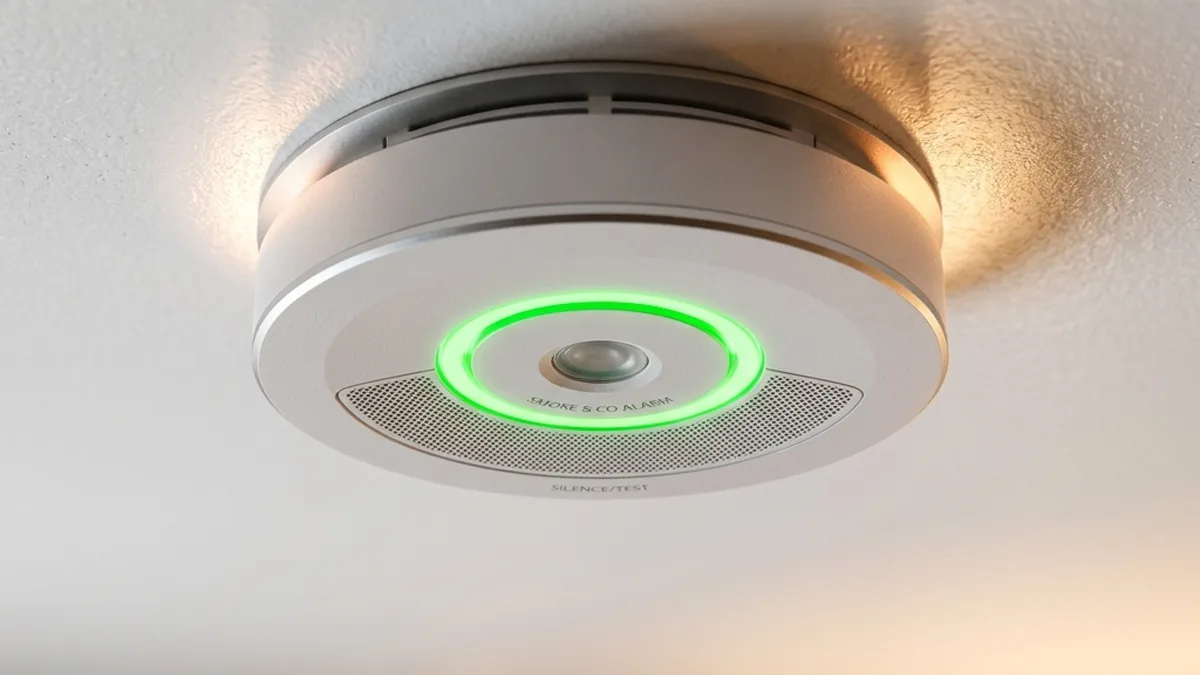
Field tests and extensive lab simulations have consistently revealed a disturbing trend: Many “smart” detectors, despite their advanced features, fail to notify users or even maintain an interconnected local alarm network once the primary internet router loses power or connectivity. A storm-induced blackout, a localized ISP outage, or even a simple router reboot should never compromise your primary life-safety system. This comprehensive report outlines the engineering principles and practical implementations required to ensure your smart smoke and CO detectors remain fully operational, communicating, and alerting when the electrical grid falters and internet access becomes a luxury.
The Fundamental Flaw: Cloud Dependency vs. Local Resilience
The core paradox of many “smart” life-safety devices lies in their architecture: They are designed to provide enhanced features (remote notifications, status checks, integration with other smart home devices) by leveraging cloud infrastructure. This typically involves a communication chain:
Device → Local Wi-Fi AP/Router → Internet → Cloud Server → Mobile App
While this chain offers immense convenience, it introduces multiple single points of failure:
- Local Power Outage: If your Wi-Fi router or smart home hub loses power, the entire local network segment collapses. Devices relying solely on Wi-Fi for communication become isolated.
- ISP Outage: Even with local power, if your Internet Service Provider (ISP) experiences an outage, the connection to the cloud server is severed. Remote notifications and app control cease.
- Cloud Service Interruption: Less common, but still a risk, are outages or deprecation of the manufacturer’s cloud services. Your devices might still function locally, but all ‘smart’ features are lost.
For a life-safety device, the primary objective is to detect hazards and alert occupants. Secondary objectives include remote notifications and system integration. A truly robust system prioritizes the primary objective with local, resilient communication, then layers the secondary ‘smart’ features on top, with graceful degradation in mind.
Deep Dive into Communication Protocols for Life-Safety Systems
Understanding the underlying communication protocols is crucial for architecting a resilient smart home safety network. Each protocol has distinct characteristics regarding power consumption, range, data rate, and, critically, operational independence from the internet.
1. Wi-Fi (IEEE 802.11 Series)
Overview: Wi-Fi is the ubiquitous standard for wireless local area networks (WLANs), operating primarily in the 2.4 GHz and 5 GHz ISM bands. It’s the most common protocol for consumer smart devices due to existing infrastructure (your home router).
- Pros: High bandwidth, widespread adoption, direct IP connectivity.
- Cons for Life-Safety:
- High Power Consumption: Wi-Fi radios are power-hungry, requiring larger batteries or hardwired power, which impacts battery-only device longevity.
- Router Dependency: Absolutely reliant on an active Wi-Fi Access Point (AP) and often a DHCP server for IP address assignment. Without the AP, devices cannot communicate, even locally.
- Interference Sensitivity (2.4 GHz): The 2.4 GHz band is highly susceptible to Electromagnetic Interference (EMI) from microwaves, cordless phones, and neighboring Wi-Fi networks. While older Bluetooth (BR/EDR) devices can cause significant interference, modern smart home devices primarily use Bluetooth Low Energy (BLE). BLE employs Adaptive Frequency Hopping (AFH) across 40 channels (2 MHz spacing) and strategically places its 3 advertising channels (37, 38, 39) in the spectral guard bands of Wi-Fi channels 1, 6, and 11, making it generally less prone to causing or suffering from Wi-Fi interference compared to Classic Bluetooth. This can lead to increased retransmissions, latency, and dropped connections, particularly for devices with small, less powerful antennas.
- Single Point of Failure: The Wi-Fi router acts as a central chokepoint. If it fails or loses power, all Wi-Fi dependent smart features (and often local interconnectivity for alarm systems not using hardwire) cease.
For devices like Kidde Smart, which use Wi-Fi for their ‘smart’ features, the hardwired interconnect remains the primary life-safety mechanism. The Wi-Fi component is for pushing notifications to the cloud and app control.
2. Zigbee (IEEE 802.15.4)
Overview: Zigbee is a low-power, low-data-rate mesh networking standard built on IEEE 802.15.4, operating typically at 2.4 GHz (globally) or 915 MHz/868 MHz (regional). It’s designed for small packet data transmission over short distances.
- Pros:
- Mesh Networking: Devices can relay messages for each other, extending range and creating a self-healing network.
- Low Power: Excellent for battery-operated devices, allowing years of operation on small batteries.
- Local Control: With a local hub, Zigbee devices can operate entirely offline, maintaining automation and communication within the mesh.
- Cons:
- Hub Dependency: Requires a dedicated Zigbee coordinator (hub) to form the network and translate to other protocols (like Wi-Fi for app access).
- Interoperability Challenges: While based on a standard, application layers (e.g., Zigbee Cluster Library) can vary, leading to compatibility issues between brands without a universal hub.
- 2.4 GHz Interference: Shares the 2.4 GHz band with Wi-Fi, making it susceptible to similar interference issues.
While many smart home smoke detectors use Zigbee, they often do so to connect to a broader smart home ecosystem, not necessarily for primary inter-detector communication for life-safety alarms.
3. Z-Wave
Overview: Z-Wave is another low-power, low-data-rate wireless mesh network technology, operating in sub-1 GHz frequencies (e.g., 908.42 MHz in North America, 868.42 MHz in Europe). This frequency choice is a key differentiator.
- Pros:
- Mesh Networking: Similar to Zigbee, it forms a self-healing mesh.
- Low Power: Ideal for battery-powered devices.
- Less Interference: Operating in sub-1 GHz bands, Z-Wave largely avoids the crowded 2.4 GHz spectrum, making it more robust against Wi-Fi and Bluetooth interference.
- Strong Interoperability: A more tightly controlled standard generally leads to better cross-brand compatibility.
- Local Control: With a local hub, Z-Wave networks can function autonomously without internet.
- Cons:
- Hub Dependency: Requires a dedicated Z-Wave controller/hub.
- Lower Data Rate: Slower than Wi-Fi, but sufficient for sensor data.
- Shorter Range per Hop: While mesh extends range, individual device-to-device range can be less than Wi-Fi in open air, though sub-GHz signals penetrate walls better.
Some smart smoke detectors incorporate Z-Wave for smart home integration, but dedicated life-safety interconnects often use other methods.
4. Thread (IEEE 802.15.4 with IPv6)
Overview: Thread is an IP-based, low-power mesh networking protocol built on the same IEEE 802.15.4 radio as Zigbee (2.4 GHz). What sets Thread apart is its use of IPv6, making every device an IP endpoint, and its focus on reliability and security.
- Pros:
- Self-Healing Mesh: Robust and scalable, able to reroute traffic around failed nodes.
- IP-Addressable Nodes: Simplifies integration with existing IP networks and cloud services via a Thread Border Router.
- Low Power: Supports battery-powered “sleepy end devices” for years of operation.
- Local Operation: Crucially, a Thread network can continue to operate and communicate locally even if the internet connection or the Border Router goes offline, as long as there are powered Thread devices acting as routers. This is a key resilience factor for devices like Nest Protect.
- Security: Built-in encryption and authentication.
- Application Layer Agnostic: Can carry various application layers like Weave (Google’s protocol for Nest products) or Matter.
- Cons:
- Border Router Requirement: To connect to the broader IP network (Wi-Fi, internet), a Thread Border Router (e.g., Nest Hub, Apple HomePod Mini, certain eero routers) is needed.
- 2.4 GHz Interference: Still susceptible to interference in the 2.4 GHz band.
Nest Protect is a prime example of a life-safety device leveraging Thread (and Weave as its application layer) for resilient local interconnectivity. This allows all Protects in a home to communicate and alarm simultaneously, even during a Wi-Fi or power outage, as long as at least one unit has power.
5. Proprietary RF (e.g., 433MHz, 915MHz)
Overview: Many traditional wireless smoke detectors, and some smart ones, use proprietary radio frequency protocols in unlicensed bands like 433 MHz or 915 MHz for inter-detector communication.
- Pros:
- Extreme Low Power: Often simpler protocols and hardware, leading to very low power consumption and extended battery life.
- Robust Against Wi-Fi Interference: Operating outside the 2.4 GHz and 5 GHz bands, these systems are immune to common Wi-Fi congestion.
- Direct Device-to-Device: Designed for simple, direct communication between alarms, often without a central hub.
- Long Range: Lower frequencies generally offer better penetration through walls and obstacles.
- Cons:
- Limited Data Rate: Typically designed for simple alarm signals (e.g., “fire,” “CO,” “test”). Not suitable for complex data.
- Proprietary: Almost always brand-locked. A First Alert 433 MHz detector cannot communicate with a Kidde 433 MHz detector.
- No IP Connectivity: Requires a bridge device to connect to a Wi-Fi network and the internet for ‘smart’ features.
First Alert Onelink Devices utilize a dedicated 433 MHz wireless interconnect for their primary alarm function, ensuring all alarms sound simultaneously regardless of Wi-Fi or internet status. The Wi-Fi component is then used for app notifications and smart home integration.
6. Hardwired Interconnect (NFPA 72 Compliance)
Overview: The National Fire Protection Association (NFPA) 72 standard mandates hardwired interconnected smoke alarms for new construction and significant renovations. This typically involves a 3-wire system (hot, neutral, and a dedicated interconnect signal wire).
- Pros:
- Gold Standard Reliability: Power is drawn from the home’s electrical system, with battery backup for outages. The interconnect signal is direct and highly reliable.
- Instantaneous Communication: When one alarm detects smoke, it sends a voltage signal over the interconnect wire, triggering all other alarms instantly.
- Immunity to RF Interference: Being a wired system, it’s completely immune to wireless interference.
- Cons:
- Installation Complexity: Requires professional electrical installation, especially in existing homes.
- No ‘Smart’ Features: By itself, a hardwired system offers no remote notifications or smart home integration.
| Protocol | Type | Frequency Band | Power Consumption | Mesh Support | Hub/Router Dependency | Local Outage Resilience |
|---|---|---|---|---|---|---|
| Wi-Fi (IEEE 802.11) | WLAN | 2.4 / 5 GHz | High | No | Wi-Fi AP & Router | Very Low |
| Zigbee (IEEE 802.15.4) | Mesh Network | 2.4 / 915 / 868 MHz | Low | Yes | Zigbee Coordinator | High (with local hub) |
| Z-Wave | Mesh Network | Sub-1 GHz | Low | Yes | Z-Wave Controller | High (with local hub) |
| Thread (IEEE 802.15.4, IPv6) | Mesh Network | 2.4 GHz | Low | Yes | Border Router (for IP) | High (local mesh) |
| Proprietary RF | Point-to-Point / Broadcast | 433 / 915 MHz | Very Low | No (direct device) | No (for alarm) | Very High |
| Hardwired Interconnect | Wired | N/A | N/A (main power) | Direct | N/A | Very High (w/ battery backup) |
| Brand/Model Example | Primary Interconnect Protocol | ‘Smart’ Features Protocol | Outage Resilience (Local Alarm) | Outage Resilience (Remote Notification) |
|---|---|---|---|---|
| Nest Protect (2nd Gen) | Thread / Weave (Mesh) | Thread (via Border Router) | High (Local self-healing mesh operates without Wi-Fi/Internet) | Low (Requires Border Router + Internet) |
| First Alert Onelink Safe & Sound | 433MHz Wireless (Dedicated RF) | Wi-Fi (2.4GHz) | High (Dedicated RF bridge operates without Wi-Fi/Internet) | Low (Requires Wi-Fi + Internet) |
| Kidde Smart Smoke + CO | Hardwired (NFPA 72) | Wi-Fi (2.4GHz) | Very High (Primary hardwired system) | Low (Requires Wi-Fi + Internet) |
| Generic Wi-Fi Only Detector | Wi-Fi (2.4GHz) | Wi-Fi (2.4GHz) | Very Low (Often no local interconnect without Wi-Fi AP) | Very Low (Requires Wi-Fi AP + Internet) |
Architecting for Resilience: Hybrid Systems and Power Redundancy
1. Uninterruptible Power Supplies (UPS) for Network Infrastructure
The most immediate point of failure for Wi-Fi dependent smart features is the loss of power to your network gateway (modem, router, smart home hub). A UPS provides battery backup power, ensuring these critical components remain operational during short-to-medium power outages.
- Pure Sine Wave vs. Modified Sine Wave: This distinction is crucial.
- Modified Sine Wave (Stepped Sine Wave): These are cheaper and common in basic UPS units. They produce a ‘choppy’ AC waveform that can be detrimental to sensitive electronics (like modern routers and modems). It can cause humming, increased heat, reduced lifespan, and even instability or reboots.
- Pure Sine Wave: These units output a smooth, clean AC waveform identical to utility power. They are essential for sensitive electronics, power factor corrected (PFC) power supplies (common in many devices), and any equipment you want to last. Always opt for a pure sine wave UPS for your network gear.
- Sizing Your UPS: Calculate the total wattage of your modem, router, and any smart home hubs. A typical modem/router combo might draw 15-30W. A 500VA/300W pure sine wave UPS can provide several hours of backup for such a load, depending on its efficiency and battery health.
2. Local Processing & Edge Computing
Systems designed with local processing capabilities are inherently more resilient. Thread networks, for instance, are designed to continue functioning locally even if the Border Router loses internet access, as long as the Border Router itself is powered. Similarly, smart home hubs like Home Assistant (running on a Raspberry Pi with a small UPS) can execute automations (e.g., flashing smart lights when smoke is detected) entirely locally, independent of cloud services.
3. Network Segmentation (VLANs) and RF Management
If your smart detectors rely on Wi-Fi for their ‘smart’ features or even primary interconnect, advanced network management can significantly improve their reliability.
- Dedicated IoT VLAN: Creating a separate Virtual Local Area Network (VLAN) for your IoT devices offers several benefits:
- Security: Isolates potentially vulnerable IoT devices from your main network, preventing lateral movement in case of a breach.
- Performance: Prevents chatty IoT devices from congesting your primary network.
- Management: Allows for specific firewall rules, QoS (Quality of Service) settings, and easier troubleshooting for IoT-related issues.
- RF Channel Management: For 2.4 GHz Wi-Fi, co-channel and adjacent-channel interference are major issues.
- Channel Selection: Stick to non-overlapping channels 1, 6, and 11. Use a Wi-Fi analyzer tool (many smartphone apps available) to identify the least congested channel in your environment.
- Channel Width: Use 20 MHz channel width for 2.4 GHz IoT devices. While 40 MHz offers higher theoretical speeds, it consumes more spectrum, increases interference, and offers no real benefit for low-bandwidth IoT devices.
- Transmit Power: Reducing transmit power on your APs (if configurable) can sometimes improve overall network health by reducing interference with neighboring networks, though it must be balanced with adequate coverage.
Advanced Troubleshooting: Beyond the Blinking Light
1. RF Spectrum Analysis
If local resets don’t work and your network infrastructure is stable, you may be dealing with radio frequency (RF) saturation or excessive Electromagnetic Interference (EMI). Field reports and RF planning guidance consistently show that 2.4GHz EMI from sources like microwave ovens, poorly shielded power lines, older cordless phones, and especially co-channel congestion from nearby high-power Wi-Fi Access Points (APs) can severely disrupt the “handshake” and sustained communication of Wi-Fi-based alarms.
- Tools: Dedicated RF spectrum analyzers (e.g., from Signal Hound, Oscium) provide the most accurate data, but consumer-grade Wi-Fi analyzer apps (e.g., Wi-Fi Analyzer for Android, NetSpot for macOS/Windows) can offer valuable insights into channel utilization, signal strength (RSSI), and noise levels.
- Interpretation:
- RSSI (Received Signal Strength Indicator): Aim for -60 dBm or better for reliable connections. Anything below -70 dBm is problematic.
- SNR (Signal-to-Noise Ratio): A high SNR (25 dB or more) indicates a clean signal. Low SNR suggests significant interference.
- Channel Utilization: If your chosen Wi-Fi channel (e.g., channel 6) shows high utilization (>50%) even when your network is idle, it indicates significant interference from other networks or devices.
- Mitigation: Adjust your router’s 2.4 GHz channel to the least congested one (1, 6, or 11). Consider upgrading older Wi-Fi 4 (802.11n) routers, which are less efficient in crowded environments, to Wi-Fi 5 (802.11ac) or Wi-Fi 6 (802.11ax) which offer better interference mitigation techniques.
2. Firmware Integrity & Device Lifespan
Smart detectors, like all electronic devices, have a finite lifespan. Smoke and CO sensors degrade over time due to exposure to environmental factors, dust, and chemical agents. NFPA 72 mandates a 10-year replacement cycle for smoke alarms. Many manufacturers build this into their devices, often with a hard expiration date that triggers software-induced errors or offline states as the unit approaches its end-of-life.
- Symptoms of Degradation: Intermittent offline status, false alarms, failure to connect to the network, or persistent “fault” indicators despite battery replacement.
- Action: Always adhere to the 10-year replacement rule. Check the manufacturing date on the back of your detectors. Ensure firmware is kept up-to-date, as manufacturers often release stability and connectivity improvements.
Brand-Specific Troubleshooting Pathways (Expanded)
Kidde Smart Smoke + CO: Fixing “Offline” Status and Wi-Fi Connectivity
Kidde Smart detectors often utilize a hardwired interconnect for primary alarms and Wi-Fi for app notifications. If your Kidde unit shows offline in the Kidde Home app after a power surge or network change, follow these steps:
- Physical LED Check: Observe the physical LED. A flashing amber/yellow light often indicates a low battery, a sensor fault, or an end-of-life condition. A solid green light usually means it’s receiving power and is operational.
- Network Gateway Status: Confirm your Wi-Fi router and modem are powered on and have active internet connectivity. Reboot them if necessary and wait 5 minutes.
- App-Guided Reconnection:
- Open the Kidde Home app.
- Navigate to: Menu > My Devices > Select the specific Smart Detector > Network Setup.
- The app will guide you through re-establishing the Wi-Fi connection. This might involve pressing the test button on the unit.
- Hard Reset Procedure: If the app fails to reconnect, a hard reset may be necessary.
- For Hardwired Units: Disconnect the unit from its mounting bracket and unplug the power connector. Remove the battery. Hold the “Test” button for 10-15 seconds to drain any residual charge. Reinsert the battery, reconnect power, and remount.
- For Battery-Only Units: Remove the battery. Hold the “Test” button for 10-15 seconds. Reinsert the battery.
- RF Interference Check: If issues persist, refer to the “RF Spectrum Analysis” section above. Ensure your 2.4 GHz Wi-Fi channel is optimized and consider a dedicated IoT VLAN.
Nest Protect (2nd Gen): Restoring the Thread Interconnect and Cloud Connectivity
Nest Protect (2nd Gen) utilizes Thread for its robust, local interconnect and Weave as its application layer. It connects to the internet via a Thread Border Router (e.g., Nest Hub Max, Google Nest Wifi, Apple HomePod Mini, or certain eero routers). If a Nest Protect shows offline or the interconnect is disrupted:
- Check Network Status in App:
- Open the Google Home app (or older Nest App).
- Path: Settings > Devices > Protects > Check Network. This will display the status of each Protect and its connection to the Thread network.
- Verify Border Router Status: Ensure your Thread Border Router (e.g., Nest Hub Max) is powered on, connected to Wi-Fi/Ethernet, and has internet access. If the Border Router is offline, the Protects will still communicate locally via Thread, but cannot send remote notifications.
- Force a Thread “Beacon” Broadcast: If a specific Protect is missing or showing offline in the app, physically pressing the “Test” button on that unit for a few seconds (until it speaks) will force it to broadcast its presence and attempt to rejoin the Thread network. This often resolves minor communication glitches.
- Power Cycle the Unit:
- Hardwired Units: Disconnect from the mounting bracket, unplug the power connector, and remove the battery. Wait 30 seconds, then reinsert the battery, reconnect power, and remount.
- Battery-Only Units: Remove the batteries, wait 30 seconds, and reinsert them.
- Thread Network Reset (Advanced): If a new unit isn’t joining or multiple units are offline, you may need to reset the entire Nest network. This is a more drastic step and should only be done if other troubleshooting fails. Follow Google’s specific instructions for “removing all Protects” and then re-adding them, as this recreates the Thread mesh.
- Environmental Factors: Ensure there are no large metal objects or dense building materials directly between Protect units that might impede the 2.4 GHz Thread signal.
Comprehensive FAQ Section
Q1: What is the difference between a ‘smart’ smoke detector and a ‘connected’ one?
A ‘connected’ smoke detector typically refers to a standard alarm that has a basic wireless link (e.g., 433MHz proprietary RF) to other alarms in the home, ensuring all alarms sound simultaneously. A ‘smart’ smoke detector builds upon this by adding features like Wi-Fi or Thread connectivity for remote notifications via a smartphone app, self-testing, hush functions, and integration with other smart home devices. The key differentiator is the ability to interact with the device beyond its local physical presence.
Q2: Can my smart smoke detectors still alarm locally during a power outage if my Wi-Fi is down?
It depends entirely on the primary interconnect protocol.
- Yes (for resilient systems): Devices like Nest Protect (Thread mesh) or First Alert Onelink (433MHz dedicated RF) are designed to maintain local inter-detector communication and sound all alarms even without Wi-Fi or internet. Hardwired detectors with battery backup also continue to function.
- No (for Wi-Fi-only interconnect): If a “smart” detector relies solely on your home Wi-Fi network for its inter-detector communication, then a Wi-Fi router power outage or failure will break this link, potentially preventing all alarms from sounding simultaneously. This is a critical design flaw for life-safety.
Q3: How does a Thread network maintain local communication without Wi-Fi or internet?
Thread creates a self-healing mesh network where each powered Thread device (like a hardwired Nest Protect or a battery-powered one acting as a router) can relay messages for others. While a Thread Border Router is needed to connect the Thread network to your Wi-Fi network and the internet (for remote notifications), the core Thread mesh itself can continue to function locally. If the Border Router or internet goes down, the Protects can still communicate with each other, triggering all alarms in unison.
Q4: Why is a pure sine wave UPS important for my network equipment?
A pure sine wave UPS provides a clean, consistent AC power output that precisely mimics the waveform from your utility grid. This is crucial for sensitive electronics like modern routers, modems, and smart home hubs. Modified sine wave UPS units, while cheaper, produce a stepped approximation of a sine wave, which can cause humming, overheating, reduced lifespan, and even instability or reboots in sensitive devices. For reliable, long-term operation of your critical network infrastructure during outages, pure sine wave is the only acceptable choice.
Q5: How often should I replace my smart smoke detectors?
Regardless of their “smart” features, all smoke and carbon monoxide detectors have a finite lifespan due to the degradation of their internal sensors. The National Fire Protection Association (NFPA) 72 standard mandates that smoke alarms be replaced every 10 years from the date of manufacture (not installation). CO alarms typically have a 5-7 year lifespan. Always check the manufacturing date printed on the back of your unit and adhere to these replacement schedules, as sensor degradation can lead to decreased sensitivity or false alarms.
Q6: What is RF saturation and how do I mitigate it?
RF saturation occurs when there are too many wireless signals (Wi-Fi, Zigbee, and older Bluetooth devices, etc.) in a given frequency band, leading to congestion, interference, and reduced performance for all devices. It’s important to note that modern smart home devices predominantly use Bluetooth Low Energy (BLE), which is designed with adaptive frequency hopping and specific channel allocation to minimize interference with Wi-Fi. In the 2.4 GHz band, this is especially common. Mitigation strategies include:
- Optimized Wi-Fi Channels: Manually set your 2.4 GHz Wi-Fi to non-overlapping channels 1, 6, or 11, using a Wi-Fi analyzer to pick the least congested.
- Reduce Channel Width: Use 20 MHz channel width for 2.4 GHz Wi-Fi.
- Dedicated IoT VLAN: Isolate IoT traffic to prevent it from impacting your primary network.
- Upgrade Hardware: Newer Wi-Fi routers (Wi-Fi 5/6) have better interference mitigation.
- Minimize EMI: Keep Wi-Fi devices away from microwave ovens, cordless phones, and large metal objects.
Q7: Can different brands of smart smoke detectors interconnect?
Generally, no, not for their primary life-safety alarm function. Interconnect protocols (whether hardwired, proprietary RF, or mesh like Thread/Zigbee) are typically brand-specific or require a common application layer and hub. For example, a Nest Protect cannot directly interconnect with a First Alert Onelink for a synchronized alarm. However, some smart home platforms (e.g., Home Assistant, SmartThings, Apple HomeKit) can use different brands of detectors as triggers for automations (e.g., if any detector alarms, flash all smart lights red), but this is not a direct, guaranteed, and certified life-safety interconnect.
Conclusion: Engineering Safety Beyond the Cloud
The allure of “smart” features in life-safety devices is undeniable, offering unprecedented convenience and peace of mind through remote monitoring and integration. However, as IoT systems architects, our paramount duty is to ensure that these enhancements do not compromise the fundamental mission of a smoke and CO detector: to reliably detect hazards and alert occupants, regardless of external infrastructure failures. The critical takeaway is that fire doesn’t need Wi-Fi to spread, and your detectors shouldn’t need it to communicate.
By consciously selecting devices that prioritize local, robust interconnectivity (such as those leveraging Thread, dedicated proprietary RF, or hardwired systems), and by implementing critical power redundancy for your network infrastructure with pure sine wave UPS units, we can build truly resilient smart safety systems. Understanding the nuances of each communication protocol and proactively managing your home’s RF environment transforms a collection of gadgets into a professional-grade, fail-safe life-safety network. This approach ensures that when the grid goes dark, your smart smoke detectors remain vigilant, interconnected, and alive.
About these guides
These guides are compiled and maintained by the Smart Home Expert editorial desk. Each one is built from manufacturer documentation and the published Zigbee, Z-Wave, Thread and Wi-Fi specifications, then written up as a diagnostic sequence you can follow in order. Found something that does not match your hardware? Tell us and we will correct the sheet.
Specifications and references
The primary documentation for the protocols and products discussed above. Where this guide gives a figure — a frequency, a voltage, a timeout — these are where it comes from.