Bluetooth Range Shorter Than 30 Feet? What Actually Limits It
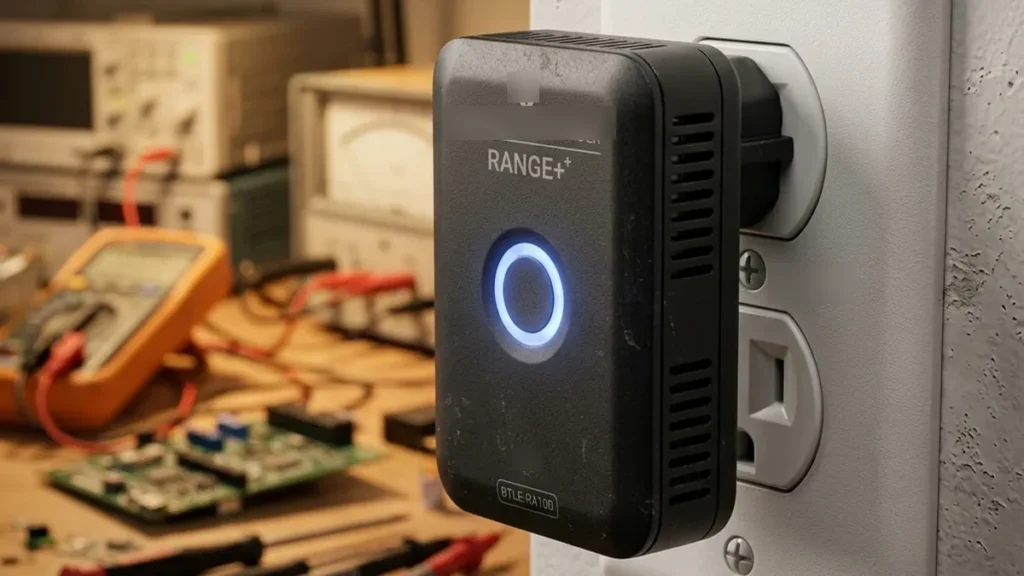
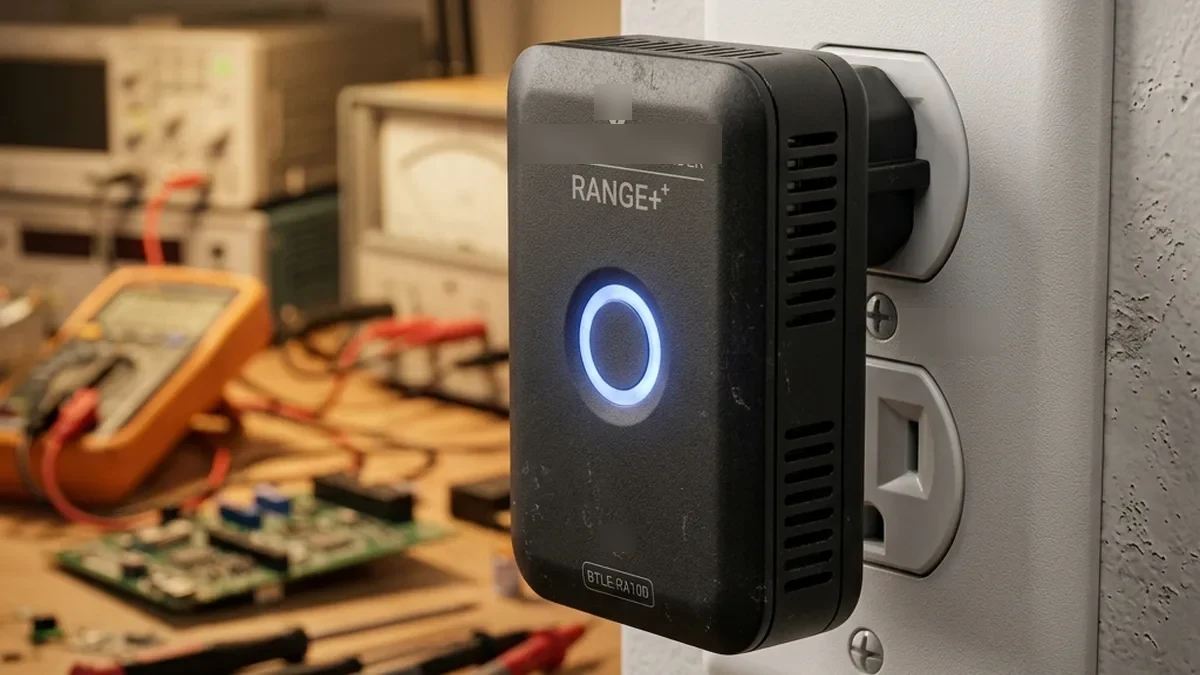
Quick Verdict: Mastering BLE Range
Standard Bluetooth Low Energy (BLE) deployments frequently suffer from range limitations and signal attenuation, often misinterpreted as device failure. The primary culprits are usually physical obstructions, 2.4 GHz Wi-Fi co-channel interference, and inadequate power delivery from batteries. The most effective, cost-efficient solution to extend BLE range and reliability is the strategic deployment of BLE-to-Wi-Fi proxies, such as an ESP32 running ESPHome’s Bluetooth Proxy. This approach offloads BLE processing to your robust local Wi-Fi network, effectively transforming point-to-point BLE connections into a distributed, IP-based system. Coupled with careful Wi-Fi channel management and a proactive battery replacement strategy, this architecture can dramatically improve the responsiveness and stability of devices like Govee, SwitchBot, and even notoriously finicky smart locks.
Standard Bluetooth Low Energy (BLE) is the most common failure point in modern IoT deployments. Unlike Zigbee or Z-Wave, standard BLE lacks inherent meshing, making it highly susceptible to signal attenuation from drywall and high-traffic 2.4 GHz Wi-Fi channels. This report explores how to architect a reliable BLE environment by delving into the underlying protocol mechanics, RF propagation characteristics, and advanced mitigation strategies.
Deep Dive: Understanding Bluetooth Low Energy (BLE)
To effectively troubleshoot and extend BLE range, a foundational understanding of its operational principles is critical. BLE operates in the unlicensed 2.4 GHz ISM (Industrial, Scientific, and Medical) band, sharing this spectrum with Wi-Fi, Zigbee, and numerous other devices. Unlike classic Bluetooth, BLE is optimized for low power consumption, enabling devices to run for months or even years on coin cell batteries. This optimization, however, often comes at the expense of raw range and throughput.
BLE Protocol Stack and RF Characteristics
The BLE protocol stack is streamlined, consisting of several layers:
- Physical Layer (PHY): Defines the RF characteristics, modulation, and demodulation. BLE 4.x primarily uses 1 Mbps GFSK (Gaussian Frequency Shift Keying). BLE 5 introduced 2 Mbps PHY (faster data transfer) and Coded PHY (Long Range mode, sacrificing speed for range).
- Link Layer: Manages connections, advertising, scanning, and data packet formatting. It’s responsible for the state machine (e.g., Standby, Advertiser, Scanner, Initiator, Master, Slave).
- Host Controller Interface (HCI): Provides a standard interface for the Host (e.g., an operating system) to communicate with the Controller (the BLE radio chip).
- Logical Link Control and Adaptation Protocol (L2CAP): Multiplexes data from higher layers and segments/resembles larger packets.
- Attribute Protocol (ATT): Defines how data is structured and exchanged. Data is organized into attributes, which are accessed by a client (e.g., your phone) from a server (e.g., a sensor).
- Generic Attribute Profile (GATT): Builds upon ATT, defining services and characteristics. A service groups related characteristics (e.g., a “Heart Rate Service” might have a “Heart Rate Measurement Characteristic”).
- Generic Access Profile (GAP): Defines how devices discover each other and establish connections. It dictates roles like Broadcaster, Observer, Central, and Peripheral.
BLE utilizes 40 channels, each 2 MHz wide. Three specific channels (37, 38, 39) are designated as advertising channels, used for device discovery and initial connection establishment. The remaining 37 channels are data channels, used for actual data exchange once a connection is formed. Adaptive Frequency Hopping (AFH) is employed for data channels to mitigate interference, where devices dynamically map out and avoid congested channels. However, the advertising channels are fixed, making them vulnerable to sustained interference.
RF Propagation and Attenuation in Residential Environments
Radio frequency (RF) signals, including BLE, are subject to various phenomena that impact their range and reliability:
- Free Space Path Loss (FSPL): In an ideal vacuum, signal strength diminishes with the square of the distance. This is the theoretical maximum range. In reality, residential environments are far from ideal.
- Absorption: Building materials absorb RF energy. Drywall typically causes 3-6 dB attenuation per wall, wood 2-4 dB, concrete 10-15 dB, and metal can act as a near-perfect shield (Faraday cage effect). Water (e.g., human bodies, aquariums) is also a significant absorber.
- Reflection: Signals bounce off surfaces like walls, floors, and large appliances. This can create multiple signal paths (multipath fading), where direct and reflected signals arrive at the receiver out of phase, potentially canceling each other out and causing “dead zones.”
- Diffraction: Signals bend around obstacles, allowing some penetration into shadowed areas, but with significant loss.
- Scattering: Signals hit small, rough objects and scatter in multiple directions, further weakening the coherent signal.
The effective range of a BLE device is also heavily dependent on its transmit power (Tx power) and receiver sensitivity. Most low-power BLE devices operate at 0 dBm (1 milliwatt) or less, while some can reach up to +10 dBm. Higher Tx power consumes more battery but improves range. Receiver sensitivity, measured in dBm (e.g., -90 dBm), indicates the minimum signal strength required for reliable reception. A lower (more negative) number indicates better sensitivity.
Interference & Co-channel Congestion: The 2.4 GHz Battlefield
The 2.4 GHz ISM band is a crowded ecosystem. Wi-Fi (802.11b/g/n) is the most pervasive source of interference for BLE devices.
Wi-Fi Channel Overlap with BLE
Standard Wi-Fi channels (1, 6, 11) are 22 MHz wide (or 40 MHz in 802.11n, which is even worse for BLE). BLE’s advertising channels (37, 38, 39) are strategically placed in the spectral guard bands of the 2.4 GHz ISM band to minimize overlap with Wi-Fi, but due to Wi-Fi’s wide bandwidth, some adjacency and potential interference still exist:
+------------------------------------------------------------------------------------------------+
| Channel Frequencies (MHz)                                                                      |
+------------------------------------------------------------------------------------------------+
| BLE Channel 37 (2402) | BLE Channel 38 (2426) | BLE Channel 39 (2480)                          |
|                       |                       |                                                |
| Wi-Fi Channel 1 (2412) | Wi-Fi Channel 6 (2437) | Wi-Fi Channel 11 (2462)                        |
|                       |                       |                                                |
| 2400 MHz              2420 MHz              2440 MHz              2460 MHz              2480 MHz |
+-----------------------+-----------------------+-----------------------+-----------------------+
As shown, BLE Channel 37 (2402 MHz) operates within the lower portion of Wi-Fi Channel 1 (2401-2423 MHz). Similarly, BLE Channel 38 (2426 MHz) falls within the lower portion of Wi-Fi Channel 6 (2426-2448 MHz). BLE Channel 39 (2480 MHz) is positioned in the upper guard band, above Wi-Fi Channel 11 (2451-2473 MHz), significantly reducing direct overlap. However, strong Wi-Fi signals, especially from 40 MHz wide channels (which blanket an even larger portion of the 2.4 GHz spectrum), can still cause adjacent channel interference, leading to packet loss, increased retransmissions, and connection instability, particularly during discovery and initial pairing phases which rely heavily on these advertising channels.
For comparison, Zigbee and Thread (based on IEEE 802.15.4) also operate in the 2.4 GHz band, using 16 channels (11-26). Each standard Zigbee/Thread channel is 5 MHz wide (except for Channel 26, which is often restricted to 2 MHz bandwidth to fit within the 2483.5 MHz ISM band limit). This leads to significant overlap with Wi-Fi:
- Wi-Fi Channel 1 (2401-2423 MHz) overlaps Zigbee/Thread Channels 11-14.
- Wi-Fi Channel 6 (2426-2448 MHz) overlaps Zigbee/Thread Channels 16-19.
- Wi-Fi Channel 11 (2451-2473 MHz) overlaps Zigbee/Thread Channels 21-24.
Other Sources of EMI
Beyond Wi-Fi, other devices operating in the 2.4 GHz band can cause significant electromagnetic interference (EMI):
- Microwave Ovens: Operate at approximately 2.45 GHz and emit broadband noise that can severely disrupt all 2.4 GHz communications when active.
- Cordless Phones: Many older models use the 2.4 GHz band.
- Baby Monitors: Some digital and analog models operate in this band.
- Faulty Electrical Wiring/Appliance: Can generate broadband electrical noise.
- Metal Objects: Large metal objects (e.g., refrigerators, metal doors, HVAC ducts) can reflect and absorb signals, creating shadow zones or acting as resonant cavities that amplify interference.
Protocol Benchmarks: Point-to-Point vs. Mesh vs. Distributed Proxies
BLE implementations vary significantly in performance between brands based on the underlying architecture. The key differentiator is how devices handle range limitations.
| Brand / Device Type | BLE Implementation Model | Technical Details | Max Reliable Range (Real-world) |
|---|---|---|---|
| August / Yale Smart Locks | Direct (Non-Mesh, P2P) | Relies on direct BLE connection to phone or dedicated Wi-Fi Bridge (August Connect/Yale Connect). Bridge acts as a simple gateway, not a mesh node. Limited Tx power for battery longevity. | 10-20 ft (Bridge-to-Lock) |
| SwitchBot Sensors / Bots | Proprietary BLE Mesh (via Hub) | Devices connect to a SwitchBot Hub (e.g., Hub 2, Mini) which acts as a central coordinator and Wi-Fi gateway. Hubs can relay messages, forming a limited, non-standard mesh. Leverages BLE 5.0 for some devices. | 30-50 ft (Via Hub, line-of-sight) |
| Govee Thermometers / Hydrometers | Distributed Gateway (App-based or specific Hubs) | Often relies on smartphone proximity for data logging, or a dedicated Govee Wi-Fi Gateway. Some newer devices support a proprietary “Govee Home” mesh. Data is aggregated to the cloud via Wi-Fi. | 25-40 ft (Via Gateway) |
| Home Assistant Bluetooth Proxy (ESP32) | BLE-to-IP Gateway (Distributed) | An ESP32 board running ESPHome acts as a transparent BLE-to-Wi-Fi bridge. It listens for BLE advertisements and connections, forwarding them over the local network (mDNS) to Home Assistant. Creates a highly distributed BLE network. | Unlimited (Via Wi-Fi backhaul) |
The Case for BLE Proxies (e.g., ESP32 + ESPHome)
For devices that rely on direct point-to-point BLE or proprietary hubs with limited mesh capabilities, a distributed BLE proxy architecture offers a superior solution. An ESP32 configured as a Bluetooth Proxy effectively transforms a local BLE signal into an IP packet that traverses your existing Wi-Fi or Ethernet network. This means:
- Extended Range: The BLE range is now effectively limited only by your Wi-Fi coverage. Place proxies strategically to cover dead zones.
- Improved Reliability: Multiple proxies can “hear” a single BLE device. If one proxy goes offline or is interfered with, another can pick up the signal.
- Reduced Latency: Data from BLE devices is immediately forwarded to your central smart home hub (e.g., Home Assistant) without relying on a single, potentially distant, Bluetooth adapter.
- Cost-Effective: ESP32 boards are inexpensive, making it feasible to deploy several for comprehensive coverage.
Advanced Troubleshooting and Implementation Strategies
1. Site Survey and RF Environment Analysis
Before deploying proxies or making configuration changes, conduct a thorough RF site survey. This involves:
- Identify Wi-Fi Channel Congestion:
- Use a Wi-Fi analyzer app (e.g., NetSpot, inSSIDer, Wi-Fi Analyzer for Android) on your smartphone or laptop.
- Scan the 2.4 GHz band across your property.
- Identify the least congested Wi-Fi channels (1, 6, or 11). Look for channels with minimal overlap from neighboring networks.
- Action: Log into your Wi-Fi router’s administrative interface and set your 2.4 GHz network to a fixed channel (e.g., Channel 1 or 6) with a 20 MHz channel width. Avoid auto-channel selection and 40 MHz widths in congested areas.
- Map Existing BLE Coverage:
- Walk around your home with a BLE scanner app (e.g., nRF Connect for Mobile) to observe Received Signal Strength Indicator (RSSI) values from your target devices.
- Note areas where RSSI drops below -80 dBm, as these are potential dead zones.
- For SwitchBot Hub 2: Use the built-in RSSI meter (SwitchBot App > Smart Hub > Cloud Service > BLE Settings) to optimize placement and orientation. Rotate the Hub 2 in 45-degree increments to find the best signal, as internal antennas can be directional.
- Locate Sources of EMI:
- Pay attention to areas near microwave ovens, large metal appliances (refrigerators, washing machines), and electrical panels.
- Metal door frames or security screens can severely attenuate BLE signals from smart locks.
2. Implementing BLE Proxies with ESP32 and ESPHome
This is the most impactful strategy for extending BLE range for devices compatible with Home Assistant‘s passive BLE integrations (e.g., Govee, SwitchBot, Xiaomi, Inkbird).
+--------------------+       +--------------------+       +--------------------+
|  BLE Sensor (Govee)|       |  BLE Sensor (SwitchBot)  |       |  BLE Smart Lock    |
|  (Tx Power: 0 dBm) |       |  (Tx Power: 0 dBm)       |       |  (Tx Power: 0 dBm) |
+--------------------+       +--------------------+       +--------------------+
         ||                       ||                       ||
         || BLE Radio Waves      || BLE Radio Waves      || BLE Radio Waves
         ||                       ||                       ||
         V                        V                        V
+--------------------+     +--------------------+     +--------------------+
|  ESP32 BLE Proxy 1 |     |  ESP32 BLE Proxy 2 |     |  ESP32 BLE Proxy 3 |
|  (ESPHome)         |     |  (ESPHome)         |     |  (ESPHome)         |
|  - Scans BLE       |     |  - Scans BLE       |     |  - Scans BLE       |
|  - Forwards via Wi-Fi  |     |  - Forwards via Wi-Fi  |     |  - Forwards via Wi-Fi  |
+--------------------+     +--------------------+     +--------------------+
         ||                       ||                       ||
         || Wi-Fi (2.4/5 GHz)     || Wi-Fi (2.4/5 GHz)     || Wi-Fi (2.4/5 GHz)
         ||                       ||                       ||
         V                        V                        V
+--------------------------------------------------------------------------------+
|                             Your Local Wi-Fi Network (Router/APs)              |
|                             (Ethernet Backbone Recommended for Proxies)        |
+--------------------------------------------------------------------------------+
                                       ||
                                       || IP/mDNS
                                       V
                        +--------------------------------+
                        |       Home Assistant Server    |
                        |       (Bluetooth Integration)  |
                        +--------------------------------+
Step-by-Step Implementation:
- Hardware Selection:
- Any ESP32-based development board will work. Popular choices include the ESP32 DevKitC, NodeMCU-32S, or smaller form factors like the M5Stack Atom Lite. Ensure it has a reliable PCB antenna or an external antenna connector if needed for extreme range.
- Cost: Typically 5-15 per board.
- ESPHome Installation:
- Install ESPHome on your computer (via pip or Home Assistant add-on).
- Connect the ESP32 board to your computer via USB.
- ESPHome YAML Configuration:
- Create a new ESPHome configuration for your device.
- The minimal configuration for a BLE proxy is:
esphome: Name: Ble_proxy_livingroom platform: ESP32 board: Esp32dev wifi: Ssid: "Your_SSID" password: "Your_Wi-Fi_Password" # Optional: Assign a static IP for easier management # manual_ip: # static_ip: 192.168.1.200 # gateway: 192.168.1.1 # subnet: 255.255.255.0 # Enable mDNS for Home Assistant discovery mdns: # Enable Bluetooth Low Energy esp32_ble: # Enable Bluetooth Proxy component bluetooth_proxy: - Customize `name`, `ssid`, and `password`.
- Compile and upload the firmware to the ESP32 board using ESPHome.
- Placement Strategy:
- Distribute proxies strategically throughout your home, especially near BLE devices that frequently drop offline or report poor signal.
- Aim for an RSSI of -70 dBm or better at the sensor’s location from at least one proxy.
- Consider placing a proxy in a central location on each floor, or dedicated proxies for critical devices like smart locks.
- Ensure proxies have good Wi-Fi connectivity to your main network.
- Home Assistant Integration:
- Once an ESPHome BLE proxy is online, Home Assistant will automatically discover it.
- Go to Settings > Devices & Services, and you should see a new discovery notification.
- Add the ESP32 device, and it will begin forwarding BLE advertisements to Home Assistant, extending the reach of your existing Bluetooth integration.
3. Mitigating EMI and Co-channel Congestion
Even with proxies, reducing interference at the source is beneficial.
- Wi-Fi Channel Optimization: As discussed, fix your 2.4 GHz Wi-Fi to Channel 1 or 6 (20 MHz width). Avoid Channel 11 if you have many BLE devices.
- Physical Separation: Keep BLE devices and their proxies away from known sources of EMI, such as microwave ovens, power strips with many adapters, and large metal objects. Maintain at least 3-6 feet (1-2 meters) distance if possible.
- Use 5 GHz Wi-Fi where possible: For devices that support it, using 5 GHz Wi-Fi for your general network traffic frees up the 2.4 GHz band for BLE and other low-bandwidth IoT devices.
- Investigate other 2.4 GHz devices: If you have older cordless phones, baby monitors, or wireless cameras, consider upgrading them to DECT 6.0 (1.9 GHz) or 5 GHz Wi-Fi models to free up the 2.4 GHz spectrum.
4. Power Management and Battery Voltage Sag
A common, yet overlooked, cause of “Not Responding” errors is insufficient power, even when the battery percentage appears acceptable. BLE radios require a stable voltage and sufficient current to transmit and receive reliably. As battery voltage drops, the internal regulators may struggle to provide the necessary power, especially during peak current draw (e.g., during transmission bursts).
- Battery Chemistry Matters:
- Alkaline: Have a relatively high internal resistance and a gradual voltage drop. They may report 30% charge but lack the “punch” for strong RF transmissions.
- Lithium (e.g., CR123A, Lithium AA/AAA): Maintain a higher, more stable voltage throughout their discharge cycle and have lower internal resistance, making them ideal for high-drain devices like smart locks or frequently transmitting sensors.
- Proactive Replacement: For critical devices like smart locks (e.g., August/Yale), replace alkaline batteries when they reach 50-60% reported charge, or switch to lithium batteries and replace them when they reach 20-30%.
- Voltage Monitoring: If your smart home platform allows, monitor the actual battery voltage (if exposed by the device) rather than just the percentage. A voltage drop below a certain threshold (e.g., 2.7V for a 3V battery) can indicate impending communication issues.
August Smart Lock: Eliminating “Searching for Lock” Errors
If you see constant timeouts in the August Home app:
- Check for metal EMI: Even a metal door handle or a thick steel door can act as a Faraday cage, severely attenuating the BLE signal between the lock and its Wi-Fi Bridge. Consider relocating the bridge or adding a BLE proxy nearby.
- Verify Bridge Placement: Ensure the August/Yale Wi-Fi Bridge is within 10 feet (approx. 3 meters) of the lock and has as direct a line of sight as possible. Avoid placing it behind large furniture or inside cabinets.
- Advanced Configuration (if available): Path: Settings > Lock Settings > Smart Lock > (specific model) > Wi-Fi Bridge Settings. Some firmware versions allow adjustment of communication parameters; consult August/Yale documentation for specifics.
SwitchBot: Optimizing Hub 2 Placement
The Hub 2 acts as a Matter bridge and a BLE gateway. Its internal BLE antenna can be highly directional:
- Use the RSSI Meter: Open the SwitchBot App. Path: Smart Hub > Hub 2 > Cloud Service > BLE Settings. This section often includes an RSSI meter.
- Find Optimal Orientation: While monitoring the RSSI, physically rotate the Hub 2 in 45-degree increments. Even subtle changes in orientation can significantly impact signal strength due to antenna polarization and multipath effects. Aim for the highest (least negative) RSSI reading.
- Elevate and Clear Obstructions: Place the Hub 2 at an elevated position (e.g., on a shelf, not on the floor) and ensure there are no immediate obstructions (books, plants, monitors) directly in front of or behind it.
Frequently Asked Questions (FAQ)
Q1: What is the fundamental difference between BLE 4.x and BLE 5.x?
A1: BLE 5.x (Bluetooth 5) introduced significant enhancements over BLE 4.x, primarily focusing on speed, range, and broadcast capabilities. Key improvements include:
- 2x Speed: A new 2 Mbps PHY option for faster data transfers.
- 4x Range: The Coded PHY (Long Range) option, which uses forward error correction, allows for significantly extended range at the cost of throughput. This is particularly useful for low-data-rate sensors across larger areas.
- 8x Advertising Data: Increased advertising packet size, allowing more data to be broadcast without requiring a connection. This is beneficial for beaconing and connectionless data transfer.
Q2: Why isn’t Bluetooth Mesh more widely adopted in consumer IoT devices?
A2: While the Bluetooth Mesh Profile was standardized by the Bluetooth SIG in 2017, its adoption in consumer IoT has been slower than expected for several reasons:
- Complexity: Implementing a robust mesh network adds significant complexity to device firmware and requires more processing power and memory, potentially increasing device cost and power consumption.
- Power Consumption: Mesh networking, by its nature, requires devices to act as repeaters, which consumes more power than simple point-to-point communication. This is a challenge for battery-powered sensors.
- Proprietary Solutions: Many manufacturers developed their own proprietary BLE mesh solutions (like SwitchBot’s) before the standard was widely available, creating fragmentation.
- Thread/Zigbee Competition: Other mesh protocols like Thread (used by Matter) and Zigbee were already established and optimized for low-power, low-latency mesh networking in smart homes.
Q3: Can I use any ESP32 board as a BLE proxy? What about an ESP8266?
A3: Yes, almost any ESP32-based development board can be used as a BLE proxy with ESPHome. The ESP32 SoC (System on a Chip) includes an integrated Bluetooth radio (both Classic and LE). The critical requirements are the ESP32 chip itself and sufficient flash memory for the ESPHome firmware.
An ESP8266 cannot be used as a BLE proxy Because it does not have a built-in Bluetooth radio. It only supports Wi-Fi.
Q4: How does Wi-Fi interfere with BLE, and what are the best channels to use?
A4: Wi-Fi and BLE both operate in the 2.4 GHz ISM band, leading to co-channel and adjacent-channel interference. Wi-Fi signals are typically much stronger (higher transmit power) and wider (20 MHz or 40 MHz channels) than BLE signals. When a Wi-Fi transmission occurs on a channel that overlaps with a BLE channel, the BLE receiver can be “deafened” by the stronger Wi-Fi signal, leading to packet loss and requiring retransmissions.
The best 2.4 GHz Wi-Fi channels to use are 1 and 6. These channels have minimal overlap with each other. While BLE advertising channels (37, 38, 39) are strategically placed to minimize direct overlap with Wi-Fi 1, 6, and 11, strong Wi-Fi signals can still cause significant adjacent channel interference. Avoid Wi-Fi Channel 11 if possible, as it is adjacent to BLE Channel 39 and can cause interference, especially during device discovery. Always configure your Wi-Fi router to use a 20 MHz channel width on 2.4 GHz to minimize spectrum usage.
Q5: What is RSSI, and what are considered good or bad values for BLE?
A5: RSSI stands for Received Signal Strength Indicator. It’s a measurement of the power present in a received radio signal, typically expressed in negative decibel-milliwatts (dBm). A value closer to 0 dBm indicates a stronger signal.
| RSSI Value (dBm) | Signal Strength | Reliability | Notes |
|---|---|---|---|
| -50 to -60 | Excellent | Very High | Very close to the device, ideal for critical connections. |
| -60 to -70 | Good | High | Reliable for most applications, stable connection. |
| -70 to -80 | Acceptable | Moderate | May experience occasional drops or higher latency, monitor closely. |
| Below -80 | Poor / Unreliable | Low | Frequent disconnections, unresponsiveness, requires intervention. |
For critical devices like smart locks, aiming for -70 dBm or better is highly recommended. For simple temperature/humidity sensors, -80 dBm might be acceptable for infrequent updates.
Conclusion
Mastering Bluetooth Low Energy range in a smart home environment requires a multi-faceted approach, moving beyond simple assumptions about distance. It necessitates a deep understanding of RF propagation, the nuanced interplay between BLE and other 2.4 GHz protocols, and the often-underestimated impact of battery health. By strategically deploying cost-effective BLE-to-Wi-Fi proxies like ESP32 boards running ESPHome, meticulously managing your 2.4 GHz Wi-Fi spectrum, and adopting a proactive battery maintenance schedule, you can transform notoriously unreliable BLE devices into robust and responsive components of your smart home ecosystem. The goal is not just to extend range, but to build a resilient, low-latency, and truly integrated smart home experience that stands “Beyond the 30-Foot Wall.”
About these guides
These guides are compiled and maintained by the Smart Home Expert editorial desk. Each one is built from manufacturer documentation and the published Zigbee, Z-Wave, Thread and Wi-Fi specifications, then written up as a diagnostic sequence you can follow in order. Found something that does not match your hardware? Tell us and we will correct the sheet.
Specifications and references
The primary documentation for the protocols and products discussed above. Where this guide gives a figure — a frequency, a voltage, a timeout — these are where it comes from.