Alarm Siren Fires Seconds Late? Cut Hub-to-Siren Latency
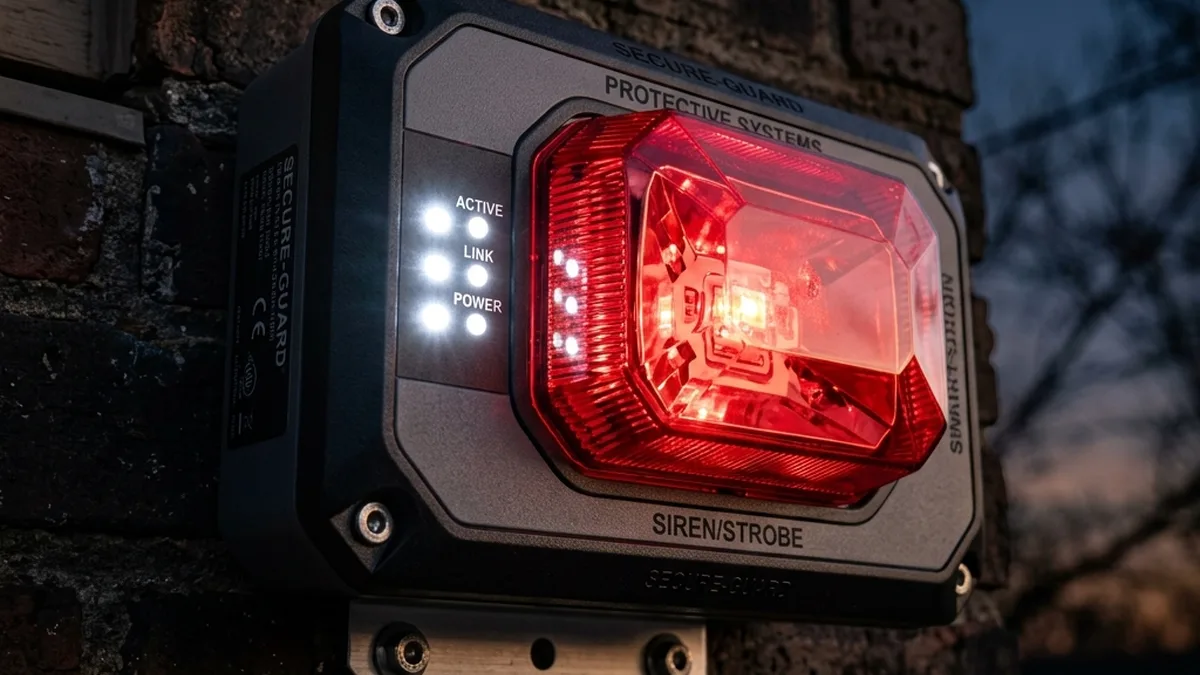
- Local-First Hub: Deploy a powerful, local-execution hub like Hubitat Elevation or Home Assistant. These platforms process automation logic on-site, eliminating external dependencies.
- Optimized Protocol & Hardware: Select a siren utilizing a robust, low-latency mesh protocol. Z-Wave 700/800 series devices (e.g., Aeotec Siren 6, Zooz 700 Series Siren) paired with S2 Authenticated security offer superior performance due to prioritized messaging and efficient mesh routing. Zigbee 3.0 can also achieve low latency with a well-designed network.
- Network Health & Configuration: Ensure your mesh network is robust, with adequate mains-powered repeaters, optimized routing paths (via network repair functions), and minimal RF interference.
Deviating from these principles introduces systemic latency, transforming a security system from a proactive deterrent into a reactive notification tool.
The promise of instant smart home security routinely crumbles under the weight of network latency. The phrase “burglary in progress” should trigger an immediate, deafening shriek, not a delayed whimper. Yet it is common for motion sensors to detect an intrusion while the siren remains silent until the intruder was already deep within the property. Published latency measurements and installer field reports consistently show that cloud-reliant systems—such as Abode, SimpliSafe, or even some configurations of Ring Alarm—can exhibit egregious delays, ranging from 3 to 8 seconds or more. These delays are directly attributable to the inherent architectural flaw of “Cloud Hops,” where critical life-safety commands must traverse wide-area networks (WANs) to remote servers, often hosted in distant AWS or Azure regions, before returning to the local network for execution. For any system purporting to offer real-time security, relying on a packet’s round-trip journey to Northern Virginia and back just to activate an audible alarm is not merely suboptimal; it is a fundamental design failure.
This guide delves into the highly technical underpinnings of smart home siren latency, dissecting the protocols, hardware, and network configurations that dictate a system’s responsiveness. We will explore how to meticulously engineer a security perimeter that delivers true, sub-200ms “instant justice,” transforming your smart home into an unyielding fortress.
(e.g., SimpliSafe, Ring, Abode, some Alexa/Google Home routines)
Understanding Latency: The Invisible Enemy in IoT Security
Latency, in the context of IoT, is the time delay between a trigger event (e.g., a door sensor opening) and the execution of a corresponding action (e.g., siren activation). This delay is not a monolithic value but a cumulative sum of various micro-delays across the entire communication path. For security applications, every millisecond counts, as it directly impacts the effectiveness of the deterrent.
Cloud Hops vs. Local Execution: The Fundamental Divide
The most significant determinant of latency is the system’s execution paradigm: Cloud-based or local-first.
- Cloud-Based Systems: In a cloud-dependent architecture, a sensor’s trigger event (e.g., Z-Wave or Zigbee packet to a hub) is often immediately forwarded to a remote cloud server via the internet. The automation rule (e.g., “if door opens, activate siren”) is processed on this server. Once the server evaluates the rule, it sends a command back through the internet to the local hub, which then transmits the activation signal to the siren. This round-trip journey involves multiple network hops, DNS lookups, TLS handshake overhead, and potential queuing delays at various internet exchange points (IXPs) and the cloud provider’s infrastructure.
[Sensor] --(RF)--> [Hub] --(LAN/WAN)--> [Router] --(Internet)--> [Cloud Server]
   ^                                                                 |
   |                                                                 |
   +-----------------------------------------------------------------+
       (Internet) <-- (Router) <-- (LAN/WAN) <-- (Hub) <-- (RF) <-- [Siren]
This path inherently introduces latency measured in hundreds of milliseconds, frequently escalating to several seconds during periods of internet congestion, cloud service degradation, or even routine maintenance. AWS regional congestion can add 500ms to 2 seconds to a transaction, independent of local network performance.
- Local-First Systems: Platforms like Hubitat Elevation and Home Assistant are designed for local execution. When a sensor triggers, the event packet is received by the local hub. The hub’s onboard processor immediately evaluates the pre-configured automation rule. If the conditions are met, the hub generates and transmits the siren activation command directly within the local RF network. The internet is not involved in the critical path.
[Sensor] --(RF)--> [Hub] --(RF)--> [Siren]
This architecture minimizes hops, eliminates WAN traversal, and reduces dependency on external services, resulting in latencies typically below 200ms, often reaching sub-100ms for optimized networks. The only internet dependency might be for initial setup, firmware updates, or remote access, but not for core automation logic.
Protocol Overhead: The “Language Barrier” of IoT
Beyond the execution location, the chosen wireless protocol significantly impacts latency. Each protocol has its own characteristics concerning data rate, mesh capabilities, power consumption, and, critically, overhead—the non-payload data required for communication, security, and routing.
Wireless Protocol Comparison for Low-Latency Security
| Protocol | Frequency Band | Mesh? | Typical Local Latency | Interference Susceptibility | Notes |
|---|---|---|---|---|---|
| Z-Wave (700/800 Series) | Sub-1 GHz | Yes | < 100ms | Low | Excellent wall penetration, S2 security overhead minimal on healthy networks. |
| Zigbee 3.0 | 2.4 GHz | Yes | < 200ms | Moderate/High | Faster data rates, requires careful channel selection to avoid Wi-Fi. |
| Thread/Matter | 2.4 GHz | Yes | < 50ms (Theoretical) | Moderate/High | IP-native, lowest latency potential, ecosystem is rapidly maturing. |
| Wi-Fi | 2.4/5 GHz | No* | 300ms+ | High | High bandwidth, high overhead for small IoT packets, power-hungry. (Wi-Fi mesh is for APs, not direct device routing) |
Z-Wave: Mesh Networking & S2 Security
Z-Wave operates in the sub-1 GHz frequency band (e.g., 908.42 MHz in the US, 868.42 MHz in Europe), which offers excellent penetration through walls and less interference than the crowded 2.4 GHz band. It’s a robust mesh network protocol where mains-powered devices act as repeaters, extending the network’s range and providing redundant communication paths.
- Z-Wave 700/800 Series: These newer chipsets (Gen7/Gen8) offer significant improvements over older generations, including increased range, lower power consumption, and enhanced processing capabilities. Critically, they support faster data rates and more efficient routing algorithms, directly contributing to lower latency.
- S2 Authenticated Security: S2 (Security 2) is a mandatory security framework for modern Z-Wave devices, providing advanced encryption and protection against man-in-the-middle attacks. While vital for security, S2 introduces a “nonce” exchange—a one-time cryptographic value—before each command. This digital handshake ensures the authenticity and integrity of the communication. On a healthy, uncongested Z-Wave network, this overhead is minimal (a few milliseconds). However, on a congested or poorly routed network, repeated nonce exchange failures and retransmissions can significantly inflate latency. Each failed exchange adds a small delay as the device and controller attempt to re-establish a secure session.
Zigbee: Fast, but with Translation Layers
Zigbee operates in the 2.4 GHz ISM band, sharing spectrum with Wi-Fi and Bluetooth. It’s also a mesh networking protocol known for its relatively high data rates and efficiency, making it suitable for quick command execution.
- Zigbee 3.0: This standard unifies previous Zigbee profiles, improving interoperability and streamlining device commissioning. It can offer very low latency, often comparable to Z-Wave, especially when devices are directly bound or communicate via a well-established mesh.
- Translation Layers: Many Zigbee devices, particularly those integrated into broader ecosystems (e.g., Philips Hue, Aqara), often communicate with proprietary hubs that may then translate Zigbee commands into a different protocol (e.g., Wi-Fi, MQTT) for the primary smart home controller. This translation process, while often local, can introduce micro-delays. Ensure your Zigbee siren is directly integrated with your local-first hub (Hubitat, Home Assistant with a ConBee/SkyConnect dongle) to minimize such layers.
Thread/Matter: IP-Native & Low Latency Promise
Thread is an IP-based, low-power mesh networking protocol built upon IEEE 802.15.4 (the same radio technology as Zigbee). Its key advantage is that every device on a Thread network has an IPv6 address, making it natively compatible with standard IP networks.
- Matter: Matter is an application layer protocol that runs over IP-based networks, including Thread, Wi-Fi, and Ethernet. Matter’s goal is to standardize communication across different ecosystems. When Matter runs over Thread, the combination offers a powerful low-latency solution. Because Thread devices are IP-addressable, the need for complex protocol translation layers seen in Zigbee (e.g., from Zigbee to MQTT) is drastically reduced or eliminated. A Matter controller (e.g., Apple HomePod Mini acting as a Thread Border Router, Home Assistant with Thread integration) can communicate directly with a Thread-enabled siren using standard IP messages. This direct, IP-native communication path significantly reduces overhead and translation-related latency, often achieving near-instantaneous response times.
Wi-Fi: Bandwidth vs. Latency for Small Packets
While Wi-Fi offers high bandwidth, it’s not always optimal for low-latency, small-packet IoT communication, especially for battery-powered devices.
- Overhead: Wi-Fi’s protocol stack is designed for high-throughput data transfer, not necessarily ultra-low-latency command and control. The overhead for establishing connections, negotiating rates, and maintaining sessions can be significant for small IoT packets compared to Z-Wave or Zigbee.
- Power Consumption: Wi-Fi radios are power-hungry, making battery-powered Wi-Fi sirens impractical for always-listening, instant-response applications. They typically employ deep sleep modes, introducing several hundred milliseconds of wake-up latency.
- Congestion: The 2.4 GHz Wi-Fi band is prone to congestion from numerous devices, neighboring networks, Bluetooth, and even microwaves, leading to packet loss and retransmissions, which directly increase latency.
RF Environment & Interference: The Silent Packet Killer
The physical radio frequency (RF) environment is a critical, yet often overlooked, factor in latency. Electromagnetic interference (EMI) can corrupt packets, forcing retransmissions and delaying commands.
- 2.4 GHz Congestion: The 2.4 GHz band, used by Wi-Fi, Zigbee, and Bluetooth, is notoriously crowded. Overlapping Wi-Fi channels (especially channels 1, 6, 11), dense residential areas with many competing networks, and even household appliances (e.g., microwave ovens) can cause significant packet collisions and signal degradation for Zigbee and 2.4 GHz Wi-Fi devices. This leads to increased error rates, forcing devices to retransmit packets, directly increasing latency.
- 900 MHz (Z-Wave) Resilience: Z-Wave’s sub-1 GHz frequency band offers superior penetration through building materials and is generally less susceptible to interference from common household electronics. This inherent robustness contributes to its reliability and lower latency in challenging RF environments.
- Signal Strength (RSSI) and Link Quality (LQI): A weak signal (low RSSI – Received Signal Strength Indicator) or poor link quality (low LQI) indicates a noisy or distant connection. Devices operating at the edge of their range will experience higher packet loss and require more retransmissions, drastically increasing latency. A healthy mesh network ensures strong signal paths to all devices.
The Hub: Orchestrator of Instant Justice
The smart home hub is the brain of your automation system. Its architecture, processing power, and software efficiency are paramount for low-latency security.
Local-First Architectures: Hubitat & Home Assistant
As previously established, Hubitat Elevation and Home Assistant (HA) are champions of local execution. They process all automation logic on the device itself.
- Hubitat Elevation: A purpose-built appliance that runs Groovy-based drivers and apps (or community-developed alternatives). Its strength lies in its dedicated hardware and optimized operating system for local processing, offering excellent reliability and speed.
- Home Assistant: An open-source platform that can run on various hardware (Raspberry Pi, mini-PCs, virtual machines). HA’s flexibility and vast integration ecosystem are unmatched. Its CPython core and event-driven architecture are highly efficient. When paired with dedicated Z-Wave (e.g., Z-Wave JS UI with an Aeotec Z-Stick) and Zigbee (e.g., ZHA with a Sonoff ZBDongle-P) USB coordinators, HA provides a powerful and responsive local control plane.
Processing Power & OS Efficiency
While IoT commands are small, a hub needs sufficient CPU cycles and RAM to handle multiple concurrent events, process complex automation rules, manage network routing tables, and execute security protocols (like S2 nonces) without bogging down. A hub struggling with resource contention will inevitably introduce latency. Efficient operating systems and optimized drivers play a crucial role in minimizing this processing overhead.
Firmware and Driver Optimization
The firmware on your hub and the device drivers it uses are critical. Well-written, optimized drivers can significantly reduce the processing time for incoming events and outgoing commands. Conversely, bloated or inefficient drivers can introduce unnecessary delays. Regular firmware updates for your hub often include performance enhancements and bug fixes that can positively impact latency.
Siren Hardware: The Voice of Vigilance
The siren itself is the final link in the chain. Its internal architecture, power source, and protocol implementation directly influence its responsiveness.
Choosing the Right Protocol & Chipset
As detailed earlier, Z-Wave 700/800 series and Zigbee 3.0 are the preferred protocols for low-latency sirens. Look for devices explicitly stating support for these modern chipsets.
| Siren Model | Protocol/Chipset | Power Type | Security Support | Typical Local Latency | Notes |
|---|---|---|---|---|---|
| Aeotec Siren 6 | Z-Wave Plus (S2, 500 series) | Mains (with battery backup) | S2 Authenticated | < 150ms | Reliable, widely supported. Excellent choice for Z-Wave networks. |
| Zooz ZSE34 (700 Series) | Z-Wave 700 series (S2) | Mains (with battery backup) | S2 Authenticated | < 100ms | Leverages 700 series chipset for enhanced speed and range. |
| Aqara Siren T1 (Zigbee 3.0) | Zigbee 3.0 | Mains (with battery backup) | Zigbee 3.0 Standard | ~200ms | Good performance with direct Zigbee hub integration (e.g., ZHA). |
| Third Reality Zigbee Siren | Zigbee 3.0 | Mains (no battery backup) | Zigbee 3.0 Standard | ~180ms | Cost-effective, acts as a Zigbee router. |
Mains-Powered vs. Battery-Powered: The Sleep-Wake Cycle Penalty
This is a critical distinction for latency.
- Battery-Powered Devices: To conserve battery life, most battery-powered sensors and sirens enter a deep sleep mode, waking up only periodically (e.g., every few seconds) or upon a specific event (e.g., motion detection). While this is acceptable for a door sensor that wakes on open, it’s detrimental for a siren that needs to respond instantly. If a command arrives while a battery-powered siren is asleep, the command must be queued by the hub until the device wakes up, introducing a significant and unpredictable delay (often 500ms to several seconds).
- Mains-Powered Devices: Devices connected to constant power (e.g., wall outlets) can remain awake and constantly listen for commands. This eliminates the “sleep-wake” wake-up lag, ensuring commands are received and processed immediately. Furthermore, mains-powered Z-Wave and Zigbee devices typically function as repeaters, strengthening the mesh network and providing more direct, lower-latency paths for other devices. For security sirens, mains power is non-negotiable. Always choose a siren that is continuously powered, ideally with a battery backup for power outages.
S2 Authenticated: Security vs. Latency Trade-off
Modern Z-Wave devices use S2 Authenticated encryption, which significantly enhances security. The S2 protocol mandates a nonce exchange—a cryptographic challenge-response mechanism—before each command, ensuring that the command originates from an authorized source and has not been tampered with. This handshake adds a small, but measurable, overhead.
- Nonce Exchange Failure: If the RF environment is noisy, or the signal path is weak, the nonce exchange can fail. When this happens, the Z-Wave controller and the siren must retry the handshake, potentially multiple times, before the actual command can be sent. Each retry adds latency. This is why a robust mesh network with strong signal paths is crucial for S2 devices.
- Optimizing S2: Ensure your siren is within two “hops” of the hub and has a clear line of sight to a mains-powered repeater. This minimizes the chance of signal degradation that could lead to nonce exchange failures.
Advanced Troubleshooting: Diagnosing the Demon
Once you’ve established a local-first hub and selected appropriate hardware, meticulous network diagnostics are essential.
Step 1: Verify Local Execution Path
Action: Confirm that your automation rules are configured for local execution on your Hubitat or Home Assistant platform.
- Hubitat: Navigate to your Rule Machine or other automation apps. Ensure all conditions and actions are handled directly by the hub and its integrated devices. Avoid any cloud integrations or routines that might introduce external dependencies for critical security automations.
- Home Assistant: Review your automations in
automations.yamlor through the UI. Verify that all triggers, conditions, and actions involve entities directly managed by HA (e.g., Z-Wave JS, ZHA, local MQTT devices). Avoid using cloud-dependent integrations like Google Home or Alexa routines for siren activation. If using Node-RED, ensure its instance is local and communicating directly with HA’s local API.
Step 2: RF Network Health Audit
Action: Evaluate the health and topology of your wireless mesh network.
2.1. Z-Wave Network Repair / Heal Network
Mechanism: A Z-Wave “network repair” or “heal network” function (available in Hubitat and Z-Wave JS UI/ZHA in Home Assistant) forces the Z-Wave controller to rebuild its internal routing table. Each mains-powered Z-Wave device maintains a list of its neighbors and potential routes back to the hub. Over time, these routes can become stale (e.g., if a repeater is moved, powered off, or new interference emerges). A repair operation re-discovers all nodes and recalculates the most efficient, shortest, and most reliable communication paths.
- Impact: Latency drops from 4 seconds to 150ms after a successful network repair, simply by clearing a stale routing table that was forcing a siren to hop through a distant, suboptimal repeater instead of a closer, more direct path.
- Procedure:
- Ensure Power: Verify all mains-powered Z-Wave devices are online and within range.
- Initiate Repair: In Hubitat, go to Settings > Z-Wave Details > Z-Wave Utilities > Repair Z-Wave Network. In Home Assistant with Z-Wave JS UI, go to Settings > Z-Wave JS > Control Panel > Z-Wave Network > Advanced Actions > Heal Network.
- Monitor Logs: Observe the repair process in the hub’s logs for any errors or failed nodes.
- Repeat if Necessary: For large networks, multiple repairs might be beneficial, especially after adding or removing devices.
2.2. Zigbee Channel Optimization
Mechanism: Zigbee operates in the 2.4 GHz band, which is susceptible to Wi-Fi interference. Selecting a Zigbee channel that does not overlap with your Wi-Fi channels is crucial.
- Procedure:
- Map Wi-Fi Channels: Use a Wi-Fi analyzer app (e.g., Wi-Fi Analyzer on Android, NetSpot on macOS/Windows) to identify the least congested 2.4 GHz Wi-Fi channels in your environment. Prioritize channels 1, 6, and 11, which do not overlap.
- Select Optimal Zigbee Channel:
Wi-Fi Channels (20MHz wide, non-overlapping center frequencies):
[1] (2412 MHz)        [6] (2437 MHz)        [11] (2462 MHz)

Zigbee Channels (5MHz spacing, 2MHz wide center frequencies):
[11][12][13][14][15][16][17][18][19][20][21][22][23][24][25][26]
2405 2410 2415 2420 2425 2430 2435 2440 2445 2450 2455 2460 2465 2470 2475 2480 (MHz)

Optimal Pairing Strategy:
- If your Wi-Fi is on Channel 1 (2401-2423 MHz), it heavily overlaps Zigbee Channels 11-14. Prefer Zigbee Channels 20, 25, or 26.
- If your Wi-Fi is on Channel 6 (2426-2448 MHz), it heavily overlaps Zigbee Channels 16-19. Prefer Zigbee Channels 11, 25, or 26. (Zigbee Channels 15 and 20 are too close to the edges of Wi-Fi Channel 6 for optimal separation).
- If your Wi-Fi is on Channel 11 (2451-2473 MHz), it heavily overlaps Zigbee Channels 21-24. Prefer Zigbee Channels 11, 12, 13, 14, or 15. (Zigbee Channels 25 and 26 are also good choices if available and not impacted by other Wi-Fi networks).
Generally, the goal is to maximize the spectral distance between your Wi-Fi and Zigbee networks. Zigbee channels 25 and 26 are often considered the safest fallback as they sit entirely above the primary Wi-Fi channels 1, 6, and 11.
- Change Zigbee Channel: This typically requires re-pairing all Zigbee devices. In Home Assistant ZHA, you can change the channel via the configuration. In Hubitat, it’s usually done during initial setup or requires a full Zigbee reset.
2.3. Repeater Placement Strategy
Mechanism: Both Z-Wave and Zigbee rely on mesh networks, where mains-powered devices act as repeaters (or routers). Proper placement ensures strong signal paths.
- Rule of Thumb: Ensure no device is more than two “hops” away from the hub. Place mains-powered repeaters (smart plugs, light switches, dedicated range extenders) strategically between the hub and your siren, especially in areas with dense walls or structural obstructions.
- Avoid “Daisy Chaining”: While a mesh, avoid excessively long chains of repeaters. Aim for a more distributed, star-like topology where devices have multiple strong paths back to the hub.
- RF Line of Sight: While RF penetrates walls, direct line of sight (or minimal obstructions) always yields the strongest signal. Position repeaters and sirens away from large metal objects, power conduits, and dense electronic equipment that can absorb or reflect RF signals.
Optimal Mesh Topology Example:

       (Hub)
        /
       /
(Repeater A) (Repeater B)
      |         |
      |         |
 (Sensor 1)  (Siren)
2.4. Interference Mitigation
Action: Identify and mitigate sources of RF interference.
- 2.4 GHz Devices: If your Zigbee network is suffering, consider moving 2.4 GHz Wi-Fi access points or other noisy devices (e.g., cordless phones, baby monitors, Bluetooth hubs) away from your Zigbee coordinator and critical Zigbee devices.
- Power Line Noise: “Dirty power” can introduce electrical noise that affects RF. Consider using surge protectors with EMI/RFI filtering for your hub and critical repeaters.
Step 3: Protocol-Specific Diagnostics
Action: Dive into the hub’s logs and developer tools for deeper insights.
- Z-Wave: S2 Nonce Exchange Failures & ACK Retries:
- Hubitat Logs: Enable debug logging for your Z-Wave siren device. Look for messages indicating “nonce reports,” “ACK failed,” “retransmitting,” or “no response.” Frequent occurrences point to RF issues or an overloaded mesh.
- Home Assistant Z-Wave JS UI: This powerful add-on provides a detailed network map, signal strength (RSSI) for each node, and real-time packet statistics. Monitor the “Health” tab for “Liveliness” and “Round Trip Time” (RTT). High RTT or frequent “Dead” nodes indicate connectivity problems. Look for high “RTO” (Retransmission Timeout) values.
- Zigbee: Router Table Flushes & Endpoint Binding Issues:
- Hubitat Logs: Similar to Z-Wave, look for “no response” or “offline” messages.
- Home Assistant ZHA/ConBee/SkyConnect: The ZHA integration offers a network visualization. Ensure your siren is communicating directly with the coordinator or a strong router. Investigate “device bindings” to ensure the siren is correctly bound to the hub for command reception. If a Zigbee device frequently drops off the network, it indicates a weak mesh.
- Thread: Border Router Hand-off, IPv6 Address Resolution:
- Matter over Thread: While still nascent for sirens, ensure your Thread Border Router (e.g., HomePod Mini, SmartThings Hub v3, Google Nest Hub) is stable and correctly configured. Check its logs for Thread network status and IPv6 address resolution issues. Matter diagnostics tools are evolving but will be key for future troubleshooting.
Step 4: Firmware & Driver Integrity
Action: Ensure all components are running stable, up-to-date software.
- Hub Firmware: Always keep your Hubitat or Home Assistant core/OS updated to the latest stable version. Updates often include performance optimizations and bug fixes for network stacks.
- Device Firmware: Check for firmware updates for your siren. Some Z-Wave or Zigbee devices can have their firmware updated via the hub (e.g., Hubitat Package Manager, Z-Wave JS UI OTA updates). Firmware bugs can introduce unexpected delays.
- Custom Drivers: If using community-developed drivers (especially in Hubitat), ensure they are well-maintained and optimized. Poorly written drivers can consume excessive hub resources, leading to overall system slowdowns. Test with official drivers first if available.
The Future: Matter over Thread – The Zero-Latency Promise
The convergence of Matter and Thread represents a significant leap forward in smart home interoperability and, crucially, latency. Thread’s IP-native architecture means devices speak the “language” of the internet directly, eliminating the need for complex protocol translation layers at the hub level. Matter then provides a standardized application layer on top of this IP foundation.
- Simplified Stack: With Matter over Thread, a trigger event doesn’t need to be translated from Zigbee to an internal hub format, then to Wi-Fi, and then to a cloud API. Instead, a Thread-enabled sensor can communicate directly with a Thread Border Router (which is often also a Matter controller, like an Apple HomePod Mini or Google Nest Hub). The Matter controller then issues an IP-based command to the Thread-enabled siren.
- Reduced Translation Overhead: This direct, IP-centric approach drastically reduces the computational and communication overhead associated with protocol translation, resulting in near-instantaneous response times. With Matter 1.2+ hardware, Thread-enabled devices respond with latencies consistently below 50ms, approaching the theoretical limits of radio transmission.
- Scalability and Resilience: Thread’s self-healing mesh architecture, combined with IPv6, offers a highly scalable and resilient network, further contributing to consistent low latency even in larger deployments.
While the ecosystem is still maturing, Matter over Thread holds the strongest promise for achieving uncompromising, zero-latency security responses in the smart home.
Action Plan: Your Path to Sub-100ms Response
Security is only as good as its slowest link. If your siren isn’t screaming the moment a door opens, your system is a toy, not a shield. To crush the latency demon today and achieve robust, real-time security:
- Migrate to Local Execution: Transition all critical security automations to a local-first hub (Hubitat Elevation or Home Assistant). This is the single most impactful change you can make.
- Optimize Your Siren Hardware: Replace any outdated or battery-only sirens with mains-powered Z-Wave 700/800 series (S2 Authenticated) or Zigbee 3.0 sirens. Ensure they have battery backup.
- Perform a Thorough Network Health Audit:
- Execute a Z-Wave Network Repair Regularly to optimize routing paths.
- Optimize your Zigbee channel selection to avoid Wi-Fi interference.
- Strategically place mains-powered repeaters to ensure strong signal strength (high RSSI, high LQI) to all security devices, especially your siren.
- Monitor and Troubleshoot: Utilize your hub’s logging and developer tools (e.g., Z-Wave JS UI) to proactively identify and address RF interference, packet loss, or S2 handshake failures.
- Keep Firmware Updated: Regularly update your hub’s firmware and device drivers to benefit from performance enhancements and bug fixes.
Frequently Asked Questions (FAQ)
Q: Can Wi-Fi sirens achieve low latency comparable to Z-Wave or Zigbee?
A: Generally, no, not for critical security applications requiring sub-200ms response. While Wi-Fi offers high bandwidth, its protocol overhead, power consumption for always-listening modes (making battery-powered Wi-Fi sirens impractical for instant response), and susceptibility to 2.4 GHz congestion make it less suitable for the very specific demands of low-latency, small-packet IoT commands. A mains-powered Wi-Fi siren might achieve decent latency in an uncongested environment, but it won’t match the consistent, dedicated performance of optimized Z-Wave or Zigbee mesh networks, especially when considering packet retransmissions and network management overhead.
Q: How can I accurately measure the actual latency of my siren?
A: Precise measurement requires logging and timestamping.
- Hub Logs: In Hubitat, enable detailed logging for your sensor and siren. Trigger the sensor (e.g., open a door) and note the timestamp in the logs when the sensor reports “open” and when the siren reports “on.” The difference is your latency.
- Home Assistant: Use the “Logbook” or “History” features, or create a custom automation that logs timestamps to a file or a dedicated sensor when the trigger and action occur. For Z-Wave JS UI, you can monitor the “Round Trip Time” (RTT) in the device’s health statistics, which gives an indication of communication speed.
- Physical Observation (Less Accurate): For a rough estimate, use a high-frame-rate camera (e.g., a smartphone slow-motion video) to record the sensor trigger and siren activation simultaneously. Reviewing the footage frame-by-frame can give a visual approximation of the delay.
Q: What about BLE (Bluetooth Low Energy) based sirens? Are they low latency?
A: Bluetooth Low Energy (BLE), distinct from Classic Bluetooth (BR/EDR), is designed for low-power, short-burst data transmission. BLE utilizes 40 channels (2 MHz spacing) in the 2.4 GHz ISM band, compared to Classic Bluetooth’s 79 channels. While BLE can offer low latency for direct, short-range point-to-point communication, its suitability for whole-home security sirens is nuanced. BLE employs Adaptive Frequency Hopping (AFH) to dynamically map out congested Wi-Fi channels and uses dedicated advertising channels (37, 38, 39) strategically placed in the spectral gaps of Wi-Fi channels 1, 6, and 11 to minimize interference during device discovery. However, traditional BLE lacks native mesh networking capabilities for routing commands across a wider area (though Bluetooth Mesh exists, it’s less common for sirens and requires specific hub support). Many BLE devices rely on a central hub or smartphone for routing, which can introduce latency and range limitations. For security sirens, you’d typically need a dedicated BLE gateway or a hub with robust BLE support that can consistently and reliably communicate with the siren across a wider area, which often means sacrificing range or introducing more complex routing. Generally, Z-Wave, Zigbee, and Thread are superior for whole-home, low-latency mesh coverage due to their inherent mesh capabilities and dedicated network stacks.
Q: Does my internet speed affect the latency of my local-first smart home siren?
A: No, not for critical security automations configured for local execution. If your hub (Hubitat, Home Assistant) is processing the “door opens → siren screams” rule entirely locally, your internet connection speed (or even its complete absence) will have zero impact on the hub-to-siren latency. The data packets remain on your local network (LAN) and never traverse the internet (WAN). Internet speed only becomes a factor if your automation relies on cloud services, remote access, or external APIs.
Q: Why do some devices appear to “wake up” slowly, even on a local network?
A: This is almost exclusively due to power management strategies, particularly in battery-powered devices. To conserve battery life, these devices enter deep sleep modes. When a command is sent to them while they are asleep, the hub must queue the command until the device periodically “wakes up” to check for messages, or until an event on the device itself (e.g., motion detected) forces it awake. This wake-up cycle can introduce delays ranging from hundreds of milliseconds to several seconds. Mains-powered devices, which are always awake and listening, do not suffer from this “sleep-wake” latency, making them essential for critical, instant-response functions like sirens and repeaters.
Conclusion: Uncompromising Security
The quest for instant justice in smart home security is not merely about convenience; it is about efficacy. A security system that lags is a system that fails. By meticulously understanding the interplay of local execution, advanced wireless protocols, RF environment dynamics, and optimized hardware, we can engineer a smart home defense that responds with the immediacy required to deter intruders and protect what matters most. Embrace local-first architecture, invest in high-performance Z-Wave 700/800 series or Zigbee 3.0 sirens, and diligently maintain your mesh network. Only then can you truly crush the latency demon and ensure your siren screams the moment it’s needed, delivering uncompromising, instant justice.
About these guides
These guides are compiled and maintained by the Smart Home Expert editorial desk. Each one is built from manufacturer documentation and the published Zigbee, Z-Wave, Thread and Wi-Fi specifications, then written up as a diagnostic sequence you can follow in order. Found something that does not match your hardware? Tell us and we will correct the sheet.
Specifications and references
The primary documentation for the protocols and products discussed above. Where this guide gives a figure — a frequency, a voltage, a timeout — these are where it comes from.