How to Put Your Smart Devices on Their Own Network
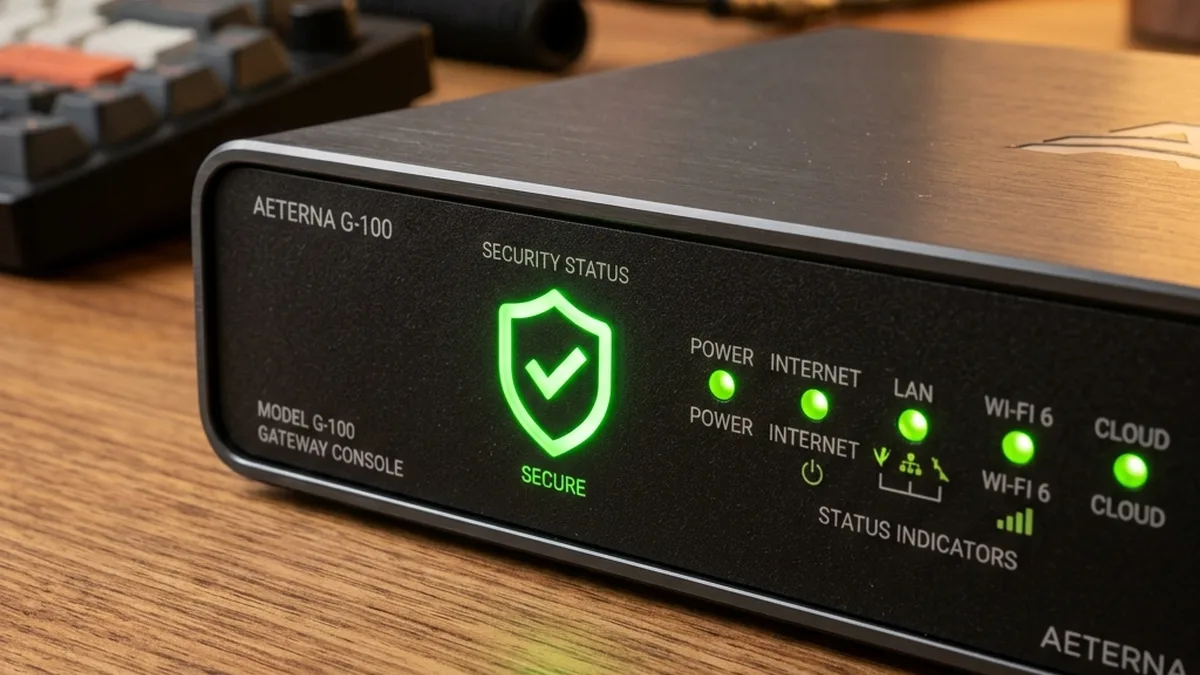
Quick Verdict: Architect’s Brief
Consumer IoT devices share a well-documented security deficit: a large share ship with either unpatched common vulnerabilities and exposures (CVEs) or engage in aggressive, often undocumented, “phone home” telemetry. The architectural imperative for a robust smart home is therefore a Zero Trust security model. This mandates granular network segmentation, specifically leveraging 802.1Q VLANs, to meticulously isolate internet-connected devices – such as high-risk cloud cameras (e.g., Ring, Nest) and generic Wi-Fi smart plugs – from your primary data network (PCs, NAS, mobile devices). This strategy mitigates lateral movement threats, restricts outbound data flows, and creates a secure operational perimeter for even the most vulnerable hardware.
The industry’s push for “easy setup” correlates closely with security oversights. The majority of consumer IoT devices ship with antiquated or insecure protocols enabled by default, such as Universal Plug and Play (UPnP), or critically lack robust encryption and authentication mechanisms. A truly hardened residential network must operate under the principle that every smart bulb, every thermostat, and every voice assistant represents a potential ingress point for unauthorized access or a pivot point for lateral network compromise. This master guide meticulously details the architectural hardening routines and advanced configuration strategies required to fortify your digital sovereignty against these pervasive threats.
This architectural diagram illustrates the ‘IoT Prison’ model, where devices are contained within a segmented network, with tightly controlled egress to the wider internet and strict ingress denial from the primary network. This is not merely a recommendation; it is a fundamental requirement for securing modern smart homes.
IoT Network Segmentation: The Foundation of Zero Trust
The core tenet of Zero Trust — “never trust, always verify” — is fundamentally applied through network segmentation. In a residential context, this translates to compartmentalizing your network into distinct logical zones, each with its own security posture and access policies. The primary mechanism for achieving this granular isolation is the IEEE 802.1Q standard for Virtual Local Area Networks (VLANs).
Understanding VLANs (802.1Q) and Subnetting
A VLAN extends the concept of a broadcast domain beyond the physical limitations of a single switch. By tagging Ethernet frames with an 802.1Q header (containing a VLAN ID), a single physical network infrastructure — including switches and Wi-Fi Access Points (APs) — can host multiple logical networks. For instance, VLAN 10 might be assigned to your primary devices (laptops, phones, NAS), VLAN 20 to IoT devices, and VLAN 30 to guest Wi-Fi. Each VLAN operates on its own IP subnet (e.g., 192.168.10.0/24 for Primary, 192.168.20.0/24 for IoT), preventing direct IP-level communication between them without explicit routing or firewall rules.
Implementing VLANs requires managed network hardware: a router capable of inter-VLAN routing and firewalling (e.g., Ubiquiti EdgeRouter, UniFi Dream Machine, pfSense, OPNsense), a managed switch (e.g., UniFi Switch, TP-Link Omada), and Wi-Fi APs that support multiple SSIDs mapped to different VLANs. The process involves:
- Defining the VLANs and assigning unique numeric IDs (e.g., 10, 20, 30).
- Configuring the router with a sub-interface for each VLAN, assigning it a unique IP address within its respective subnet (e.g., 192.168.10.1 for VLAN 10, 192.168.20.1 for VLAN 20).
- Setting up DHCP servers on the router for each VLAN’s subnet to assign IP addresses dynamically.
- Configuring managed switches to pass VLAN-tagged traffic (trunk ports) between the router and APs, and optionally assigning specific physical ports to an untagged VLAN for wired IoT devices.
- Mapping distinct Wi-Fi SSIDs to specific VLANs on your APs (e.g., “MyHome_IoT” SSID maps to VLAN 20).
This foundational step ensures that even if an IoT device is compromised, its attack surface is confined to its own VLAN, significantly hindering an attacker’s ability to traverse your network laterally.
Firewall Rules: The Enforcement Layer
Once VLANs are established, firewall rules become the critical enforcement mechanism for your Zero Trust policy. These rules, configured on your router, dictate precisely what traffic is permitted or denied between VLANs and between VLANs and the Wide Area Network (WAN). A stateful firewall tracks connection states, allowing return traffic for established connections while blocking unsolicited inbound traffic.
Key firewall policies for an IoT VLAN (e.g., VLAN 20, subnet 192.168.20.0/24):
- Deny IoT VLAN to Primary VLAN (Implicit & Explicit): This is paramount. A rule to DROP ALL Traffic from
192.168.20.0/24to192.168.10.0/24prevents IoT devices from scanning, accessing, or attacking your primary devices. This rule should be placed high in the firewall policy list. - Restricted WAN Access for IoT: Most IoT devices require some outbound internet connectivity for firmware updates, cloud services, and time synchronization. However, this should be heavily restricted.
- Allow DNS: Outbound UDP port 53 to your chosen DNS servers (e.g., router’s IP, Pi-hole, or public DNS like 1.1.1.1).
- Allow NTP: Outbound UDP port 123 for Network Time Protocol synchronization.
- Allow HTTP/HTTPS: Outbound TCP ports 80 and 443 for web services and APIs.
- Allow Specific Cloud Protocols: If a device uses MQTT (TCP 1883/8883) or CoAP (UDP 5683/5684), these may need specific allowances to their respective cloud endpoints.
- Block All Other Outbound WAN: An explicit DROP ALL Rule for any other outbound traffic from the IoT VLAN to the WAN should be the final rule in this chain.
- Allow Primary VLAN to IoT Hub: If you use a local IoT hub (e.g., Home Assistant, Hubitat) located on your IoT VLAN, your primary devices will need to communicate with it. Allow specific traffic from
192.168.10.0/24to the hub’s IP on192.168.20.X(e.g., TCP 8123 for Home Assistant’s web UI). Avoid allowing broad “any-to-any” rules. - Deny Inbound WAN to IoT: Ensure no unsolicited inbound connections from the internet are allowed to the IoT VLAN. This is generally the default behavior of NAT routers but should be explicitly verified.
RF Isolation and Protocol Diversity
Beyond IP-level segmentation, understanding the radio frequency (RF) characteristics and inherent security models of different IoT protocols is crucial.
- Wi-Fi (802.11 b/g/n/ac/ax): Operates primarily in the 2.4 GHz and 5 GHz bands. The 2.4 GHz band is congested but offers better range and wall penetration, making it ideal for many IoT devices. 5 GHz offers higher bandwidth but shorter range. For security, always use WPA2-PSK (AES) at minimum, or ideally WPA3. For advanced setups, WPA2/WPA3 Enterprise with RADIUS provides per-user authentication. Channel planning is vital to minimize interference, especially between 2.4 GHz Wi-Fi and Zigbee.
- Zigbee (802.15.4): Operates predominantly in the 2.4 GHz ISM band (channels 11-26), but also 868 MHz (Europe) and 915 MHz (Americas). It’s a mesh networking protocol, meaning devices can relay signals for each other, extending range. Security relies on 128-bit AES encryption and network keys established during pairing. Channel selection is critical; Zigbee channel 15, 20, and 25 often conflict with Wi-Fi channels 1, 6, and 11, respectively. A dedicated Zigbee coordinator (e.g., ConBee II, Z-Stack stick) connected to a local hub is recommended for full control and security.
- Thread (802.15.4): Another mesh networking protocol, also leveraging 802.15.4 radio, similar to Zigbee, but built on IP (IPv6) and designed for Matter. It offers robust security with AES-128 encryption and leverages public-key cryptography for device commissioning. Thread devices form a self-healing mesh, and like Zigbee, channel planning is important.
- Bluetooth Low Energy (BLE): Primarily used for short-range communication, often for initial device setup or proximity-based control. BLE operates on 40 channels, each 2 MHz wide, in the 2.4 GHz ISM band, distinct from the 79 channels of Classic Bluetooth. BLE 5.0 and newer support mesh networking (Bluetooth Mesh). Its three dedicated advertising channels (37, 38, 39) are strategically placed in the spectral gaps between Wi-Fi channels 1, 6, and 11 to minimize interference. BLE also employs Adaptive Frequency Hopping (AFH) to dynamically map out and avoid congested Wi-Fi channels, enhancing coexistence. Security features include pairing modes (Just Works, Passkey Entry, Out-of-Band) and AES-CCM encryption. While convenient, some BLE devices have weak security implementations, making them vulnerable to passive sniffing or active attacks if not properly authenticated.
Understanding these protocols allows for informed decisions on device placement, channel selection, and the overall RF environment to minimize interference and maximize security.
Protocol-Specific Security Deep Dive
Wi-Fi Devices (802.11 b/g/n/ac/ax)
Wi-Fi devices represent the largest segment of consumer IoT and often the largest attack surface. Beyond VLAN isolation, several measures enhance their security:
- WPA3 Encryption: Where supported by both your APs and IoT devices, WPA3 provides stronger encryption, forward secrecy, and improved protection against brute-force attacks compared to WPA2.
- Disabling Insecure Protocols:
- UPnP (Universal Plug and Play): This protocol automatically opens ports on your router, a critical vulnerability. It should be disabled on your router entirely.
- mDNS (Multicast DNS) / Bonjour: Used for local device discovery. While convenient, it can leak device information across subnets. On your IoT VLAN, consider disabling mDNS reflection/forwarding to your primary network unless absolutely necessary for specific local integrations (e.g., HomeKit). If required, use an mDNS reflector/proxy with strict access control lists (ACLs).
- DNS Filtering: Implement a local DNS sinkhole like Pi-hole or AdGuard Home on your primary network (or even on a dedicated VM/container within the IoT VLAN if communication is allowed). Configure your IoT VLAN’s DHCP server to direct DNS queries to this server. This allows you to block known telemetry domains, ad servers, and malicious sites, significantly reducing the “phone home” capabilities of many devices.
- MAC Address Filtering (Minor Deterrent): While easily spoofed, MAC address filtering on your APs can add a minor layer of friction for unauthorized devices trying to join your IoT SSID. It’s not a primary security control but can complement other measures.
Zigbee and Thread (802.15.4)
These mesh protocols are generally more secure by design than many Wi-Fi devices, especially when controlled by a local hub.
- Local Hub Control: The strength of Zigbee and Thread lies in their ability to operate locally, independent of the internet, once paired with a coordinator. A dedicated hub (like Home Assistant with a ConBee II stick, or a Hubitat Elevation) keeps device control and data entirely within your local network.
- Network Keys and Trust Centers: During initial pairing, Zigbee and Thread devices exchange network keys, often secured by a pre-shared link key. For Zigbee, the coordinator acts as the Trust Center, authenticating new devices. Ensure your hub generates a strong, random network key and that devices are paired securely.
- Channel Coexistence: Both Zigbee and Thread operate in the 2.4 GHz band, overlapping with Wi-Fi. Carefully choose your Zigbee/Thread channel to avoid interference with your Wi-Fi APs. For example, if Wi-Fi channel 1 (center 2412 MHz) is used, avoid Zigbee channels 11-14. If Wi-Fi channel 6 (center 2437 MHz) is used, avoid Zigbee channels 16-19. If Wi-Fi channel 11 (center 2462 MHz) is used, avoid Zigbee channels 21-24. Zigbee channels 25 and 26 are generally considered safe as they fall outside the primary Wi-Fi channels 1, 6, and 11. This optimizes network stability and prevents denial-of-service due to RF collisions.
Bluetooth Low Energy (BLE)
BLE is often used for proximity control or as a setup mechanism. Its security varies widely.
- Pairing Modes: Be aware of the BLE pairing modes: “Just Works” offers no protection against passive eavesdropping or Man-in-the-Middle (MITM) attacks. “Passkey Entry” provides basic authentication, while “Out-of-Band” (OOB, e.g., NFC tap) offers stronger protection.
- Ephemeral MAC Addresses: Many BLE devices use random, changing MAC addresses to prevent tracking, which enhances privacy but can complicate network-level filtering.
- Disable Unused BLE: If your IoT hub or other devices have BLE radios you don’t use, consider disabling them to reduce the attack surface.
Wired IoT (Ethernet)
Some higher-performance or critical IoT devices (e.g., dedicated NVRs, advanced hubs) may use wired Ethernet.
- Physical Security: Ensure physical access to network ports is restricted.
- Port-Based VLANs: On a managed switch, assign specific physical ports to your IoT VLAN (untagged) to ensure wired devices are also isolated.
- PoE (Power over Ethernet): If using PoE, ensure your PoE switch is also managed and isolated appropriately.
Step-by-Step Implementation Guide for a Secure IoT Network
+---------------------+           +---------------------+
|      Internet       |           |    Cloud Services   |
+----------+----------+           +----------+----------+
           | WAN                             |
           |                                 |
           | (Firewall Rules: Restricted)    |
           |                                 |
+----------V----------+                      |
|                     |                      |
|    Managed Router   |                      |
| (e.g., UDM Pro, pfSense) |                      |
|                     |                      |
|  .10.1 (VLAN 10)    |                      |
|  .20.1 (VLAN 20)    |                      |
+----------+----------+                      |
           | Trunk Port (802.1Q)             |
           |                                 |
+----------+----------+                      |
|                     |                      |
|    Managed Switch   |                      |
| (e.g., UniFi Switch) |                      |
|                     |                      |
|  Port 1: Trunk      +---------------------+
|  Port 2: VLAN 10 (Primary)
|  Port 3: VLAN 20 (IoT)
+----------+----------+
           | Trunk Port (802.1Q)
           |
+----------+----------+
|                     |
|    Managed Wi-Fi AP |
| (e.g., UniFi AP)    |
|                     |
|  SSID: MyHome_Primary (VLAN 10)
|  SSID: MyHome_IoT (VLAN 20)
|  SSID: MyHome_Guest (VLAN 30)
+---------------------+
           |
           |
+----------V----------+             +----------V----------+
|   Primary Devices   |             |    IoT Devices    |
| (Laptops, Phones, NAS) |             | (Cameras, Plugs, Hubs) |
|   (VLAN 10)         |             |   (VLAN 20)         |
+---------------------+             +---------------------+
Phase 1: Network Design and Hardware Selection
The success of your Fortress Home depends on capable hardware. Invest in equipment that supports advanced networking features:
- Router: A router with robust firewall capabilities and VLAN support is non-negotiable. Options include Ubiquiti UniFi Dream Machine (UDM/UDM Pro), EdgeRouter series, or open-source solutions like pfSense/OPNsense running on dedicated hardware. Consumer routers typically lack the necessary granular control.
- Managed Switch: If you have multiple wired devices or APs, a managed switch (e.g., UniFi Switch, TP-Link Omada Switch, Netgear ProSAFE) is essential for port-based VLAN assignments and trunking.
- Managed Wi-Fi Access Points: Separate APs from your router (if not using an all-in-one UDM). UniFi APs, TP-Link Omada APs, or standalone Ruckus/Aruba Instant On APs support multiple SSIDs mapped to VLANs.
- Dedicated IoT Hub: For Zigbee/Thread/Z-Wave, a local hub like Home Assistant (on a Raspberry Pi, mini PC, or VM) or Hubitat Elevation is crucial. This hub should ideally reside on your IoT VLAN.
| VLAN ID | Subnet Example | Purpose |
|---|---|---|
| 10 | 192.168.10.0/24 | Primary Devices (Laptops, Phones, NAS) |
| 20 | 192.168.20.0/24 | IoT Devices (Cameras, Plugs, Hubs) |
| 30 | 192.168.30.0/24 | Guest Wi-Fi Devices |
Phase 2: VLAN Configuration
This is where logical separation begins. The specifics vary by hardware, but the principles are universal.
- Define VLANs on Router:
- Navigate to your router’s network settings (e.g., Settings > Networks > Create New Network in UniFi, or interface configuration in pfSense).
- Create VLAN 10 for Primary (e.g.,
192.168.10.0/24, Gateway:192.168.10.1). - Create VLAN 20 for IoT (e.g.,
192.168.20.0/24, Gateway:192.168.20.1). - Create VLAN 30 for Guest (e.g.,
192.168.30.0/24, Gateway:192.168.30.1). - Enable DHCP server for each VLAN’s subnet.
- Enable IGMP Snooping on switches and APs if you plan to use multicast-dependent devices (like Chromecast) on your IoT VLAN, and potentially an IGMP proxy/reflector on the router if you need multicast traffic to cross VLANs (e.g., Home Assistant discovering devices on IoT VLAN).
- Configure Managed Switch (if applicable):
- Connect the router’s LAN port to a switch port configured as a trunk port (allowing all defined VLANs, tagged).
- For any wired IoT devices, assign the specific switch port they connect to as an Access Port For VLAN 20 (untagged VLAN 20).
- Connect your Wi-Fi APs to trunk ports.
- Configure Wi-Fi Access Points:
- Create separate SSIDs: “MyHome_Primary”, “MyHome_IoT”, “MyHome_Guest”.
- Map “MyHome_Primary” to VLAN 10.
- Map “MyHome_IoT” to VLAN 20.
- Map “MyHome_Guest” to VLAN 30.
- Ensure strong WPA2-PSK (AES) or WPA3 security for all SSIDs.
Phase 3: Firewall Rule Creation
This is the most critical step for enforcing Zero Trust. Rules are typically processed in order, so careful sequencing is vital.
- Rule Set 1: Inter-VLAN Isolation (Applied to IoT VLAN OUTBOUND)
- Action:
DROP - Source: Network
IoT (192.168.20.0/24) - Destination: Network
Primary (192.168.10.0/24) - Protocol:
Any - Description:
Deny IoT to Primary Network - (Optional: Create similar rules for IoT to Guest, Guest to Primary, etc., based on your specific needs.)
- Action:
- Rule Set 2: IoT Hub Access (Applied to Primary VLAN OUTBOUND)
- Action:
ACCEPT - Source: Network
Primary (192.168.10.0/24) - Destination: IP Address
[IP of your IoT Hub on VLAN 20] - Protocol:
TCP, Port:[e.g., 8123 for Home Assistant, 8080 for Hubitat] - Description:
Allow Primary to IoT Hub Control
- Action:
- Rule Set 3: Restricted WAN Access for IoT (Applied to IoT VLAN OUTBOUND to WAN)
- Action:
ACCEPT - Source: Network
IoT (192.168.20.0/24) - Destination:
Any - Protocol:
UDP, Port:53 (DNS) - Description:
Allow IoT DNS Resolution
- Action:
ACCEPT - Source: Network
IoT (192.168.20.0/24) - Destination:
Any - Protocol:
UDP, Port:123 (NTP) - Description:
Allow IoT Time Sync
- Action:
ACCEPT - Source: Network
IoT (192.168.20.0/24) - Destination:
Any - Protocol:
TCP, Ports:80, 443 (HTTP/HTTPS) - Description:
Allow IoT Web Traffic
- Action:
DROP - Source: Network
IoT (192.168.20.0/24) - Destination:
Any - Protocol:
Any - Description:
Deny All Other IoT Outbound WAN
- Action:
Phase 4: Device Onboarding and Verification
Carefully add your devices and monitor their behavior.
- Connect Devices: Connect your IoT devices to the “MyHome_IoT” SSID or the wired IoT VLAN ports.
- Monitor Firewall Logs: Your router’s firewall logs are invaluable. Look for dropped packets from your IoT VLAN. If a device isn’t working, these logs will tell you which port or destination IP is being blocked. Adjust rules incrementally, allowing only what’s absolutely necessary.
- Network Analysis: For advanced diagnostics, use tools like Wireshark or
tcpdump(if your router/hub supports it) to capture and analyze traffic from a problematic device. This reveals exactly what services it’s trying to contact. - Verify Functionality: Test all device functions (remote control, automation, voice commands) after isolation. If a device ceases to function, it’s likely hitting a firewall rule or is cloud-dependent.
Advanced Troubleshooting and Maintenance
Implementing a segmented network is an ongoing process. You’ll encounter challenges, especially with devices designed for “plug and play.”
Diagnosing Connectivity Issues
When an IoT device fails to connect or operate:
- IP Address & DHCP: First, verify the device has obtained an IP address on the correct subnet (e.g., 192.168.20.X). Check your router’s DHCP lease table.
- Firewall Logs: This is your primary diagnostic tool. Filter logs by the device’s IP address. A “DROP” entry indicates a blocked connection. Adjust rules cautiously.
- DNS Resolution: Many IoT devices fail silently if DNS resolution isn’t working. Ensure UDP port 53 is open to your DNS server. If using Pi-hole/AdGuard Home, check its query logs.
- Multicast Traffic (mDNS/Bonjour): Devices like Apple HomeKit accessories or Chromecasts rely heavily on mDNS for discovery. If your Home Assistant hub is on the Primary VLAN and the device is on the IoT VLAN, you’ll need an mDNS reflector/repeater or IGMP proxy on your router to bridge these multicast packets between VLANs. Otherwise, direct IP control might be the only option.
Firmware Management and Patching
Regular updates are essential for all network infrastructure:
- Router, Switches, APs: Keep your core network hardware firmware up-to-date. These updates often include critical security patches.
- IoT Hubs: Update Home Assistant, Hubitat, or other local hubs regularly.
- IoT Device Firmware: This is often the weakest link. Many manufacturers provide infrequent or no security updates. If a device has known vulnerabilities and no patches, its isolation becomes even more critical. Consider replacing such devices when possible.
VPN for Remote Access
Never use port forwarding for remote access to your home network or IoT devices. This creates a direct, unauthenticated pathway from the internet to your internal network, a critical security vulnerability in 2026 and beyond. Instead, implement a Virtual Private Network (VPN) server on your router (e.g., WireGuard, OpenVPN). This creates an encrypted tunnel, allowing you to securely access your entire home network (including IoT devices) as if you were physically present, without exposing any ports directly to the internet.
Dealing with Cloud-Dependent Hardware
Owner reports and teardowns consistently reveal a phenomenon we term Cloud-Dependency Lock-in. Certain devices, notably some Wyze cameras, older Wemo switches, and specific brands of robot vacuums, will either boot-loop indefinitely or refuse to function beyond basic local control if they cannot establish a connection to their manufacturer’s cloud servers. This is a deliberate design choice that prioritizes cloud integration over local resilience and security.
When you encounter such a device that refuses to function once isolated or blocked from the internet, you have two primary resolutions:
- Hardware Replacement: The most secure solution is to replace the hardware with alternatives that prioritize local control. Technologies like Matter-over-Thread, Zigbee, and Z-Wave (e.g., Aqara, Philips Hue, Inovelli, Zooz) are designed for local operation with a dedicated hub and do not inherently require WAN access for core automations. This ensures your automations and data remain within your home.
- “IoT Prison” with Restricted WAN: If replacement isn’t feasible, you must maintain the device’s internet connectivity but under the strictest possible controls. This means allowing only the absolutely essential outbound connections required for its operation, as detailed in the firewall rules section (DNS, NTP, HTTP/S to specific cloud endpoints if identifiable). This creates an “IoT Prison” where the device can communicate with its cloud but is otherwise entirely cut off from your local networks and cannot initiate arbitrary connections. This is a compromise, but a necessary one for certain legacy or unavoidable devices.
| IoT Protocol/Class | Security Characteristics | Common Vulnerabilities & Mitigation | RF Considerations |
|---|---|---|---|
| Wi-Fi (802.11) | Ubiquitous, IP-based, WPA2/WPA3 encryption. | Weak default passwords, UPnP exposure, unpatched firmware CVEs, excessive telemetry. Mitigation: VLAN isolation, strong WPA3, disable UPnP, DNS filtering, regular firmware updates. |
2.4 GHz (congested, good range), 5 GHz (faster, shorter range). Channel planning vital for coexistence. |
| Zigbee (802.15.4) | Mesh network, AES-128 encryption, local control via hub. | Vulnerable if coordinator key is compromised, insecure joining methods. Mitigation: Strong network key, secure pairing, local hub, isolated hub from WAN. |
2.4 GHz (channels 11-26). Overlaps with Wi-Fi channels 1, 6, 11. Careful channel selection is critical. |
| Thread (802.15.4, IPv6) | Mesh network, IP-based, AES-128, public-key crypto, designed for Matter. | Similar to Zigbee, reliance on secure commissioning process. Mitigation: Secure Thread Border Router, strong network credentials, local control. |
2.4 GHz (channels 15, 20, 25). Shares RF space with Zigbee and Wi-Fi. |
| Bluetooth Low Energy (BLE) | Short-range, low-power, pairing modes (Just Works, Passkey, OOB), AES-CCM. | “Just Works” pairing is insecure, passive sniffing, weak authentication. Mitigation: Prefer OOB/Passkey pairing, disable unused BLE radios, be aware of device data exposure. |
2.4 GHz ISM band. Uses 40 channels (2 MHz spacing), with advertising channels (37, 38, 39) strategically placed in Wi-Fi spectral gaps. Employs Adaptive Frequency Hopping (AFH) for coexistence. Short range. |
| Cloud Cameras (Ring/Nest) | High dependency on manufacturer cloud services. | Credential stuffing, unpatched cloud APIs, aggressive telemetry, privacy concerns. Mitigation: Isolated VLAN, strong MFA (authenticator app, not SMS), audit authorized devices, restricted WAN access. |
Typically Wi-Fi (2.4/5 GHz). |
| Generic Wi-Fi Plugs (Tuya) | Cheap, often unbranded, direct cloud connection. | Critical firmware vulnerabilities, lack of updates, aggressive & unencrypted telemetry, hardcoded credentials. Mitigation: VLAN isolation, block all WAN access (if local control possible via Tasmota/ESPHome), otherwise strictly limited WAN. Replace if possible. |
Typically Wi-Fi 2.4 GHz. |
Frequently Asked Questions (FAQ)
What is Zero Trust in the context of IoT?
Zero Trust, in the context of IoT, means that no device, whether inside or outside your network perimeter, is inherently trusted. Every connection attempt — from device to device, or device to internet — must be explicitly verified and authorized based on granular policies. For IoT, this translates to strict network segmentation (VLANs), explicit firewall rules for all traffic flows, least-privilege access, and continuous monitoring. You assume every device is potentially compromised and design your network to contain that compromise.
Can I use a regular consumer router for this setup?
Generally, no. Most consumer-grade routers lack the advanced features required for robust VLAN implementation, granular firewall rule creation, and often perform poorly under the load of complex routing. You need a router with explicit support for 802.1Q VLANs, inter-VLAN routing, and a stateful firewall with custom rule sets. Devices like Ubiquiti UniFi Dream Machine, EdgeRouter, or a dedicated pfSense/OPNsense box are suitable. While some high-end consumer routers might claim “VLAN support,” it’s often limited to basic guest network isolation and lacks the depth needed for a true Zero Trust IoT architecture.
How do I know if my device is cloud-dependent?
The simplest test is to isolate the device by blocking its internet access (via firewall rules or physically disconnecting your router’s WAN for a short period) and observing its behavior. If it stops functioning entirely, enters a boot loop, or loses critical features, it’s cloud-dependent. Another indicator is if the manufacturer’s app only works when you have an active internet connection, even if you’re on the same local Wi-Fi. Devices that support Matter, Thread, Zigbee, or Z-Wave with a local hub are generally designed for local control, though some may still require initial cloud activation.
Should I disable UPnP on my router?
Yes, absolutely. Universal Plug and Play (UPnP) is a protocol that allows devices on your local network to automatically request and open ports on your router’s firewall. While convenient for gaming consoles or media servers, it’s a significant security risk. A compromised IoT device (or even a malicious application) could leverage UPnP to open inbound ports, creating a direct pathway from the internet to your internal network without your explicit consent. It should be disabled on your router immediately and permanently.
What about guest networks? Should they be isolated too?
Yes, guest networks should be even more aggressively isolated than your IoT network. A guest network should have no access to your primary network or your IoT network, and its WAN access should also be restricted (though typically not as much as IoT, depending on your policy). Configure your guest SSID to map to its own VLAN (e.g., VLAN 30) and apply firewall rules to DROP ALL Traffic from the Guest VLAN to both your Primary and IoT VLANs. This prevents guests from inadvertently or maliciously accessing your sensitive data or vulnerable IoT devices.
Is MAC address filtering effective?
MAC address filtering offers a very weak security posture. While it can deter casual users from connecting to your network, MAC addresses are easily spoofed. Tools readily available can sniff network traffic to identify legitimate MAC addresses, which can then be mimicked. Therefore, MAC filtering should never be relied upon as a primary security control. It can be a minor additional layer of friction, but it does not replace strong encryption (WPA2/WPA3), robust passwords, or network segmentation.
Conclusion: Reclaiming Your Digital Sovereignty
The proliferation of IoT devices, while offering unprecedented convenience, has simultaneously introduced a complex tapestry of security vulnerabilities into our homes. Relying on default settings or manufacturer promises is an abdication of responsibility in an increasingly hostile digital landscape. By adopting a Zero Trust architecture, underpinned by rigorous network segmentation using 802.1Q VLANs and meticulously crafted firewall rules, you transform your home network from a porous collection of potentially compromised gadgets into a fortified digital fortress.
This master guide has detailed the technical imperatives: Understanding the nuances of Wi-Fi, Zigbee, Thread, and BLE; implementing granular firewall policies; and actively managing device firmware. It requires an investment in capable hardware and a commitment to ongoing vigilance. While the initial setup may seem daunting, the peace of mind derived from knowing your personal data and network integrity are protected from the inherent weaknesses of consumer IoT is immeasurable. Reclaim your digital sovereignty — build your Fortress Home today.
About these guides
These guides are compiled and maintained by the Smart Home Expert editorial desk. Each one is built from manufacturer documentation and the published Zigbee, Z-Wave, Thread and Wi-Fi specifications, then written up as a diagnostic sequence you can follow in order. Found something that does not match your hardware? Tell us and we will correct the sheet.
Specifications and references
The primary documentation for the protocols and products discussed above. Where this guide gives a figure — a frequency, a voltage, a timeout — these are where it comes from.