Chromecast or TV Not Showing Up to Cast? mDNS and IGMP
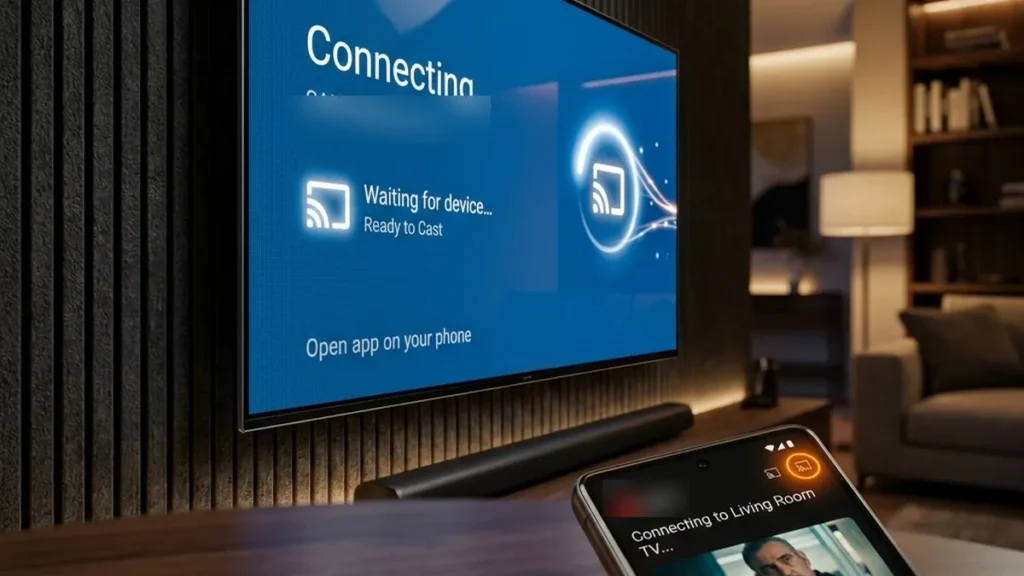
In the rapidly evolving landscape of smart homes and IoT, the seemingly simple act of casting content from a smartphone to a television often devolves into a frustrating “TV Not Found” mystery. This issue, while presenting as a user-interface glitch, is almost universally rooted in complex underlying network communication failures. Modern “smart” TVs are often overly aggressive with power-saving states, driving their Wi-Fi NICs into deep sleep modes that effectively ignore critical discovery packets, including Wake-on-LAN (WoL) requests. This report meticulously details the advanced network engineering and protocol-level analysis required to maintain persistent visibility of your casting targets within a robust smart home environment.
Deep Dive: Understanding the Network Architecture of Casting
Casting functionality, whether it’s AirPlay, Google Cast, or Miracast, relies fundamentally on network service discovery protocols to locate available target devices. This process is far from trivial, involving intricate interactions at the Data Link Layer (Layer 2) and Network Layer (Layer 3) of the OSI model. A robust understanding of these mechanisms is paramount for effective troubleshooting.
The Cornerstone of Discovery: Multicast DNS (mDNS) and IGMP
At the heart of most casting discovery mechanisms lies Multicast DNS (mDNS), part of the Zero-configuration networking (Zeroconf) suite, often implemented by Apple’s Bonjour or similar services. mDNS operates on UDP port 5353 and uses the special multicast IP address 224.0.0.251 (IPv4) or FF02::FB (IPv6) to advertise and discover services on a local network segment. Devices offering a service (like a TV with a casting receiver) send out “service advertisements,” while devices looking for a service send “service queries.”
The efficiency and reliability of mDNS are heavily dependent on Internet Group Management Protocol (IGMP). IGMP is a network layer protocol used by hosts and adjacent routers to establish multicast group memberships. When a device wants to receive multicast traffic for a specific group (like 224.0.0.251 for mDNS), it sends an IGMP Join message. Routers use this information to build a multicast forwarding table, ensuring that multicast packets are only sent to segments where there are interested listeners, preventing unnecessary network flooding.
IGMP Snooping: Optimizing Multicast on Switched Networks
In a typical Wi-Fi environment, especially with multiple Access Points (APs) or mesh nodes, the router/switch plays a critical role in handling multicast traffic. Without IGMP Snooping, a switch would treat multicast packets as broadcast traffic, flooding them to all ports/Wi-Fi clients, which is highly inefficient and can overwhelm client devices. IGMP Snooping is a Layer 2 optimization that allows a network switch to “snoop” on IGMP messages to determine which hosts are interested in receiving specific multicast streams. This enables the switch to forward multicast traffic only to the ports (or Wi-Fi clients) that have explicitly requested it, significantly reducing network congestion and Wi-Fi airtime utilization.
Common Pitfalls: Many consumer-grade routers and mesh systems have poorly implemented or buggy IGMP Snooping. This can lead to:
- Packet Dropping: If the snooping table becomes corrupted or expires prematurely, multicast packets (including mDNS) are dropped instead of being forwarded.
- Over-flooding: If snooping fails, multicast traffic might be flooded everywhere, consuming bandwidth and potentially waking up power-saving devices unnecessarily, paradoxically making them less responsive.
- Inter-AP Issues: In mesh networks, IGMP Snooping must be properly synchronized across all APs, which is often a point of failure, leading to discovery issues for devices connected to different mesh nodes.
mDNS Reflectors/Proxies: Bridging Network Segments
By design, mDNS traffic is confined to a single broadcast domain (Layer 2 segment). This means if your casting source (e.g., phone) is on one VLAN/subnet and your casting target (e.g., TV) is on another (a common setup for IoT isolation), mDNS packets will not traverse the router between them. This is where an mDNS Reflector (also known as an mDNS Proxy or Gateway) becomes indispensable. An mDNS reflector listens for mDNS queries and advertisements on one network segment and re-transmits them onto other configured segments, effectively extending the reach of Zeroconf discovery across Layer 3 boundaries. Software like Avahi (on Linux-based routers/servers) or specific features in higher-end network gear provide this functionality.
Wi-Fi Layer Characteristics and Their Impact on Casting
Beyond mDNS and IGMP, the physical and data link layers of your Wi-Fi network significantly influence casting reliability. RF characteristics, channel utilization, and device power management are critical factors.
Frequency Bands: 2.4GHz vs. 5GHz
- 2.4GHz Band: Offers greater range and better penetration through walls due to its longer wavelength. However, it’s highly susceptible to interference (EMI) from other devices (microwaves, cordless phones, Bluetooth Low Energy (BLE), Zigbee, Thread, and neighboring Wi-Fi networks). BLE, with its 40 channels and Adaptive Frequency Hopping (AFH), is designed to coexist, often utilizing advertising channels (37, 38, 39) in the spectral gaps of Wi-Fi channels 1, 6, and 11. It also has fewer non-overlapping Wi-Fi channels (typically 1, 6, 11, each 20MHz wide), leading to significant co-channel interference and congestion. For optimal co-existence with 802.15.4 protocols like Zigbee and Thread (which use 5MHz wide channels), careful Wi-Fi channel selection is paramount. Wi-Fi Channel 1 (2412 MHz center) overlaps Zigbee/Thread channels 11-14, Wi-Fi Channel 6 (2437 MHz center) overlaps 16-19, and Wi-Fi Channel 11 (2462 MHz center) overlaps 21-24. Zigbee/Thread channels 25 (2475 MHz center) and 26 (2480 MHz center) are generally considered the safest as they sit entirely outside the primary Wi-Fi 1, 6, and 11 spectrums. For casting, 2.4GHz can be less reliable if the environment is noisy.
- 5GHz Band: Provides higher data rates and more non-overlapping channels, leading to less interference and better performance, especially for streaming high-bandwidth content. Its drawbacks include shorter range and poorer penetration, making device placement more critical. For casting, 5GHz is generally preferred for its stability, assuming good signal strength.
Channel Widths and Congestion
Wi-Fi channels can operate at different widths (e.g., 20MHz, 40MHz, 80MHz, 160MHz). While wider channels offer higher theoretical throughput, they also consume more spectrum and are more prone to interference. For 2.4GHz, sticking to 20MHz channels is often recommended to minimize interference and maximize compatibility, especially with older IoT devices. On 5GHz, 40MHz or 80MHz can be used, but dynamic frequency selection (DFS) channels can sometimes cause temporary outages if radar signals are detected, which can disrupt casting.
Electromagnetic Interference (EMI) and Radio Frequency Interference (RFI)
The 2.4GHz band is a shared spectrum, making it highly vulnerable to EMI from non-Wi-Fi sources and RFI from other Wi-Fi networks. A high noise floor, low signal-to-noise ratio (SNR), or frequent retransmissions due to interference can severely degrade casting performance and prevent discovery packets from reaching their target reliably. Tools like Wi-Fi analyzers (e.g., NetSpot, inSSIDer) can help visualize channel utilization and interference levels.
Aggressive Power-Saving Modes (PSM) in Smart TVs
A significant contributor to the “TV Not Found” problem is the implementation of aggressive power-saving modes by TV manufacturers. To meet energy efficiency standards, many smart TVs put their Wi-Fi Network Interface Card (NIC) into a deep sleep state when the TV is “off” (standby). In this state, the NIC may not respond to ARP requests, IGMP queries, or mDNS advertisements, effectively making the TV invisible on the network. While Wake-on-LAN (WoL) is designed to address this, many TV implementations either disable WoL over Wi-Fi, only support Magic Packets on specific ports, or fail to keep the NIC sufficiently active to process them reliably. This often necessitates a full power cycle or “soft restart” of the TV to re-initialize its network stack.
Protocol Audit: AirPlay 2 vs. Google Cast vs. Miracast/Roku
While the end-user experience of casting appears similar, the underlying communication requirements and potential failure points vary significantly between leading protocols. The protocols differ architecturally in ways that matter here.
| Protocol | Discovery Mechanism | Primary Barrier | Critical Network Requirement |
|---|---|---|---|
| Google Cast | mDNS/DIAL (Discovery and Launch) | DNS Hard-coding, Multicast Dropping | Reliable mDNS, 8.8.8.8 Access (or equivalent public DNS) |
| AirPlay 2 | Bonjour (mDNS/DNS-SD) | Multicast Dropping, VLAN Isolation | Robust IGMP Snooping, mDNS Reflector for L3 |
| Miracast / Roku | Wi-Fi Direct (P2P), DIAL, mDNS | 2.4GHz EMI, Wi-Fi Direct Channel Negotiation | Clear 2.4GHz/5GHz Channels, Wi-Fi Direct Compatibility |
Google Cast (Chromecast built-in)
Google Cast primarily leverages mDNS for local discovery, advertising services like _googlecast._tcp. However, it also incorporates the DIAL (Discovery and Launch) protocol, an open protocol developed by Netflix and YouTube, which uses HTTP over TCP for discovery and launching applications. A peculiar aspect of Google Cast devices is their occasional preference or hard-coding of Google’s public DNS servers (8.8.8.8 and 8.8.4.4). If your network uses a local DNS resolver (e.g., Pi-hole, AdGuard Home) that blocks external DNS lookups or redirects them, casting devices might struggle to resolve necessary external services, even if local discovery is working. Ensuring that your router allows casting devices to reach Google’s DNS or that your local DNS resolver correctly forwards these requests is crucial.
AirPlay 2
AirPlay 2 is built upon Apple’s Bonjour (Zeroconf) technology, which heavily relies on mDNS and DNS Service Discovery (DNS-SD). It advertises services like _airplay._tcp and _raop._tcp (for audio). AirPlay 2 introduced enhanced multi-room audio capabilities and improved buffering, requiring more robust network synchronization. The biggest challenge with AirPlay 2 in complex networks is its strict reliance on proper multicast forwarding. If IGMP Snooping is misconfigured or an mDNS reflector is absent in multi-VLAN setups, AirPlay devices will simply not appear.
Miracast / Roku (SmartCast)
Miracast is a peer-to-peer (P2P) wireless display standard, often using Wi-Fi Direct. This means the source device (e.g., phone) can establish a direct connection with the target display (e.g., TV) without needing to route through the main Wi-Fi Access Point. However, many “Smart” TVs that support Miracast also integrate it with their broader casting systems (like Roku’s SmartCast or Vizio’s SmartCast), which then fall back to mDNS/DIAL for discovery when not directly pairing. The primary issues here are often related to 2.4GHz channel congestion, as Wi-Fi Direct often operates in this band, and compatibility issues between different manufacturers’ Wi-Fi Direct implementations. Roku devices, in particular, use a blend of DIAL and mDNS for discovery, making them susceptible to the same multicast and DNS issues as Google Cast.
Advanced Troubleshooting and Resolution Paths
Systematic Network Diagnostics: A Step-by-Step Approach
Before delving into device-specific settings, a methodical network diagnostic process is essential. This ensures that the foundational communication layers are sound.
- Verify Basic Network Connectivity:
- Ping Test: From a computer on the same subnet, attempt to ping the TV’s IP address. If it fails, the TV is either truly offline, in a deep sleep, or has an IP configuration issue.
- ARP Table Check: On your router or a connected device, check the ARP table for the TV’s MAC address and corresponding IP. This confirms if the TV has communicated its presence at Layer 2.
- Wi-Fi Signal Strength (RSSI): Use a Wi-Fi analyzer app to check the TV’s Received Signal Strength Indicator (RSSI) at its location. An RSSI weaker than -70 dBm (decibels per milliwatt) can lead to unreliable connections and packet loss.
-
Router/Access Point (AP) Configuration Audit
Setting/Feature Action/Recommendation Rationale for Casting IGMP Snooping Enable (V2 for compatibility). Adjust query interval (30-60s) if available. Ensures efficient multicast forwarding to interested devices, preventing flooding and packet drops of mDNS. mDNS Reflector/Proxy Enable if using VLANs or complex network segments. Allows mDNS discovery packets to traverse Layer 3 boundaries, making devices on different VLANs visible. AP/Client Isolation Disable on main Wi-Fi networks. Avoid guest networks for casting. Prevents wireless clients from communicating directly, which is essential for mDNS peer discovery. DHCP Reservation / Static IP Assign a static IP to the TV via router’s DHCP reservation. Ensures consistent IP address for the TV, preventing stale network entries and aiding reliable discovery. Router Firmware Update to latest stable version. Resolves known bugs in IGMP snooping, mDNS handling, and Wi-Fi stability. Multicast Rate Consider a lower rate (1-6 Mbps) in noisy 2.4GHz environments. Improves reliability of multicast packet delivery in challenging RF conditions. WMM (Wi-Fi Multimedia) Ensure it is Enabled. Provides Quality of Service (QoS) for multimedia traffic, prioritizing casting streams. Band Steering Consider disabling for troubleshooting if issues persist. Frequent band switching can temporarily disrupt mDNS registration; disabling can stabilize connection. Firewall Rules Ensure UDP 5353 And relevant TCP/UDP ports (e.g., 8008, 8009 for Google Cast) are not blocked. Critical for allowing discovery and streaming traffic to pass through the router. - Casting Target (TV) Power Management & Network Stack Reset:
- Disable Eco/Power Saving Modes: Navigate to the TV’s settings and look for power-saving, eco, or standby options. Disable any “deep sleep” or “ultra-low power” modes That might affect the Wi-Fi NIC. Look for settings like “Quick Start” or “Instant On” which keep the network stack more active.
- Clear Casting Cache: For Android TV/Google Cast devices, clearing the cache of “Chromecast built-in” or “Google Cast Receiver” apps can force a re-registration of services.
- Network Stack Restart: A full power cycle (unplugging for 30 seconds) or a “System Restart” via the TV’s menu often re-initializes the Wi-Fi NIC and its network stack, resolving transient issues.
- Advanced Packet Analysis (Optional but Recommended):
- mDNS Browser Tools: Use tools like “Discovery” (iOS/macOS), “DNS-SD Browser” (Android), or
avahi-browse -a(Linux) to see if the TV’s_googlecast._tcpor_airplay._tcpservices are being advertised and are visible from your casting source device. - Wireshark Capture: For advanced users, capturing network traffic on a mirrored port or using a Wi-Fi sniffing tool can reveal if mDNS queries are being sent, if mDNS advertisements are being received, and where packets are being dropped.
- mDNS Browser Tools: Use tools like “Discovery” (iOS/macOS), “DNS-SD Browser” (Android), or
 +-----------------+          +---------------------+          +-----------------+
 |   Casting App   |          |     Wi-Fi Client    |          |    Smart TV     |
 | (e.g., Netflix) |          | (e.g., Smartphone)  |          | (Casting Target)|
 +--------+--------+          +----------+----------+          +--------+--------+
          |                            |                                |
          | 1. Initiates Discovery     |                                |
          | (mDNS/DIAL Query)          |                                |
          |                            |                                |
          +--------------------------->| 2. Sends mDNS Query (UDP 5353) |
                                       |                                |
                                       |                                |
                                       | 3. Query reaches Router/AP     |
                                       |   (via Wi-Fi)                  |
                                       |                                |
                                       |           +-----------------+  |
                                       |           |   Router/AP     |  |
                                       |           | (IGMP Snooping, |  |
                                       |           | mDNS Reflector) |  |
                                       |           +--------+--------+  |
                                       |                    |             |
                                       |                    | 4a. If IGMP Snooping enabled:
                                       |                    |     Router forwards multicast to ports/clients
                                       |                    |     that have joined the mDNS group (224.0.0.251).
                                       |                    | 4b. If IGMP Snooping misconfigured or disabled:
                                       |                    |     Router floods multicast to ALL ports/clients,
                                       |                    |     potentially overwhelming the TV's NIC or
                                       |                    |     causing the TV to ignore the packet.
                                       |                    | 4c. If mDNS Reflector needed (VLANs) and absent:
                                       |                    |     Query is dropped at Layer 3 boundary.
                                       |                    |
                                       |<-------------------+ 5. mDNS Query reaches TV's NIC (if not in deep sleep)
                                       |                    |
                                       | 6. TV responds with mDNS Service Advertisement
                                       |    (e.g., _googlecast._tcp)
                                       |                                |
                                       +<-------------------------------|
                                       |                                |
          | 9. Casting Initiated (TCP/UDP Stream)
Manufacturer-Specific Resolution Paths (Expanded)
Sony Bravia / Android TV: Clearing the Casting Cache and Network Stack
Sony Bravia TVs running Android TV behave like oversized Android phones. Their casting functionality (Google Cast built-in) is managed by system-level applications. Over time, these apps can accumulate corrupted cache data or stale network registrations, leading to discovery failures. The recommended procedure forces a clean re-initialization:
- Access System Apps: Navigate to Settings > Apps > See all apps > Show system apps. This ensures you can see the critical background services.
- Target Chromecast built-in: Select Chromecast built-in (or “Google Cast Receiver” on older models). This is the core service responsible for receiving casting requests.
- Clear Data and Cache: Select Clear Data And then Clear Cache. Clearing data removes all accumulated settings and stored information for this app, forcing it to re-register its services on the network. Clearing cache removes temporary files.
- Force Restart: Critically, restart the TV, not just put it into standby. Hold the remote power button for 5 seconds until a power menu appears, then select “Restart” or “Power off” and then power it back on. This ensures the Wi-Fi NIC and network stack are fully re-initialized, including new mDNS advertisements.
LG OLED (webOS): Fixing the “Invisible” State and Wake-on-WLAN
LG webOS TVs often prioritize energy efficiency, which can lead to their casting receivers becoming unresponsive in standby. The “TV On with Mobile” feature is LG’s implementation of Wake-on-WLAN (WoWLAN), allowing a mobile device to wake the TV via a network packet.
- Enable TV On with Mobile: Path: All Settings > General > Devices > External Devices. Ensure TV On with Mobile is enabled (specifically “via Wi-Fi” if there’s an option). This keeps the Wi-Fi NIC in a low-power state that can still respond to Magic Packets or specific discovery queries.
- Check LG ThinQ Integration: Verify that the TV hasn’t been “unregistered” or removed from your home group within the LG ThinQ app. ThinQ acts as a cloud-based discovery and control layer, and inconsistencies here can affect local casting visibility. Re-adding the TV to ThinQ can sometimes refresh its network registration.
- Quick Start+ (if available): Some LG models have a “Quick Start+” or “Fast Boot” mode in power settings. Enabling this can keep the network stack more active in standby, though at the cost of slightly higher power consumption.
- Network Reset: Within the LG settings, there’s usually an option to reset network settings. This clears all stored Wi-Fi passwords and IP configurations, forcing a fresh connection and re-registration.
Vizio / Roku: Resolving “Connection Failed” via Power Management and Static IP
Vizio SmartCast and Roku devices leverage a combination of DIAL and mDNS for discovery. Their “Eco Mode” is a frequent culprit for disappearing acts, as it aggressively powers down the Wi-Fi module.
- Disable “Eco Mode” / Power Saving: In the TV’s Power settings (sometimes under “System” or “Energy Saving”), disable “Eco Mode,” “Low Power Mode,” or similar aggressive power-saving features. This is crucial for keeping the Wi-Fi NIC responsive in standby.
- Assign a Static IP via DHCP Reservation: While the TV can obtain an IP via DHCP, assigning a Static IP Through your router’s DHCP reservation page provides consistency. This ensures the TV always has the same IP address, preventing potential issues with cached mDNS records or ARP table entries on the router becoming stale if the TV’s IP changes.
- Force a “System Restart”: Access System > Power > System Restart (or “Restart TV”). This is a software-level reboot that reloads the entire operating system and network stack, including the discovery services, without a full power cycle. This is more effective than just turning the TV off and on with the remote.
- Factory Reset (Last Resort): If all else fails, a factory reset of the TV can resolve deeply embedded software issues, but it will require re-setup of all apps and settings.
Persistent Visibility Issues: Advanced Scenarios
If your TV remains stubbornly invisible after exhausting the above steps, the problem likely lies in more complex network configurations or deeply embedded firmware issues.
Network Segmentation and VLANs
For advanced users, segmenting IoT devices onto a separate VLAN (Virtual Local Area Network) is a common security practice. While excellent for isolating potentially vulnerable devices, it inherently breaks mDNS discovery across VLAN boundaries. To bridge this, a dedicated mDNS Reflector (e.g., Avahi on a Linux server or a router with advanced capabilities) is essential. This reflector must be configured to listen for mDNS traffic on both the main LAN and the IoT VLAN and forward it appropriately. Without it, devices on different VLANs will simply never see each other’s service advertisements.
Router/AP Firmware Bugs and IGMP State Table Corruption
As highlighted in our Quick Verdict, many consumer-grade mesh systems (e.g., Orbi, Linksys Velop, older Eero generations) have historically suffered from unstable or buggy IGMP Snooping implementations. This can lead to the IGMP state table (which tracks multicast group memberships) becoming corrupted or expiring too quickly. When this happens, the router stops forwarding mDNS packets to the TV, even if the TV is technically “awake.” The primary resolution here is to ensure your router/mesh system is on the absolute latest firmware. If issues persist, consider disabling and re-enabling IGMP Snooping to force a rebuild of the table, or, in extreme cases, replacing the network hardware with more robust, enterprise-grade equipment.
RF Environment and Wi-Fi Channel Selection
A poor RF environment can lead to significant packet loss, making mDNS discovery unreliable. Even if packets are technically sent, if the TV’s Wi-Fi NIC is struggling with interference or low signal, it might drop them. Conduct a Wi-Fi site survey using a dedicated tool or app to:
- Identify Optimal Channels: Choose Wi-Fi channels (1, 6, or 11 for 2.4GHz; less congested ones for 5GHz) with minimal overlap and interference from neighboring networks.
- Check Signal-to-Noise Ratio (SNR): Aim for an SNR of at least 25 dB for reliable streaming. A lower SNR indicates a noisy environment where packets are frequently retransmitted.
- Minimize Co-Channel Interference: Ensure your APs are not operating on the same channels if they are close together.
DNS Resolution Issues (Specific to Google Cast)
If your network uses a custom DNS server (e.g., Pi-hole, AdGuard Home), ensure it’s not blocking or mishandling DNS requests that Google Cast devices might make to external Google services or hard-coded IPs (like 8.8.8.8). While mDNS is local, Google Cast can still rely on external DNS for certain aspects of its operation, especially for launching apps like YouTube or Netflix. Verify that your DNS resolver allows traffic to Google’s public DNS or correctly forwards those requests.
Frequently Asked Questions (FAQ)
Why does restarting my TV or router temporarily fix the issue?
Restarting your TV often forces its Wi-Fi NIC to re-initialize its network stack, clear any corrupted cache, and re-broadcast its mDNS service advertisements. Similarly, restarting a router clears its IGMP Snooping table and DHCP leases, forcing a fresh network state. This temporary fix indicates a transient issue with either the device’s network stack or the router’s multicast handling that resurfaces over time.
Is it better to use 2.4GHz or 5GHz for casting?
Generally, 5GHz is preferred for casting Due to its higher bandwidth, lower interference, and more available channels, leading to a more stable streaming experience. However, 5GHz has a shorter range and poorer penetration. If your TV is far from the AP or separated by multiple walls, 2.4GHz might offer a more stable connection, but you must ensure it’s on a clean, uncongested channel (1, 6, or 11 with 20MHz width).
What is AP Isolation and why does it break casting?
AP Isolation (also known as Client Isolation or Wireless Isolation) is a security feature that prevents wireless clients connected to the same Access Point from communicating directly with each other. This is often used on public Wi-Fi networks to prevent users from accessing each other’s devices. Casting protocols like mDNS rely on direct communication between the casting source (e.g., phone) and the casting target (e.g., TV) on the local network. When AP Isolation is enabled, these discovery packets are blocked, making the TV invisible.
Can a VPN on my phone or router cause casting issues?
Yes, a VPN can absolutely cause casting issues. If the VPN client on your phone routes all traffic through the VPN tunnel, it will bypass your local network entirely, preventing mDNS discovery packets from reaching your TV. Similarly, if your router has a VPN client enabled, it might encapsulate local traffic or alter routing tables in a way that interferes with multicast forwarding or mDNS reflection, making local devices unreachable.
My TV has an Ethernet port. Will connecting it via cable solve casting issues?
Connecting your TV via Ethernet cable can significantly improve stability by eliminating Wi-Fi interference and signal strength issues. However, it does not inherently solve mDNS/IGMP issues if your router’s multicast handling is fundamentally flawed, especially in a multi-VLAN setup. The wired connection still needs to be on the same broadcast domain (or properly reflected across VLANs) as your casting source for mDNS discovery to work.
Conclusion: Navigating the Complexities of IoT Discovery
The “TV Not Found” error, while seemingly simple, is a potent symptom of the intricate and often fragile nature of modern IoT device discovery. It underscores the critical importance of a well-configured and stable network infrastructure. The vast majority of these issues trace back to fundamental misconfigurations or buggy implementations of Multicast DNS (mDNS) and Internet Group Management Protocol (IGMP) within consumer-grade routers and Wi-Fi Access Points, compounded by aggressive power-saving strategies employed by device manufacturers.
Achieving persistent visibility for your casting targets requires a holistic approach: Meticulous router configuration for IGMP Snooping and mDNS reflection, optimization of Wi-Fi RF environment, and a deep understanding of device-specific power management. As smart homes become more complex and interconnected, the demand for robust, enterprise-grade networking principles trickles down to the consumer level. By applying the advanced troubleshooting techniques and protocol-level insights detailed in this guide, you can cast away the shadows and ensure your smart home devices operate with the seamless reliability they were designed for.
About these guides
These guides are compiled and maintained by the Smart Home Expert editorial desk. Each one is built from manufacturer documentation and the published Zigbee, Z-Wave, Thread and Wi-Fi specifications, then written up as a diagnostic sequence you can follow in order. Found something that does not match your hardware? Tell us and we will correct the sheet.
Specifications and references
The primary documentation for the protocols and products discussed above. Where this guide gives a figure — a frequency, a voltage, a timeout — these are where it comes from.