Why Smart Sensor Batteries Die in Months, Not Years
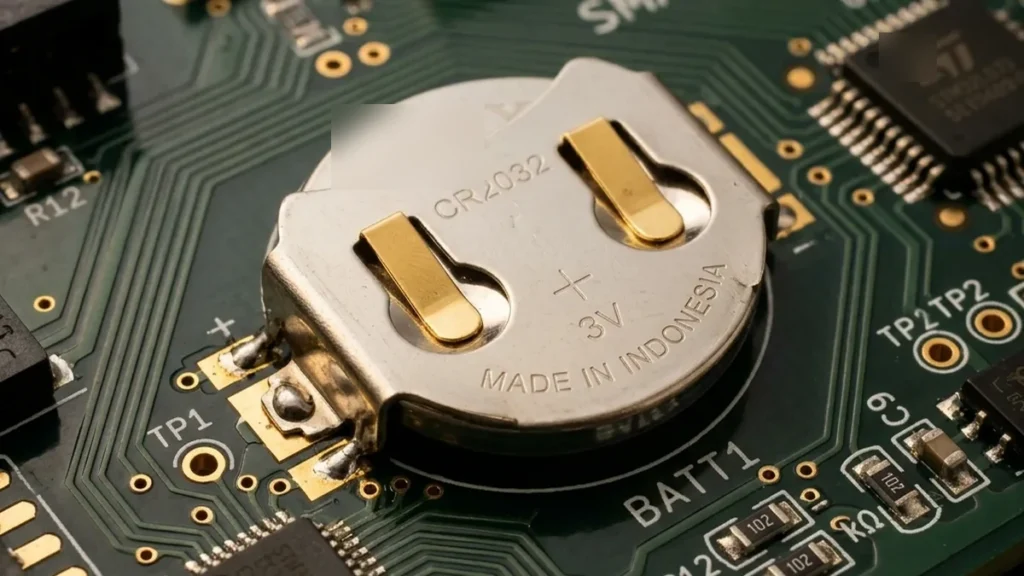
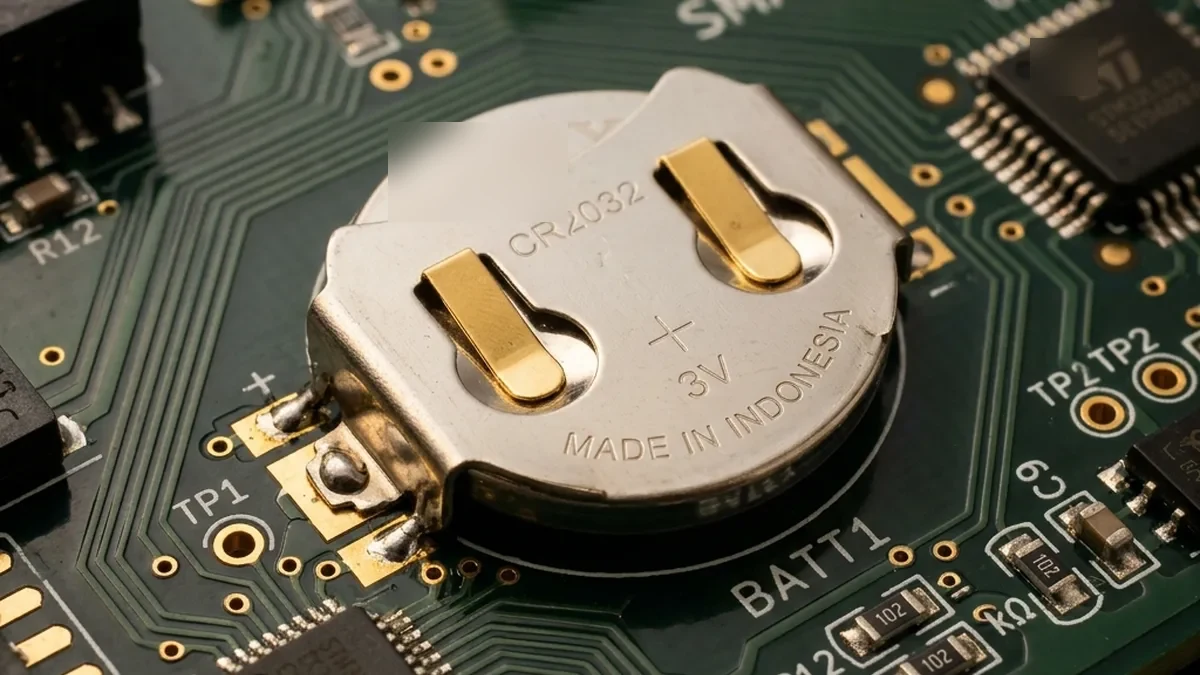
There is nothing quite as annoying as the “Low Battery” chirps from a motion sensor at 3:00 AM, especially when you just replaced the CR2032 coin cell three months ago. Many of these sensors are advertised to last two years, so why are they failing early? The answer usually isn’t the battery itself—it’s the intricate interplay of device configuration, network topology, and the fundamental physics of radio frequency (RF) communication. In the world of Zigbee, Z-Wave, Bluetooth LE (BLE), and even nascent Thread Networks, your sensor’s lifespan is entirely dependent on its reporting frequency, wake-up interval, and the efficiency of its communication path.
The Silent Power Sink: Radio Transmissions
A typical smart sensor spends 99% of its operational time in a deep sleep state, drawing mere microamps (µA). The moment its radio transceiver activates to transmit data, current draw can spike to tens or even hundreds of milliamps (mA). This thousand-fold increase, even for fractions of a second, is the primary battery killer. Each packet sent, each acknowledgement received, and each re-transmission due to poor signal quality chips away at that tiny coin cell.
We’ve spent countless hours debugging “chatty” sensors that effectively shout into the RF void until their tiny batteries give up. Today, we’re going to delve into the mechanics of sensor communication, the underlying protocols, and how you can tune your Aeotec, Aqara, Philips Hue, or other smart devices for peak energy efficiency without sacrificing the responsiveness and utility of your smart home system. This isn’t just about settings; it’s about understanding the entire ecosystem from silicon to mesh topology.
Isolating Battery Drain: A High-Level Flow
+-----------------------+
|  Sensor Battery Drain |
|     Excessive?        |
+-----------+-----------+
            |
            v
+-----------------------+
|  Is it a new issue or |
|  consistent since day1?|
+-----------+-----------+
      |         |
      | (New)   | (Consistent)
      v         v
+----------------+  +-------------------+
|  Recent Network|  |  Default Settings |
|  Change? (e.g.,|  |  Are they too     |
|  New AP, Router)|  |  Aggressive?      |
+----------------+  +-------------------+
      |         |         |
      |         |         | (Yes)
      |         |         v
      |         |   +-------------------+
      |         |   |  Adjust Reporting |
      |         |   |  Deltas & Intervals |
      |         |   |  (Temp, RH, Lux,   |
      |         |   |  Wake-up periods) |
      |         |   +-------------------+
      |         |         |
      |         |         v
      |         |   +-------------------+
      |         +---+  Battery Life   |
      |             |  Improved?      |
      |             +-------------------+
      |                   |   |
      |                   |No |Yes
      |                   v   v
      |             +-------------------+
      |             |  If NO, proceed   |
      |             |  to Network Audit |
      |             |  If YES, Monitor  |
      |             +-------------------+
      |                   |
      v                   v
+-----------------------+
|  Network Audit (LQI/RSSI) |
|  Is sensor on mesh edge? |
|  Are there RF conflicts?|
+-----------+-----------+
            |
            v
+-----------------------+
|  Add Repeaters /    |
|  Optimize Placement   |
|  Change RF Channel    |
+-----------------------+
            |
            v
+-----------------------+
|  Still Draining?      |
|  Hardware Fault?      |
|  (e.g., warm to touch) |
+-----------+-----------+
            |
            v
+-----------------------+
|  Replace Device       |
+-----------------------+
The Cost of Communication: Polling vs. Event-Driven Reporting
Smart sensors spend the vast majority of their time in a deep sleep state, consuming microamps (µA). The moment they transmit data, they spike to milliamps (mA)—a thousand-fold increase or more. Understanding the nuances of how they communicate is paramount to battery longevity.
1. Power States and Current Profiles
| State | Description | Typical Current Draw |
|---|---|---|
| Deep Sleep (Idle) | MCU and radio largely powered down. Only essential registers, RTC, and interrupt lines active. | 0.5 µA to 10 µA |
| Active Listen (RX) | Radio powered up to receive commands or beacons. Less intensive than TX but significant. | 5 mA to 20 mA |
| Transmit (TX) | Radio fully powered at maximum output. Most power-intensive state. | 20 mA to 100 mA (or more for Wi-Fi) |
| MCU Active | Microcontroller wakes to process sensor data, format packets, and manage radio. | 1 mA to 10 mA |
A common pitfall, especially with older Z-Wave devices, is leaving them on “Polling” mode, where the hub constantly asks for status updates. This forces the sensor to repeatedly wake up and respond, even if its state hasn’t changed. Modern Z-Wave Plus (Gen5+), Zigbee 3.0, Bluetooth LE 5.x, and Thread Devices predominantly use event-driven reporting, where the sensor only transmits when a predefined threshold is met or a specific event occurs. This is vastly superior for battery life.
2. RF Transmission Power and Link Quality
The power consumed during transmission is directly proportional to the RF output power (Tx Power). A sensor on the edge of its network, with a poor Link Quality Indicator (LQI) or Received Signal Strength Indicator (RSSI), will attempt to compensate by increasing its Tx Power or retrying transmissions. Each retry is a full-power transmission, effectively multiplying the energy cost for a single logical data point.
- LQI (Zigbee/Thread): A metric of signal quality, often ranging from 0 to 255. Higher is better. Below 100 often indicates a weak link.
- RSSI (Z-Wave/BLE/Wi-Fi): Measured in dBm (decibel-milliwatts), typically negative. Closer to 0 dBm (e.g., -50 dBm) is a stronger signal; values like -85 dBm indicate a very weak link.
A sensor reporting from a remote location with an LQI of 50 might perform 3-5 retries for every successful packet, consuming 3-5 times the energy of a sensor with an LQI of 200 that transmits successfully on the first attempt.
Deep Dive into IoT Protocols and Battery Implications
1. Zigbee (IEEE 802.15.4 based)
Zigbee is a mesh network protocol designed for low-power, low-data-rate applications. Its power efficiency relies heavily on its device types:
- Coordinator (ZC): The root of the network. Always powered.
- Router (ZR): Relays messages, extends the mesh. Always powered.
- End Device (ZED): Battery-powered sensors. Can sleep for extended periods. Must associate with a Router or Coordinator to send/receive data.
Key Battery Factors:
- Parent Device Association: A ZED must have a stable connection to a ZR or ZC. If its parent goes offline or moves, the ZED will expend significant energy scanning for a new parent (re-joining). This is a common cause of sudden battery drain.
- Reporting Configuration: Zigbee clusters (e.g., On/Off, Temperature Measurement, Relative Humidity Measurement) support attribute reporting. Parameters like
min_report_interval,max_report_interval, andreportable_changeare critical. Default settings often prioritize responsiveness over battery life. - APS ACKs: Application Support Sub-layer Acknowledgements. Every unicast message typically requires an ACK. If the ACK is not received, the ZED will retry.
- Channel Interference: Zigbee operates in the 2.4 GHz ISM band, overlapping with Wi-Fi channels 1, 6, and 11. Interference forces re-transmissions.
2. Z-Wave (Proprietary Sub-1 GHz)
Z-Wave also uses a mesh network, but operates in sub-1 GHz frequencies (e.g., 908.42 MHz in US, 868.42 MHz in EU), offering better penetration and less interference with Wi-Fi. Device types:
- Controller: Primary network manager. Always powered.
- Repeater: Mains-powered devices that forward messages.
- Listening Slave/Sleeping Slave: Battery-powered devices.
- Listening Slave: Can receive messages anytime, but has to keep its radio semi-active. Less common for sensors.
- Sleeping Slave (FLiRS – Frequently Listening Routing Slave): Wakes up briefly to listen for a Beam (a special signal from a Repeater indicating a pending message). Still more power-efficient than always listening.
- Routing Slave: Wakes up only on a schedule (Wake-up Interval) to check for pending messages. Most common for sensors.
Key Battery Factors:
- Wake-up Interval: The most critical setting for Z-Wave battery devices. Defines how often the device wakes up to query the controller for pending messages. Shorter intervals mean faster battery drain.
- Association Groups: Z-Wave devices report to specific association groups. Misconfigurations can lead to unnecessary multi-casting or reporting to non-existent groups.
- S2 Security Overhead: While S2 (Security 2) provides robust encryption, the cryptographic operations add slight computational overhead and increase packet size, marginally increasing transmission time and power.
- Route Discovery: When a device’s optimal route fails, it initiates route rediscovery, which involves multiple transmissions and listening periods.
3. Bluetooth Low Energy (BLE)
BLE is designed from the ground up for ultra-low power consumption, especially for short-range communication. It operates in the 2.4 GHz ISM band.
Unlike Classic Bluetooth’s 79 channels, BLE utilizes 40 distinct channels, each 2 MHz wide. Crucially, it employs three dedicated advertising channels (channels 37, 38, and 39) strategically placed in the spectral gaps between the primary Wi-Fi channels (1, 6, and 11) to minimize interference during device discovery. Once connected, BLE also uses Adaptive Frequency Hopping (AFH) to dynamically avoid congested channels, further enhancing reliability and reducing re-transmissions.
Key Battery Factors:
- Advertising Interval: Battery-powered BLE sensors often broadcast advertising packets to be discovered. Shorter intervals mean faster discovery but faster drain. Once connected, advertising often stops.
- Connection Interval: The frequency at which a connected device and central exchange data. A longer interval (e.g., 500 ms vs. 7.5 ms) significantly reduces power consumption.
- GATT Profiles: Generic Attribute Profile defines data structures. Efficient GATT design minimizes data payload size.
- PHY Layer: BLE 5 introduces Coded PHY (Long Range) and 2M PHY (High Speed). Long Range requires more air time for the same data, potentially increasing power consumption for a single transmission, but allows communication over greater distances, reducing retries.
4. Thread (IEEE 802.15.4 based, IPv6)
Thread is an IPv6-based mesh networking protocol, similar to Zigbee in its underlying radio, but designed for IP-addressable devices and integrated with Matter. Device roles:
- Border Router: Connects the Thread network to Wi-Fi/Ethernet. Always powered.
- Router Eligible End Device (REED): Can act as a router or an end device. Always powered or capable of routing.
- End Device (ED): Battery-powered, sleeps for extended periods.
- Minimal End Device (MED): Similar to ED but with less capability.
- Sleepy End Device (SED): The most power-constrained, relies on a parent router for message buffering.
Key Battery Factors:
- Parent-Child Relationship: SEDs are children of REEDs and rely on them to buffer messages. A stable parent is crucial.
- Polling Period: SEDs poll their parent for buffered messages. This interval is configurable and directly impacts battery life.
- Matter Integration: While Matter simplifies interoperability, the underlying Thread network’s efficiency remains paramount.
5. Wi-Fi (IEEE 802.11)
Generally unsuitable for battery-powered sensors due to high power consumption. However, some applications use it (e.g., security cameras).
Key Battery Factors:
- Beaconing: APs constantly broadcast beacons, and devices must listen.
- Power Save Mode (PSM): Devices can enter PSM, waking up periodically to listen for DTIM beacons indicating buffered traffic. Effective PSM implementation is crucial but still more power-hungry than other protocols.
- Association/Disassociation: Joining a Wi-Fi network is a power-intensive process.
- High Data Rates: Even for small sensor data, the Wi-Fi stack’s overhead and higher Tx power are prohibitive.
Hardware and Firmware Under the Microscope
1. Microcontroller (MCU) Selection and Sleep Modes
Modern IoT sensors utilize ultra-low-power MCUs (e.g., ARM Cortex-M0/M4 series). The efficiency of their sleep modes is critical:
- Run Mode: Full power, executing code.
- Sleep Mode: CPU stopped, peripherals active.
- Deep Sleep/Stop Mode: CPU and most peripherals stopped, RAM retained. Wake-up from external interrupt.
- Standby Mode: Lowest power, often only RTC active, RAM cleared on wake-up.
The time taken to transition between these states, and the current draw in deep sleep, are fundamental hardware characteristics impacting battery life.
2. RF Transceiver Chipset
The radio chip (e.g., Silicon Labs EFR32, NXP JN51xx, Nordic nRF52) is the primary power consumer. Its efficiency in TX and RX modes, along with its ability to quickly transition to deep sleep, dictates much of the device’s battery performance. Factors like transmit power calibration and receiver sensitivity also play a role.
3. Battery Chemistry and Discharge Characteristics
The choice of battery chemistry directly impacts performance, especially under varying load and temperature conditions.
- CR2032 (Lithium Coin Cell): Common for small sensors. Nominal voltage 3.0V. Excellent for low, continuous drain, but internal resistance increases significantly as capacity drops, leading to voltage sag under peak transmit load. Cold temperatures severely reduce capacity.
- AA/AAA Alkaline: Nominal 1.5V. Higher capacity than coin cells, but poor performance under high current draws and significant voltage drop as they discharge.
- AA/AAA Lithium (e.g., Energizer Ultimate Lithium): Nominal 1.5V. Excellent capacity, very low internal resistance, stable voltage output, and superior cold-weather performance. Often worth the premium for critical sensors.
A sensor’s “low battery” threshold is often set at a specific voltage (e.g., 2.5V for a 3.0V CR2032). Due to internal resistance, a battery might sag below this threshold during a transmission, triggering a low battery alert, even if substantial capacity remains for low-current operations.
4. Firmware Logic and Event Debouncing
The device’s firmware determines how sensor data is processed and reported. Poorly written firmware can:
- Lack Debouncing: A noisy reed switch or PIR sensor could trigger multiple events for a single physical change.
- Aggressive Re-join Logic: Some devices aggressively try to re-join the network after a dropout, consuming excessive power in scanning and association attempts. Aqara/Xiaomi devices are notorious for this when their parent router signal is unstable.
- Verbose Reporting: Sending unnecessary “heartbeat” messages or reporting minor, insignificant changes.
- Noisy Sensors: Some sensor components themselves might be electrically noisy, causing the MCU to wake up more often.
Advanced Configuration & Optimization Strategies
| Sensor Type | Default Life (Typical) | Optimized Life (Target) | Recommended Tuning Action | Technical Justification |
|---|---|---|---|---|
| Temp/Humidity | 4-6 Months | 18+ Months | Set temp delta to 0.5°C / RH delta to 5%. Max report interval 1 hr. | Prevents reporting minor fluctuations. 0.1°C changes are rarely actionable and cause excessive RF bursts. |
| Motion (High Traffic) | 3-6 Months | 12+ Months | Increase re-trigger/reset time to 90-120s. Reduce sensitivity if possible. | Minimizes rapid succession of ON/OFF reports in busy areas. Debounces human movement. |
| Door/Window Contact | 12-18 Months | 36+ Months | Disable ‘Heartbeat’ LED. Disable tamper reporting if not critical. | LEDs, even brief ones, consume significant power. Tamper reports are often not needed for interior doors. |
| Luminance/Light | 6-9 Months | 24+ Months | Set delta to 50-100 Lux. Max report interval 1-2 hrs. | Light levels fluctuate constantly. Small changes are inconsequential for automation. Avoid reporting ‘flicker’. |
| Battery Level | N/A (often part of other reports) | N/A (optimized via other reports) | Set battery delta to 5-10%. Report only on significant change. | Prevents the sensor from waking up just to report 99% to 98% battery. |
1. Threshold Tuning (Reporting Deltas)
This is the single most impactful optimization. Instead of reporting every X seconds or every minor change, configure your sensors to report only when a significant change (delta) occurs.
- Temperature: A 0.1°C change is rarely actionable. Set delta to 0.5°C or even 1.0°C for most use cases.
- Humidity: A 1% change is often noise. Set delta to 5% Relative Humidity.
- Luminance: In a dynamic environment, lux levels change constantly. A 1 lux delta is catastrophic. Aim for a minimum 50-100 lux delta, or even higher for outdoor sensors.
- Battery Percentage: Many sensors report battery level as part of their periodic wake-up or with every other report. If configurable, set a 10% battery delta to prevent reporting 99% to 98% changes.
Additionally, most sensors have a “maximum report interval” parameter. This acts as a failsafe, ensuring the sensor reports at least once every X hours, even if the delta threshold is never met. Set this to a reasonable value, e.g., 3600 seconds (1 hour) or even 21600 seconds (6 hours) for less critical sensors.
2. Wake-up Intervals (Z-Wave Specific)
For Z-Wave sleeping slaves, the wake-up interval dictates how often the device polls the controller for pending messages. The default can be as short as 30 minutes (1800s). For most sensors, this is excessive.
- General Sensors: 3600 seconds (1 hour) to 14400 seconds (4 hours) is a good balance.
- Low-Priority Sensors: 28800 seconds (8 hours) or even 86400 seconds (24 hours) for sensors that rarely need configuration changes (e.g., a rarely moved door sensor).
Be aware that changing configuration parameters on a Z-Wave sleeping slave requires the device to be awake. You’ll often need to manually wake it up (e.g., press its action button) after saving configuration changes on your hub.
3. Motion Sensor Specifics
- Re-trigger Delay/Reset Time: This sets how long the sensor remains in an “active” state after detecting motion before it can re-detect and report motion again. A 30-second default is too short for high-traffic areas. Increase to 90-120 seconds.
- Sensitivity: Some advanced sensors allow adjusting PIR sensitivity. Lowering it can prevent false positives or detection of pets, reducing unnecessary reports.
4. Network Health and Mesh Optimization
A robust mesh network is the foundation of battery longevity. Poor signal quality forces retries and higher Tx power.
- LQI/RSSI Monitoring: Use your hub’s network map (e.g., Home Assistant’s Zigbee/Z-Wave JS UI, Hubitat’s Z-Wave Details) to monitor LQI/RSSI values. Anything consistently below 100 LQI or -80 dBm RSSI needs attention.
- Repeater Placement: Strategically place mains-powered Zigbee/Z-Wave repeaters (smart plugs, light switches) within 15-20 feet of problematic battery sensors. Ensure repeaters are not placed in corners or behind dense materials.
- Channel Interference Mitigation:
Wi-Fi (2.4 GHz) Channels (20 MHz BW) | Overlapping Zigbee (802.15.4) Channels (5 MHz spacing)
+------------------------------------+-----------------------------------------------------+
| Wi-Fi Channel 1 (2401-2423 MHz)    | Zigbee Channels 11, 12, 13, 14                      |
| (Center: 2412 MHz)                 | (2405, 2410, 2415, 2420 MHz)                        |
+------------------------------------+-----------------------------------------------------+
| Wi-Fi Channel 6 (2426-2448 MHz)    | Zigbee Channels 15 (partial), 16, 17, 18, 19        |
| (Center: 2437 MHz)                 | (2425, 2430, 2435, 2440, 2445 MHz)                  |
+------------------------------------+-----------------------------------------------------+
| Wi-Fi Channel 11 (2451-2473 MHz)   | Zigbee Channels 20 (partial), 21, 22, 23, 24        |
| (Center: 2462 MHz)                 | (2450, 2455, 2460, 2465, 2470 MHz)                  |
+------------------------------------+-----------------------------------------------------+
| Non-overlapping / Safest Zigbee    | Zigbee Channel 25 (2475 MHz)                        |
| Channels for Wi-Fi 1, 6, 11        | (and 26, if supported, 2480 MHz)                    |
+------------------------------------+-----------------------------------------------------+
If your Wi-Fi uses channels 1, 6, or 11, choose a Zigbee channel that minimizes overlap. Zigbee channel 25 (2475 MHz) is generally considered the safest choice as it sits entirely outside the primary Wi-Fi 1, 6, and 11 spectrums. If Zigbee channel 25 is not available or suitable, consider Zigbee channel 15 or 20, depending on your specific Wi-Fi channel configuration. Always use a Wi-Fi analyzer app to identify the least congested Wi-Fi channels first, then select an optimal Zigbee channel to avoid interference.
Hyper-Specific Troubleshooting Paths and Device Examples
Tuning Aeotec MultiSensor 6 (Z-Wave) – A Power Hungry Beast
The Aeotec MultiSensor 6 is feature-rich but notoriously power-hungry out-of-the-box. If your Aeotec is eating CR123A batteries, change these parameters in Samsung SmartThings, Hubitat Elevation, or Z-Wave JS UI (Home Assistant):
- Parameter 101 (Group 1 Reports): This controls which sensor types report. Set to 0 to disable group reporting entirely, or carefully select only the critical sensors you need. Default often includes all sensors, leading to excessive reports.
- Parameter 111 (Group 1 Interval): The minimum time between reports for Group 1. Increase this to 3600 (1 hour) or even 7200 (2 hours).
- Parameter 40 (Temperature Threshold): Set to 50 (0.5°C) or 100 (1.0°C). Default is often 10 (0.1°C).
- Parameter 41 (Humidity Threshold): Set to 5 (5% RH). Default is often 1 (1% RH).
- Parameter 42 (Luminance Threshold): Set to 50 or 100 lux. Default is often 10 lux.
- Wake-up Interval: Increase from default (often 3600s/1 hour) to 21600s (6 hours) or 43200s (12 hours). Remember to manually wake the device after changing this.
- Disable specific sensors: If you don’t use motion, UV, or seismic, disable them via parameters (e.g., Parameter 5 for motion, Parameter 21 for UV).
Rationale: The MultiSensor 6’s default firmware is designed for maximum data granularity, not battery life. Aggressively consolidating reports and extending wake-up times is essential.
Fixing Aqara / Xiaomi Zigbee Dropouts and Battery Drain
Aqara/Xiaomi Zigbee sensors are highly affordable but have specific quirks. They often go offline or drain batteries prematurely due to their non-standard Zigbee implementation and aggressive re-join logic when signals are weak.
- Pair to a Compatible Routing Device: Aqara sensors are known to prefer specific Zigbee routing devices (repeaters). Avoid pairing them directly to your main hub if it’s far away. Instead, pair them to a robust, always-on Zigbee router like an IKEA Tradfri Repeater, a Third Reality Smart Plug, or specific Aqara Smart Plugs (EU version). Devices like some older Sengled bulbs are not good repeaters for Aqara.
- Adjust Reporting in Zigbee2MQTT/ZHA:
- In Zigbee2MQTT, for devices that allow it, adjust the
min_report_interval(e.g., 300 seconds) andmax_report_interval(e.g., 3600 seconds) andreportable_changefor attributes like temperature (e.g., 0.5 for 0.5°C). - For ZHA (Home Assistant), access the device’s “Manage Zigbee device” page, go to “Clusters,” select the relevant cluster (e.g.,
0x0402: ZCL_CLUSTER_ID_TEMP_MEASUREMENT), then “Configure Reporting.” Set min/max intervals and reportable change.
- In Zigbee2MQTT, for devices that allow it, adjust the
- Optimal Placement: Avoid placing these sensors on metal surfaces (e.g., refrigerators, metal door frames). Metal acts as an RF shield and reflector, forcing the sensor’s radio to use maximum transmit power, leading to rapid drain.
- Avoid Wi-Fi Interference: Ensure your Zigbee network channel does not heavily overlap with your Wi-Fi 2.4 GHz channels.
Rationale: Aqara’s power-saving strategy is aggressive, but if the network link is unstable, its attempts to re-establish connection become very costly. A stable, compatible parent router is crucial.
The relationship between Mesh LQI and energy consumption.
A strong Link Quality Indicator (LQI) or Received Signal Strength Indicator (RSSI) means fewer re-transmissions and lower effective transmit power. Think of it like shouting: if you’re close, a whisper is enough. If you’re far, you have to yell, and if no one hears, you yell again, and again, until your voice gives out (or your battery dies).
Comprehensive FAQ: Demystifying Battery Drain
Q1: Why do my batteries die faster in winter?
A1: Cold temperatures significantly reduce the chemical efficiency and internal resistance of most battery chemistries, especially alkaline and standard lithium coin cells (CRxxxx). This means their effective capacity drops, and they struggle to deliver the high peak current required for RF transmissions. This voltage sag can prematurely trigger “low battery” warnings. For outdoor or unheated locations, consider using specialized industrial-grade lithium batteries (e.g., Energizer Ultimate Lithium AA/AAA) which perform better in extreme temperatures.
Q2: My sensor reports “low battery” but still works. Is it faulty?
A2: Not necessarily. This is often due to the battery’s internal resistance increasing as it discharges. When the sensor’s radio transmits, it draws a high pulse of current. This causes a temporary voltage drop (sag) across the battery’s internal resistance. If this temporary voltage sag falls below the sensor’s “low battery” threshold (e.g., 2.5V for a 3.0V battery), it reports low, even if the open-circuit voltage is still higher. The sensor might continue to function for low-power tasks, but it will eventually fail to transmit reliably. It’s a good indicator to replace the battery soon.
Q3: Does S2 security on Z-Wave devices impact battery life?
A3: Yes, marginally. S2 security involves cryptographic operations (encryption/decryption) that require additional CPU cycles and increase the size of the data packet. While the impact is usually minor compared to the cost of the radio transmission itself, it does add a small amount of overhead, potentially reducing battery life by a few percentage points over its lifetime. The security benefits generally outweigh this slight efficiency loss.
Q4: My Wi-Fi is on channel 6, and my Zigbee is on channel 11. Is that good?
A4: This is generally a good configuration. Wi-Fi channels 1, 6, and 11 are the three non-overlapping 20 MHz channels in the 2.4 GHz band. Zigbee channels are 5 MHz wide.
- Wi-Fi Channel 1 (2412 MHz center) significantly overlaps Zigbee Channels 11-14.
- Wi-Fi Channel 6 (2437 MHz center) significantly overlaps Zigbee Channels 15-19.
- Wi-Fi Channel 11 (2462 MHz center) significantly overlaps Zigbee Channels 20-24.
Q5: How often should I replace batteries if I optimize my sensors?
A5: With proper optimization, most temperature, humidity, and door/window sensors should last 18-36 months on a single CR2032 or AA/AAA battery. Motion sensors in low-traffic areas can also achieve this, while those in high-traffic areas might get 12-18 months. Always refer to the manufacturer’s optimized battery life claims, but understand that real-world results depend heavily on your specific configuration and network health.
Q6: Can a faulty sensor or firmware bug cause rapid battery drain?
A6: Absolutely. A hardware fault (e.g., a shorted component, a failing voltage regulator) can cause constant high current draw, making the device warm to the touch. Firmware bugs can lead to the device failing to enter deep sleep, constantly retrying transmissions, or having an inefficient re-join strategy. If a device drains a new battery in days or weeks despite all optimizations and good network health, it’s likely a hardware or severe firmware issue requiring replacement or a firmware update.
Conclusion: Mastery Through Meticulous Configuration
The battle against “battery blues” in smart homes is not won by simply buying “better” batteries, but by a deep, technical understanding of how these miniature IoT devices operate. Every RF transmission is a significant energy expenditure, and every unnecessary report chips away at the finite capacity of your sensor’s power source. By meticulously tuning reporting deltas, extending wake-up intervals, optimizing your mesh network for strong LQI/RSSI, and understanding the specific quirks of different protocols and device firmwares, you can transform a frustrating 3-month battery life into a reliable 2-year-plus operation.
This isn’t just about saving money on batteries; it’s about building a stable, reliable, and low-maintenance smart home infrastructure. Proactive configuration and network health monitoring are the hallmarks of an expertly engineered IoT system. Take the time to audit your sensors, fine-tune their parameters, and ensure your mesh network provides a clear, strong path for their vital data. Your smart home (and your sleep) will thank you.
About these guides
These guides are compiled and maintained by the Smart Home Expert editorial desk. Each one is built from manufacturer documentation and the published Zigbee, Z-Wave, Thread and Wi-Fi specifications, then written up as a diagnostic sequence you can follow in order. Found something that does not match your hardware? Tell us and we will correct the sheet.
Specifications and references
The primary documentation for the protocols and products discussed above. Where this guide gives a figure — a frequency, a voltage, a timeout — these are where it comes from.